What's new in Lovrabet - 2025
INFO
Lovrabet domain migration completed
Dear users, our domain migration is complete (transition period: Sep 1 ~ Nov 30). Please use the new domain going forward. ✅ New domain: https://app.lovrabet.com/ ⚠️ Old domain: yuntooai.com (no longer in service)
During the transition period, the old and new domains ran side by side for 3 months; that period has now ended. Please confirm that:
- Your bookmarks are updated; 2) Your team is aware; 3) Your API calls have been switched (if applicable) Thank you for your cooperation!
🚀 [2026.1.8] Major upgrades
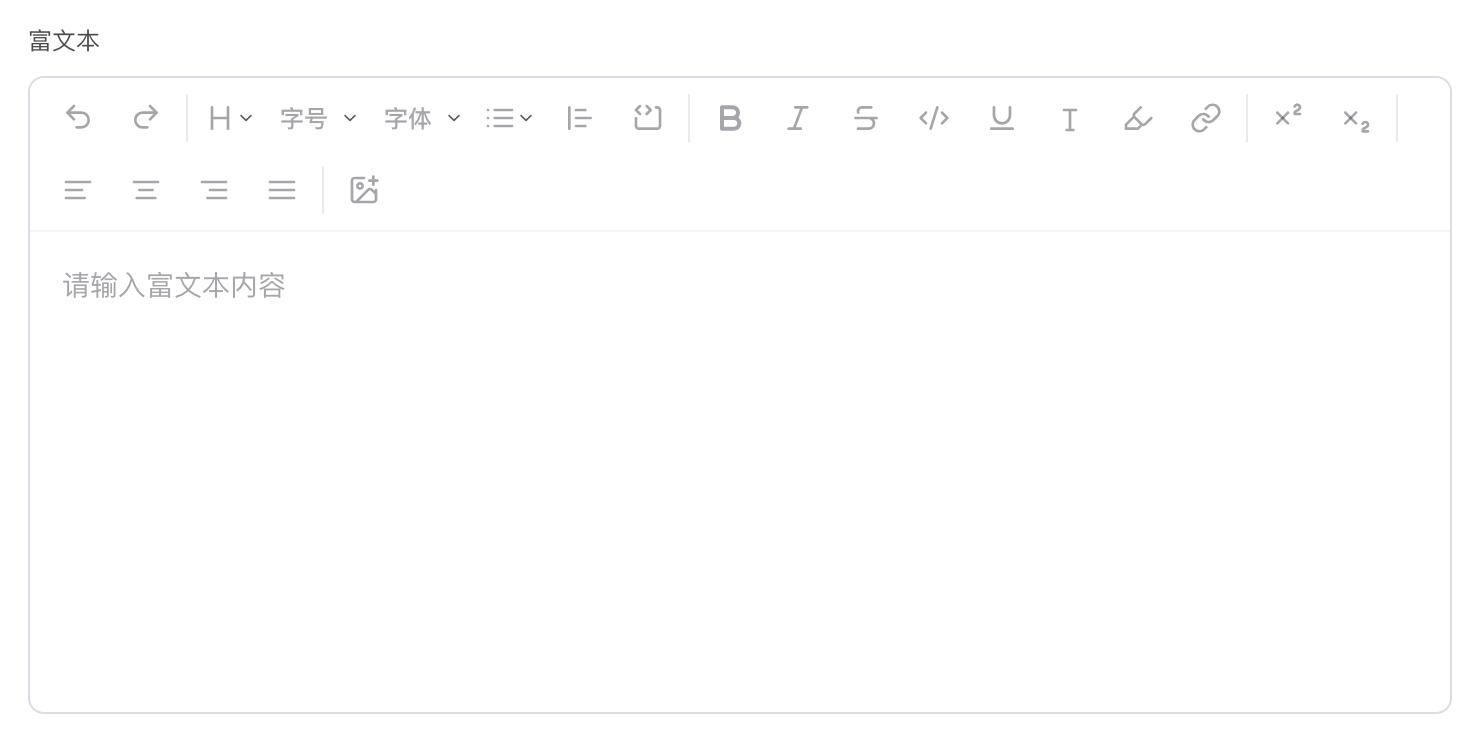
Rich text component support
🚀 [2026.1.5] Major upgrades
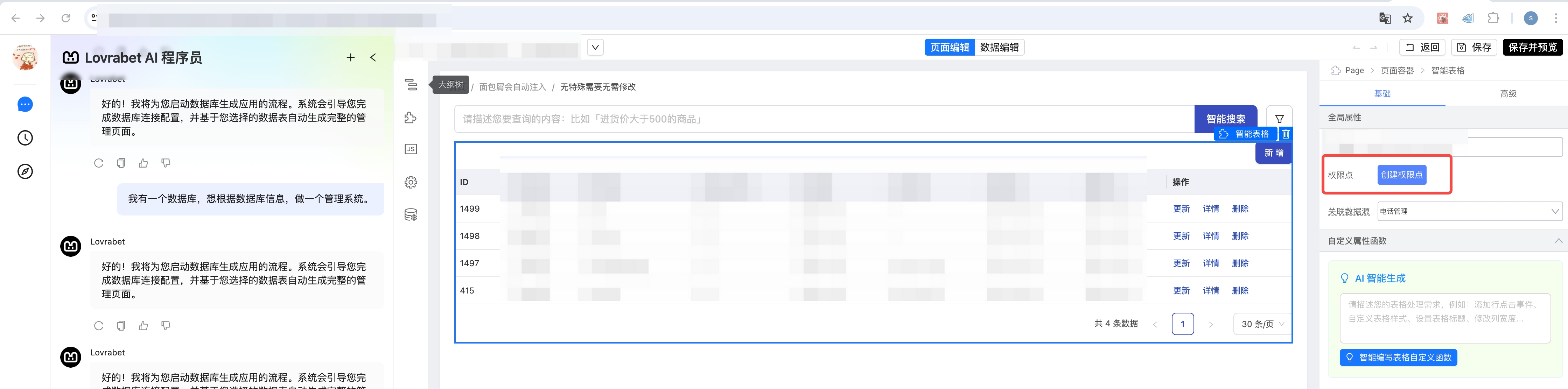
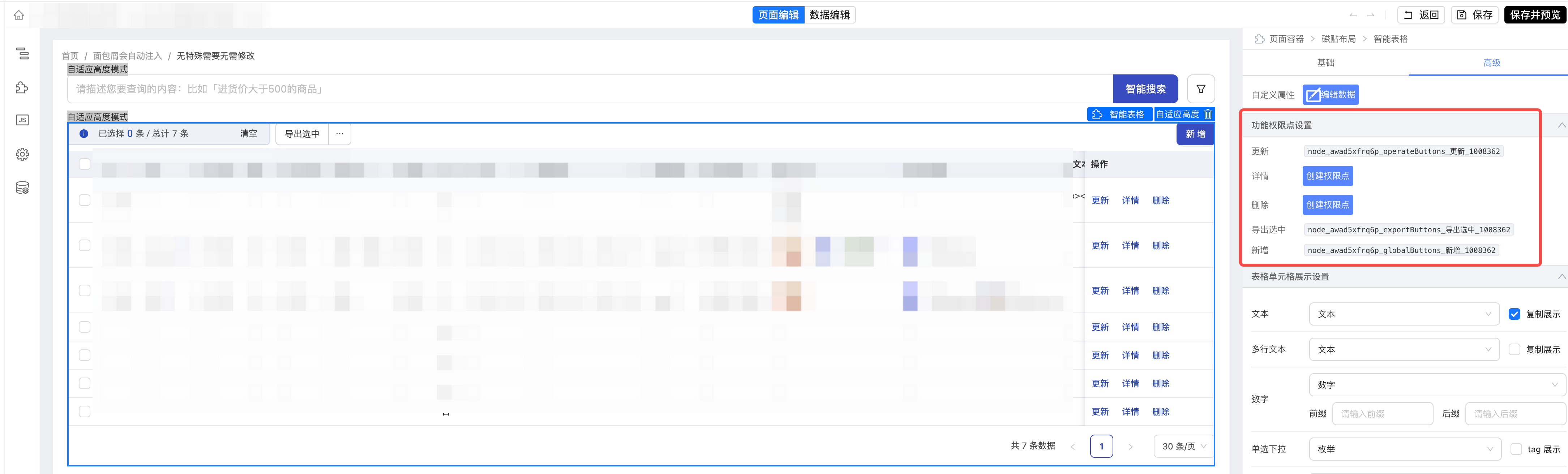
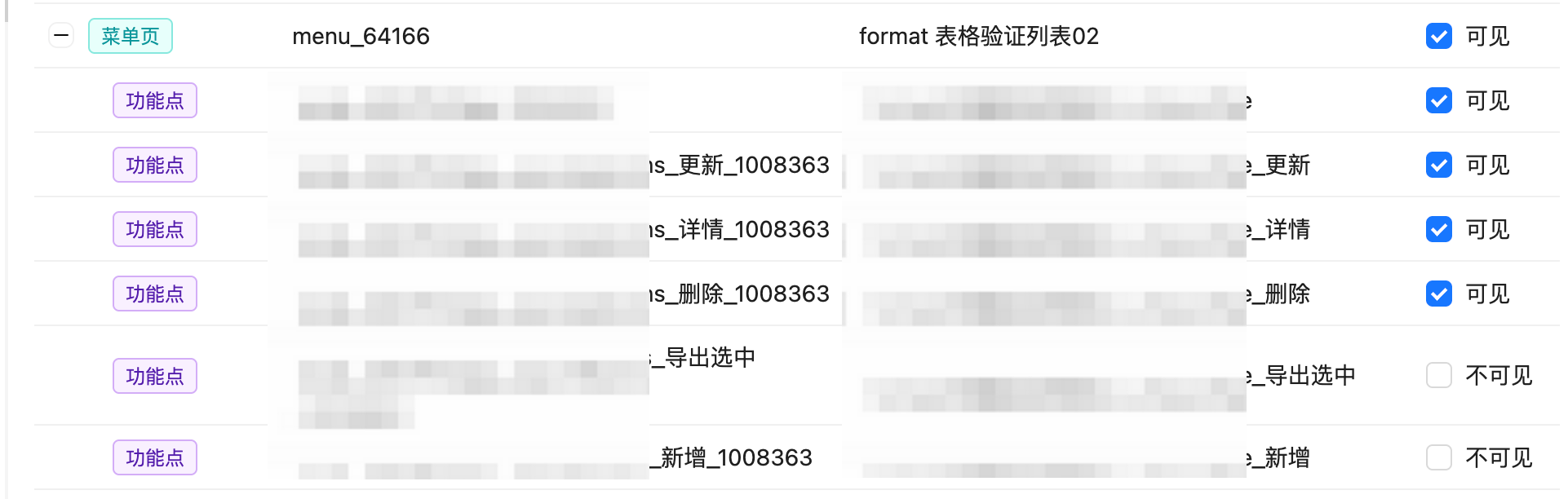
Page editor: table and action permission controls
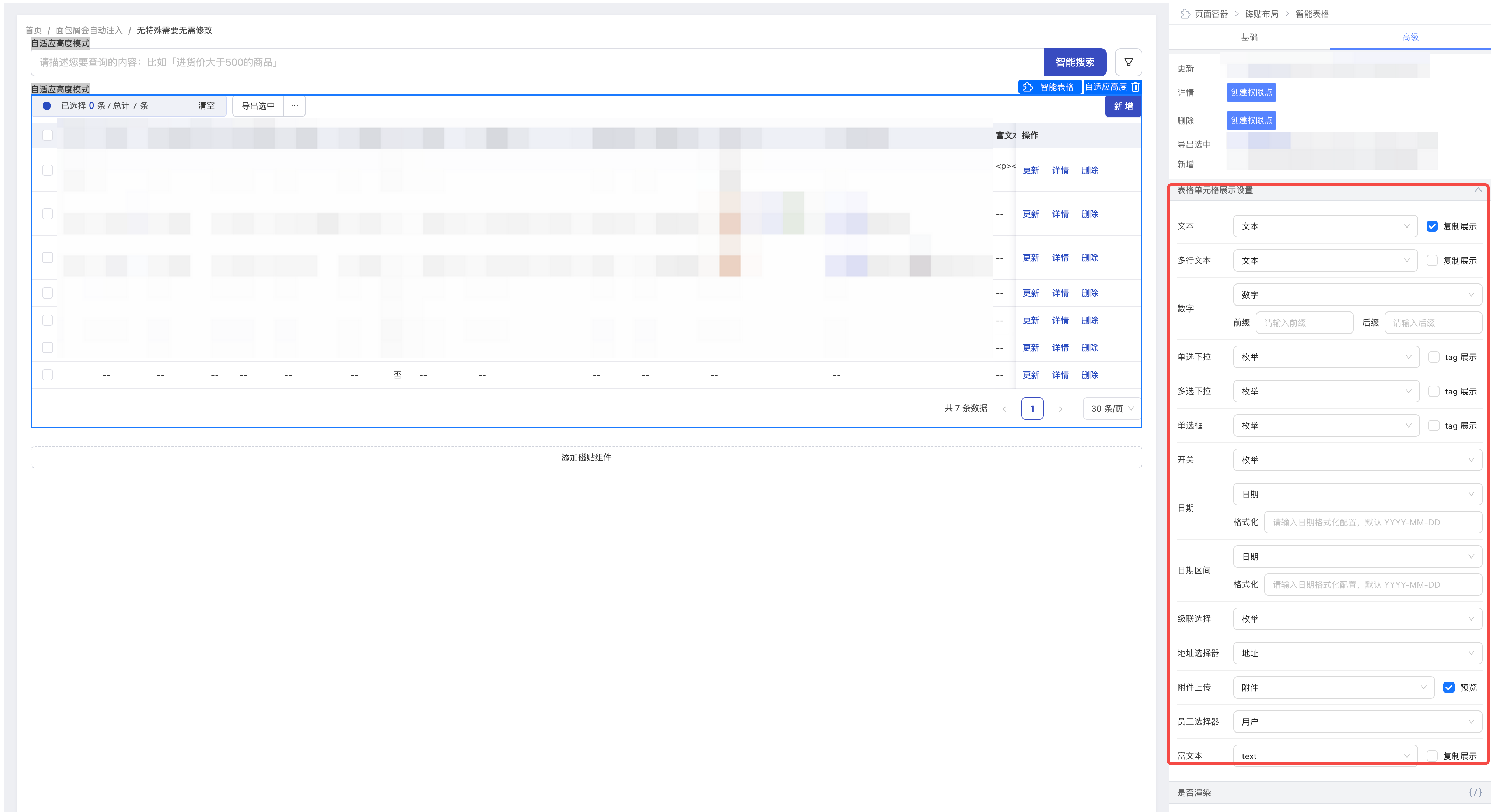
Page editor: cell display type settings
🚀 [12.25] Major feature upgrades
Backend Function
Build custom pages with Vibe Coding
🚀 [12.22] Major feature upgrades
Credits top-up center is live
INFO
Self-service online top-up is now available. Credits are converted automatically at 3.6 credits per 1 CNY, and you can top up with either a preset or a custom amount.
Entry point: click the tenant icon in the lower-left corner and choose Credits top-up center from the menu.
Features: pick a preset amount or enter a custom one — the minimum top-up is 1 CNY.
Payment platform: Alipay is currently the only supported online payment method.
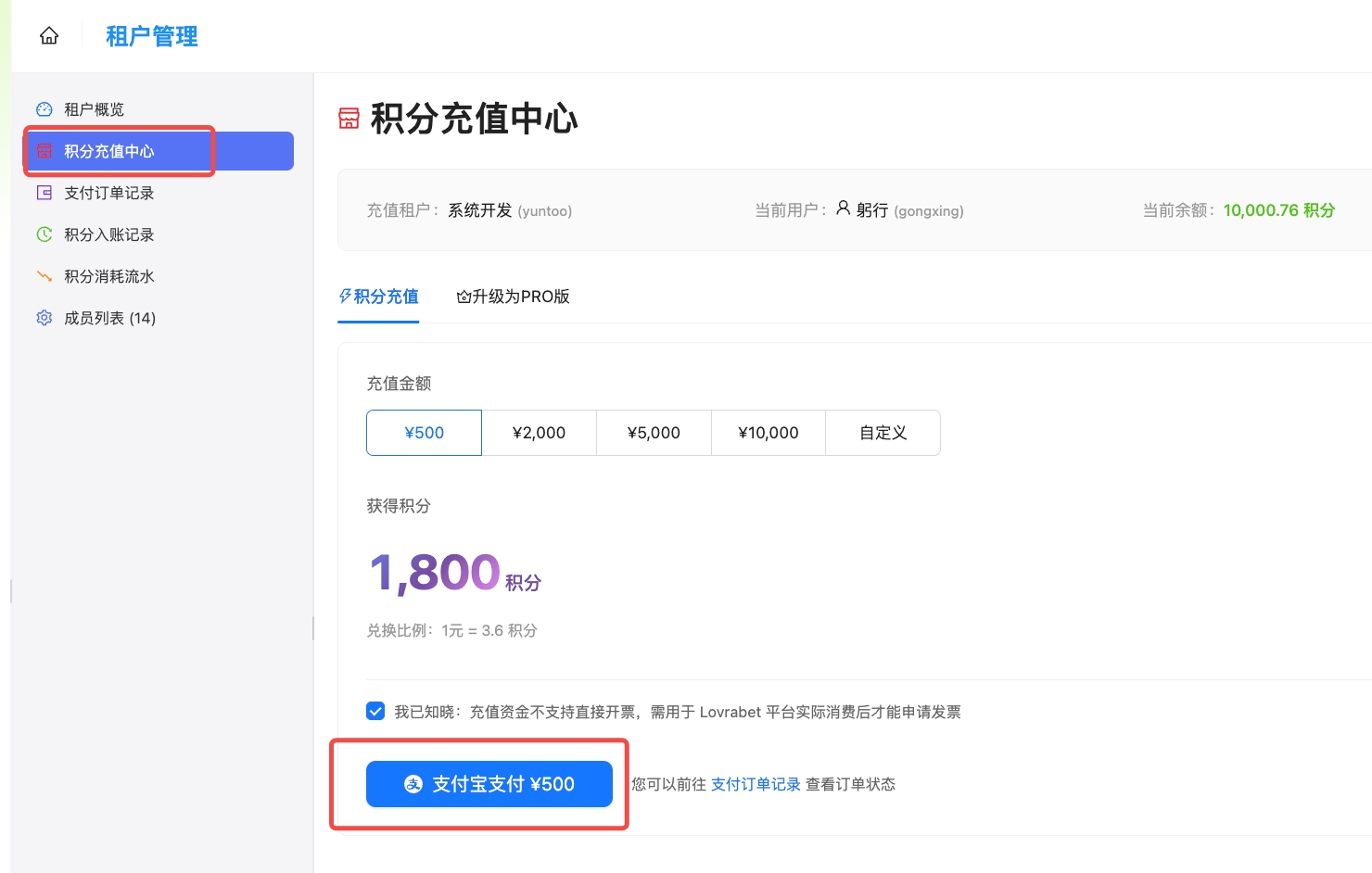
After confirming, you'll land on the payment page. Double-check the amount and that the payee is Hangzhou Qizhi Yuntu Technology Co., Ltd. before paying.
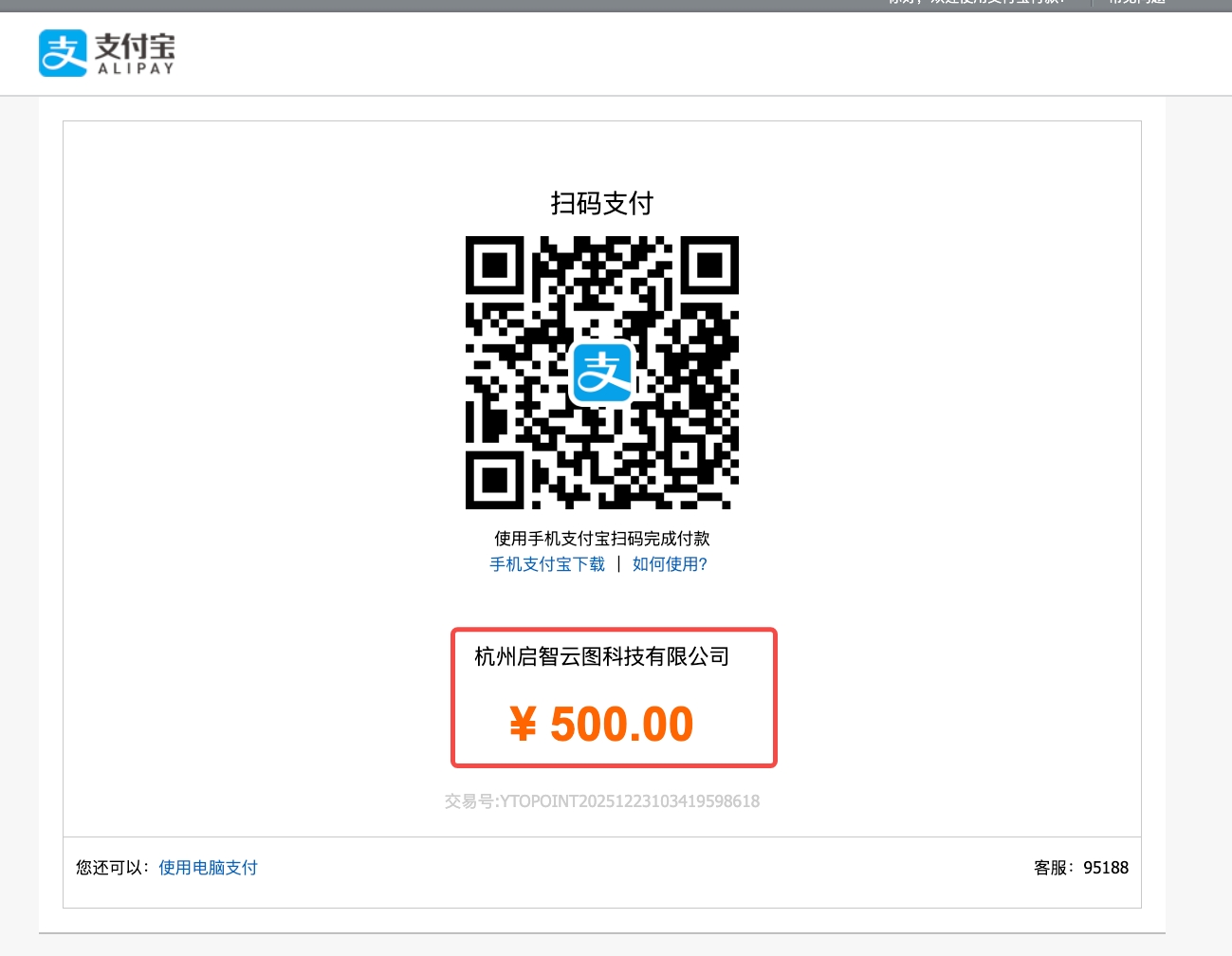
After a successful payment, a top-up record is created automatically and your credit balance increases accordingly.
Open the Payment order records menu to review your top-up history.
If a payment fails, you can retry within 30 minutes; orders left unpaid for more than 30 minutes close automatically after 24 hours.
filter API now supports related-table queries
INFO
The filter API previously supported single-table queries only. With this upgrade, related tables whose relationships have already been analyzed are joined automatically.
Example: your current table stores a company ID (company_id), while company names live in a separate company table. To filter the current table by company name, reference the name through company_id_label:
"ytWhere":{"company_id_label":{"$contain":"信息"}}ER diagram visualization for table relationships
INFO
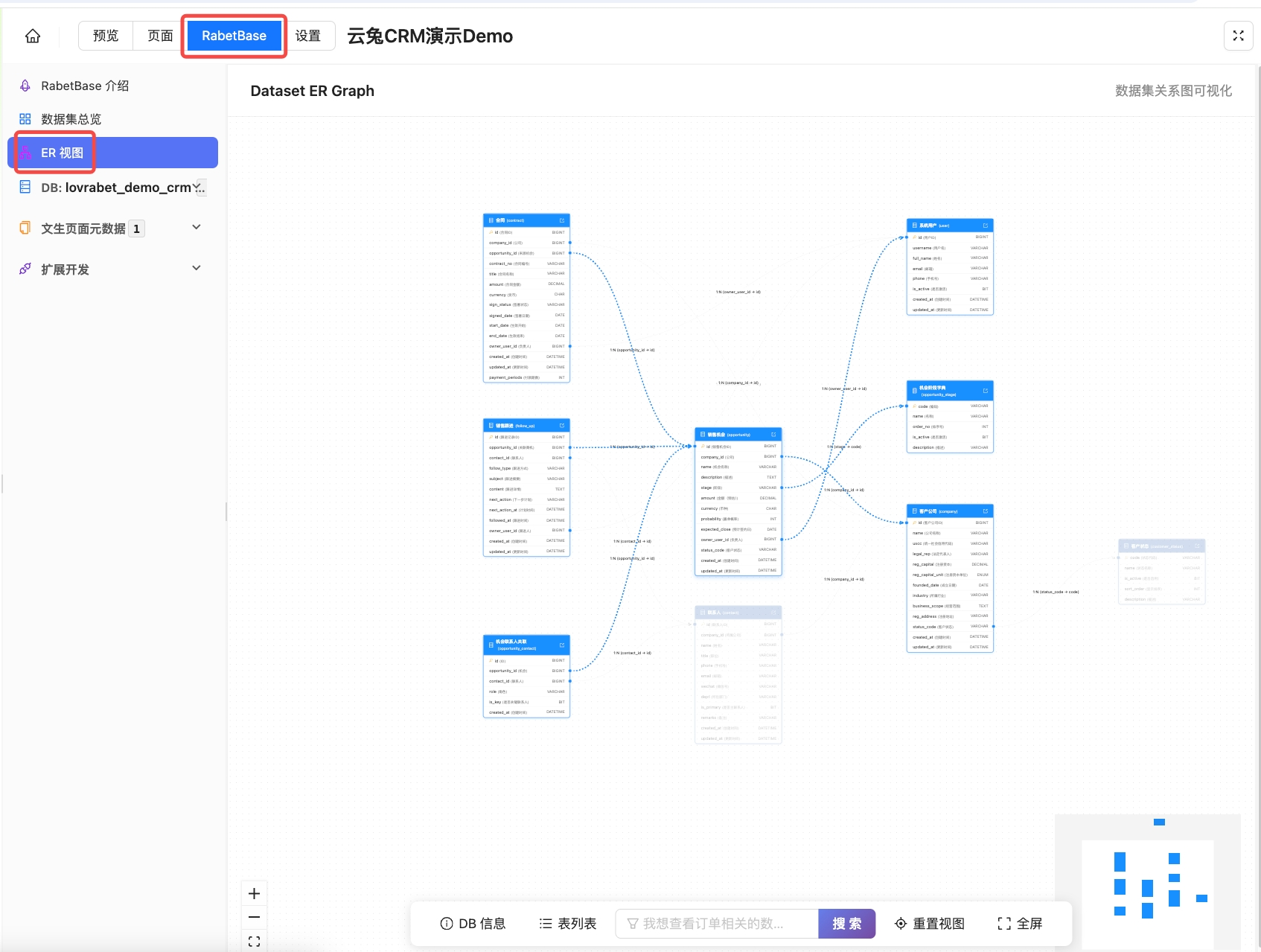
Table relationships discovered by Lovrabet's intelligent analysis can now be visualized as ER diagrams, giving you an intuitive, big-picture view of how tables connect.
Entry point: open an app from the Lovrabet workspace, then go to RabetBase - ER view:
Custom roles and permissions
INFO
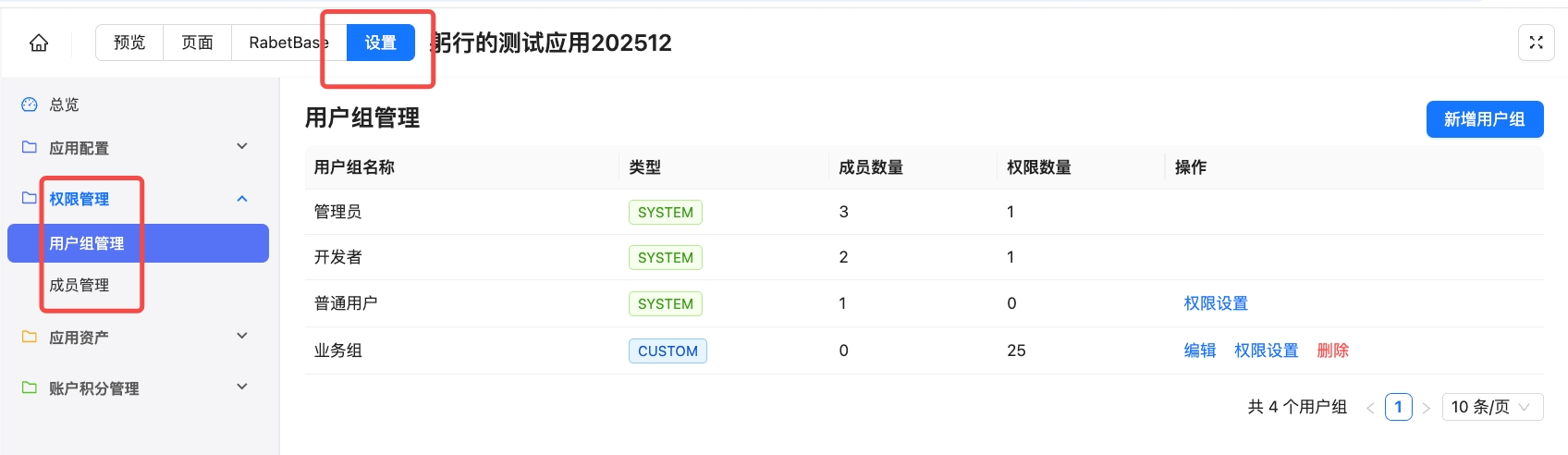
Custom roles and permissions are live — different people can now see different menus, buttons, and data.
The system creates three default roles: Admin, Developer, and Member. These three can't be modified, but Member permissions are fully configurable.
Admin: full permissions across app management, pages, menus, datasets, and APIs.
Developer: full permissions for pages, menus, datasets, and APIs, but no app-management rights such as app configuration, roles, and members.
Member: sees menus only by default, with no data access — permissions can be configured as needed.
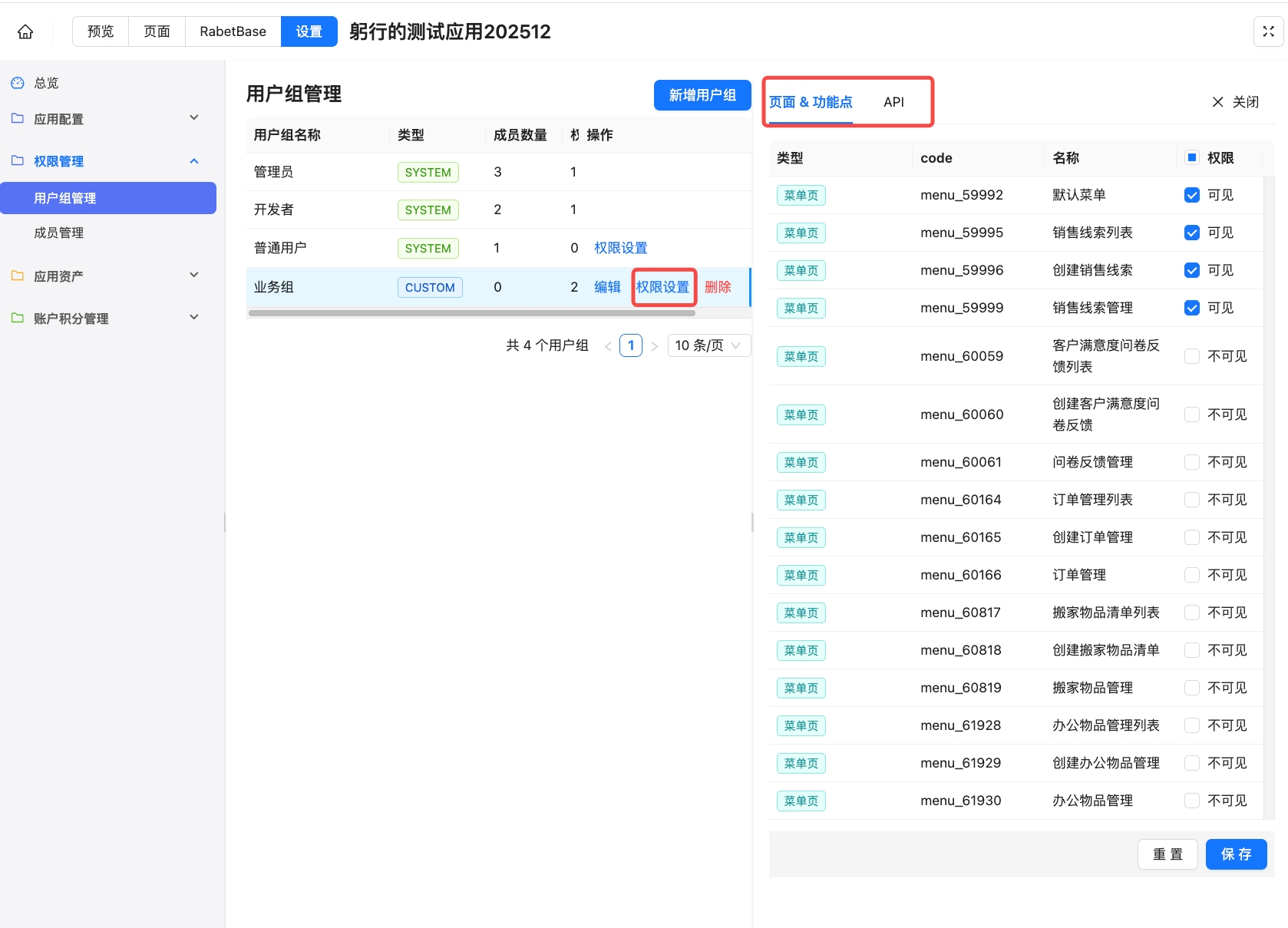
Permission settings: access can be configured per menu, page action, and API.
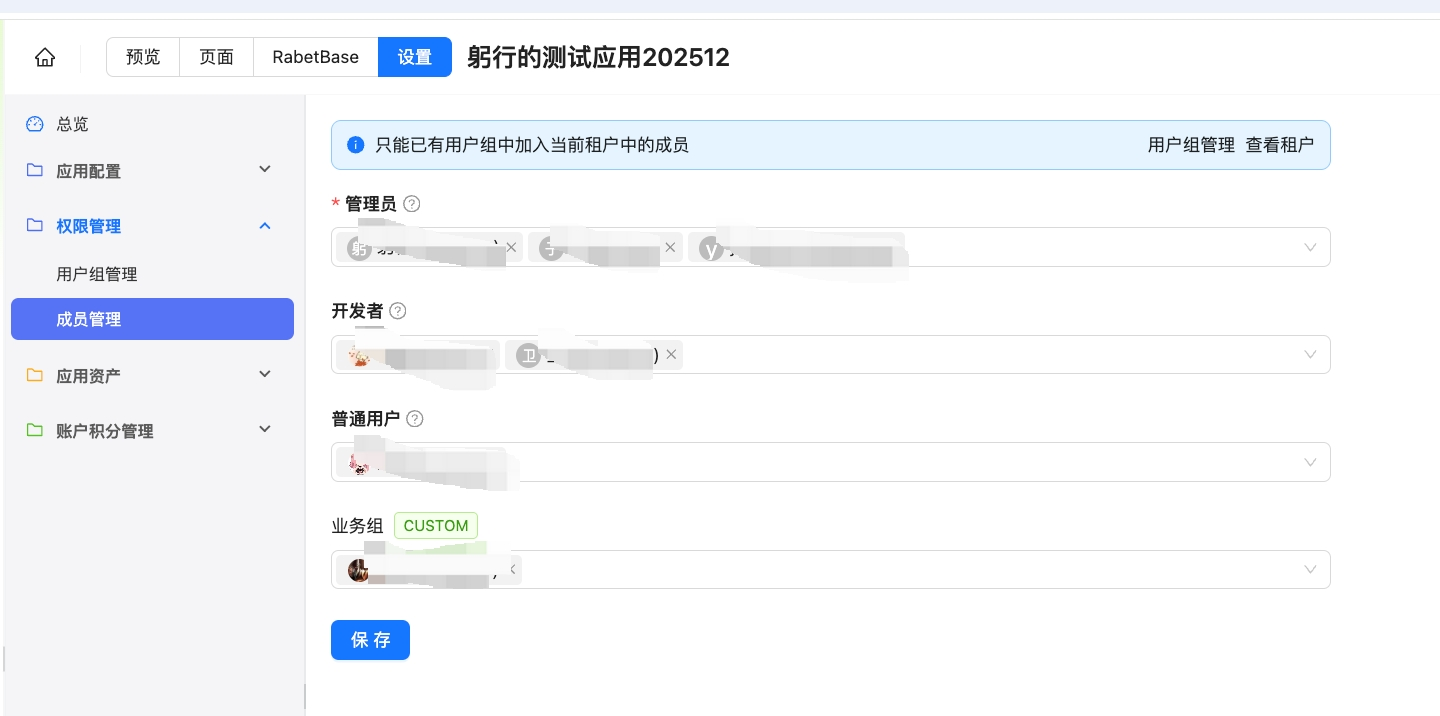
Member management:
Other improvements
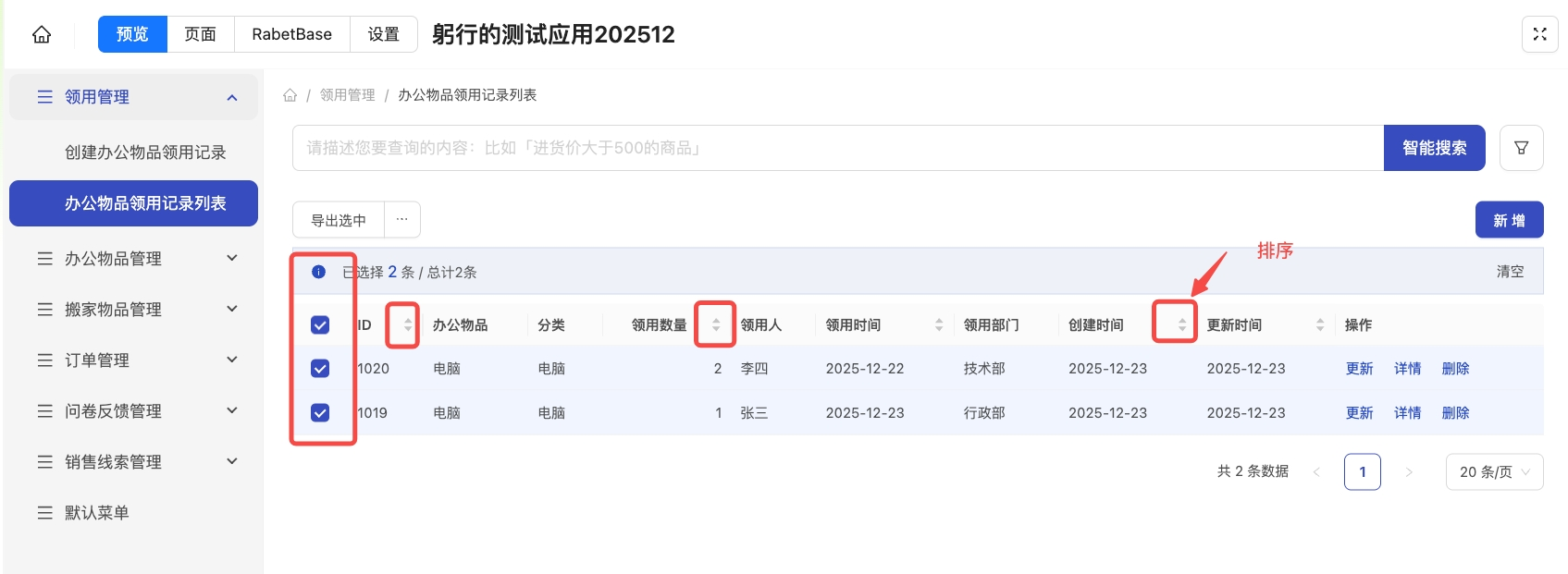
- YTTable now supports multi-select, bulk operations, and column sorting
🚀 [12.01] Major feature upgrades
🔥🔥 Full vibe coding support for editing existing pages 🔥🔥
- Describe what you need for any component and the change is applied automatically.
- Describe a requirement to add any page module
TIP
Tip: In the input box, use @ to reference entities such as pages and datasets, and # to trigger suggestions.
Generated pages now include AI-powered search 🤖️
- AI-powered search is enabled by default: describe what you're looking for in natural language and get results. You can switch back to the classic exact-match filter mode at any time.
Other handy capabilities
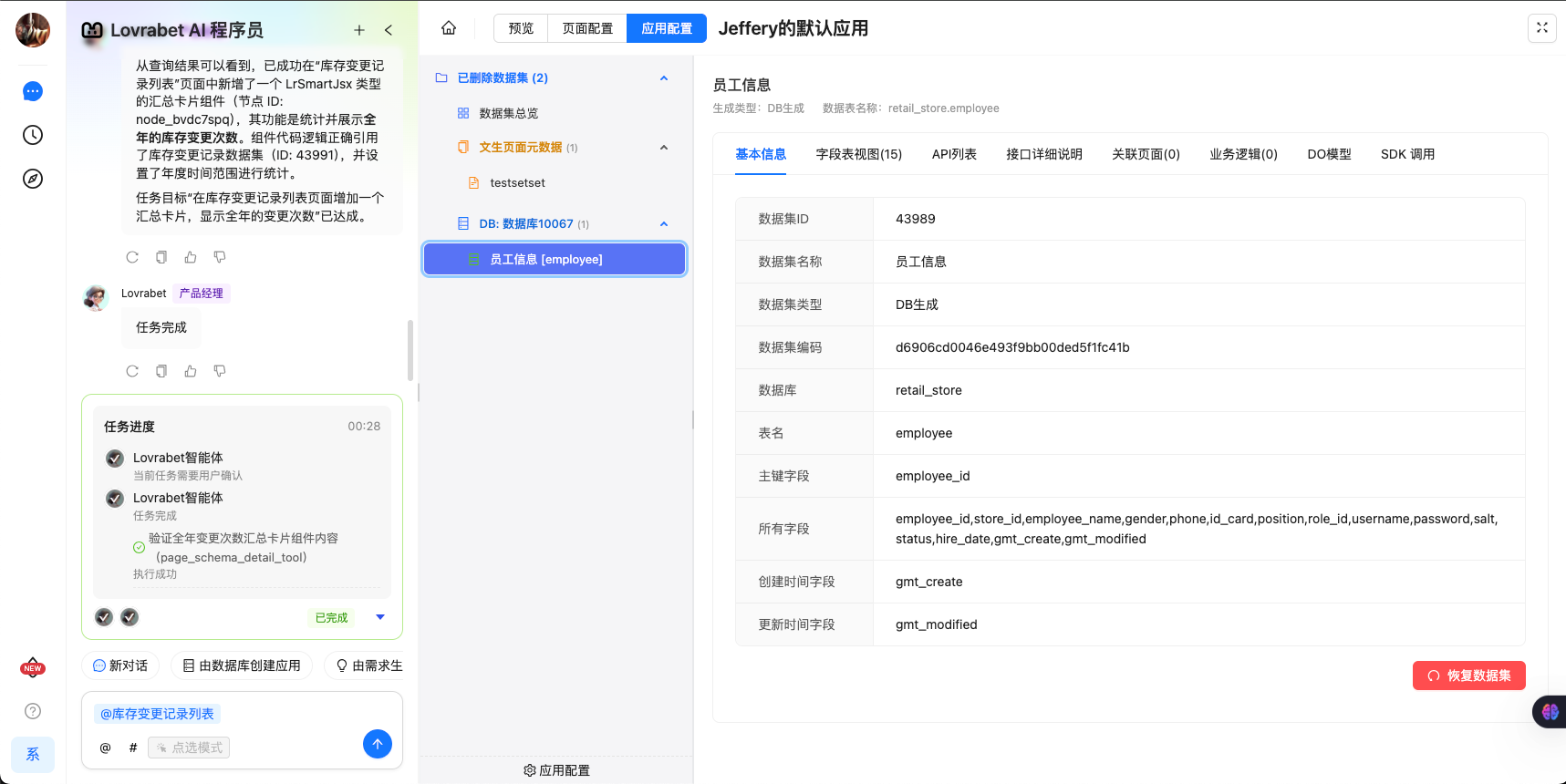
- Datasets can now be deleted and restored (deleting a dataset also deletes its associated pages)
<grid> <column width-ratio="0.500000"> 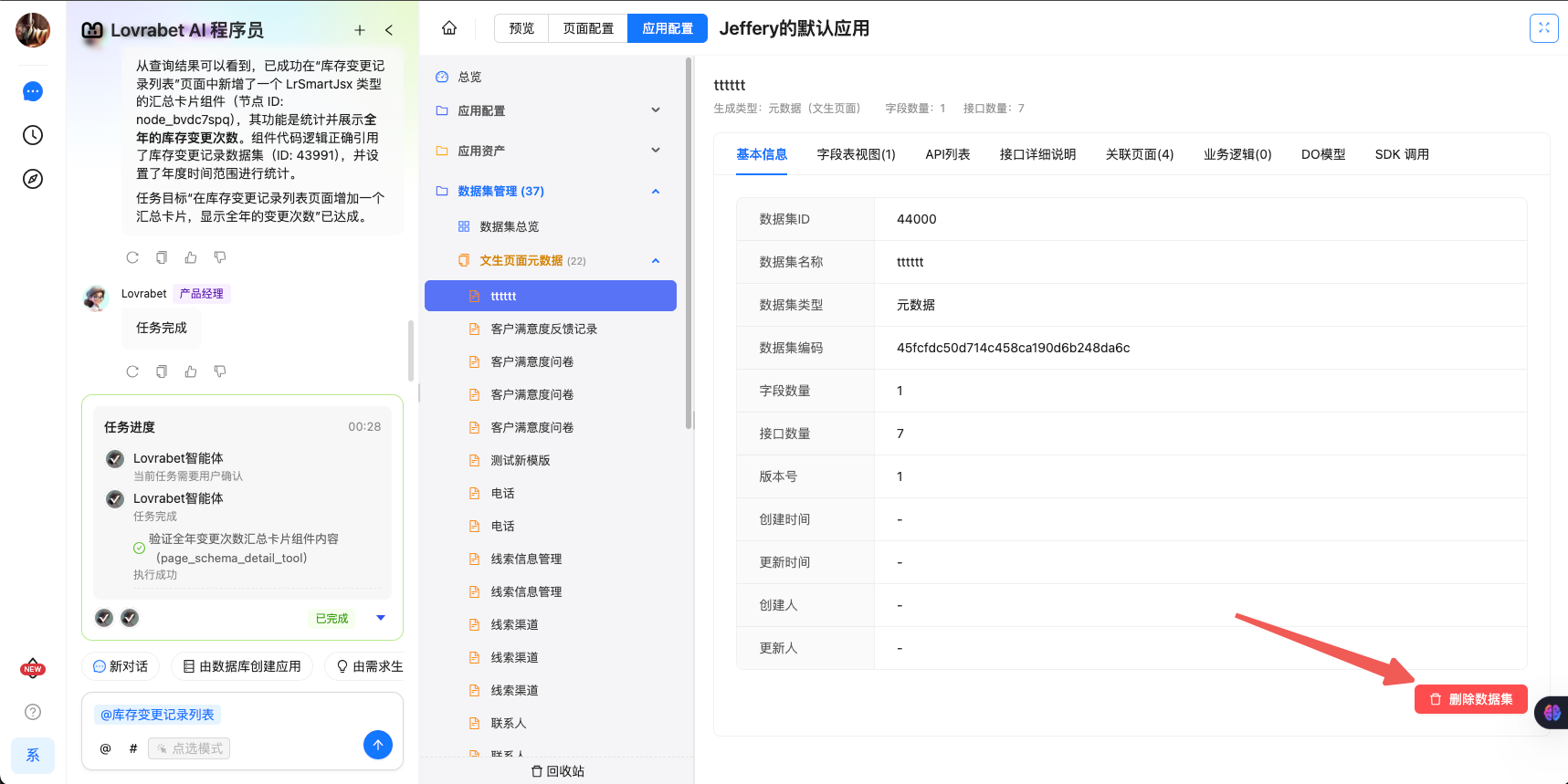 </column> <column width-ratio="0.500000">
  </column> </grid>
🚀 [11.15] Major upgrades
Business system enhancements
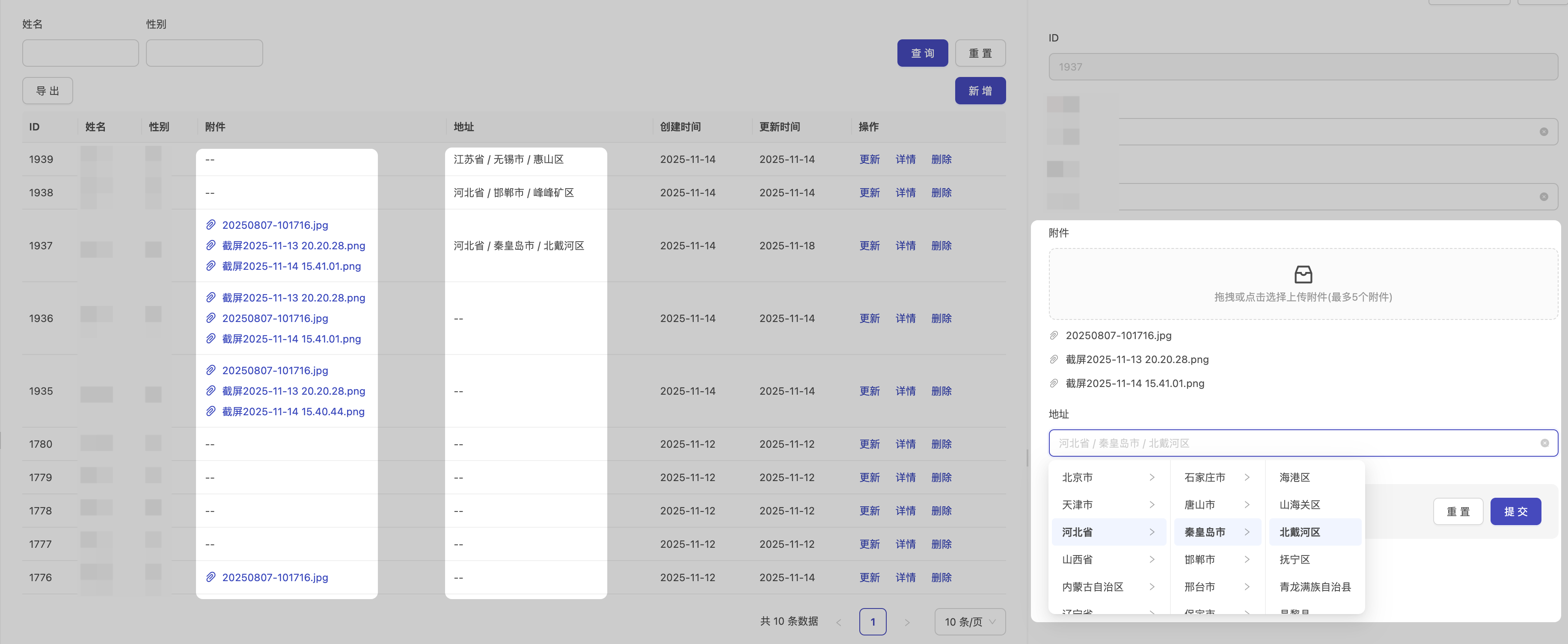
- Address picker and file upload support
🚀 [11.06] Major upgrades
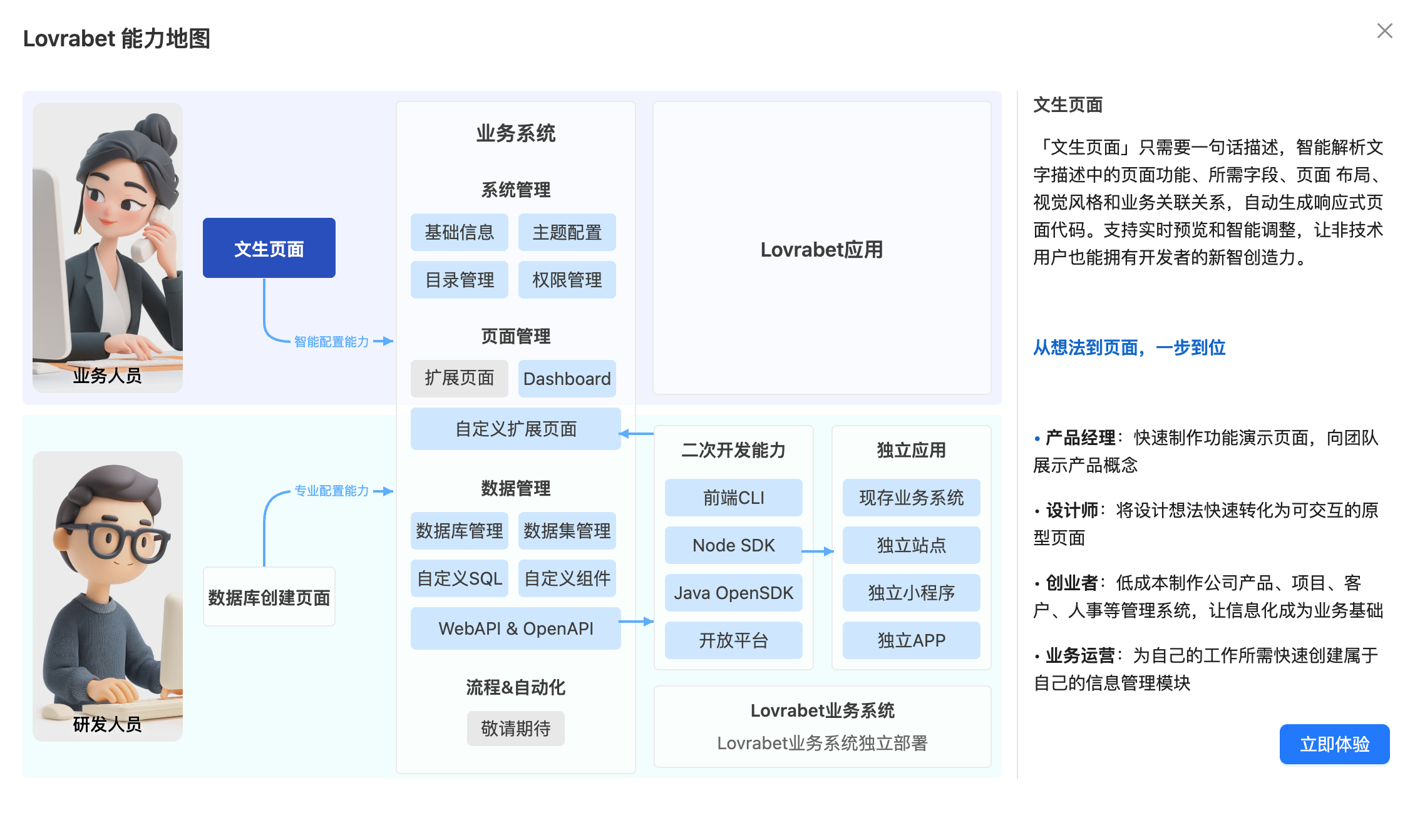
New capability map
<grid> <column width-ratio="0.427451">  </column> <column width-ratio="0.572549">
  </column> </grid>
- Every role in the company can now see Lovrabet's full operating chain, with usage notes at each step.
Multiple business system improvements
- Export is built in by default

- Significantly improved responsive behavior across business systems
Custom development improvements
- The
lovrabet menu synccommand automatically scans your local pages and syncs them into the Lovrabet platform's menu configuration - [Limited beta] An MCP Server is available, dramatically improving the development experience in Cursor, Claude Code, and similar tools
🚀 [10.16] Core upgrades
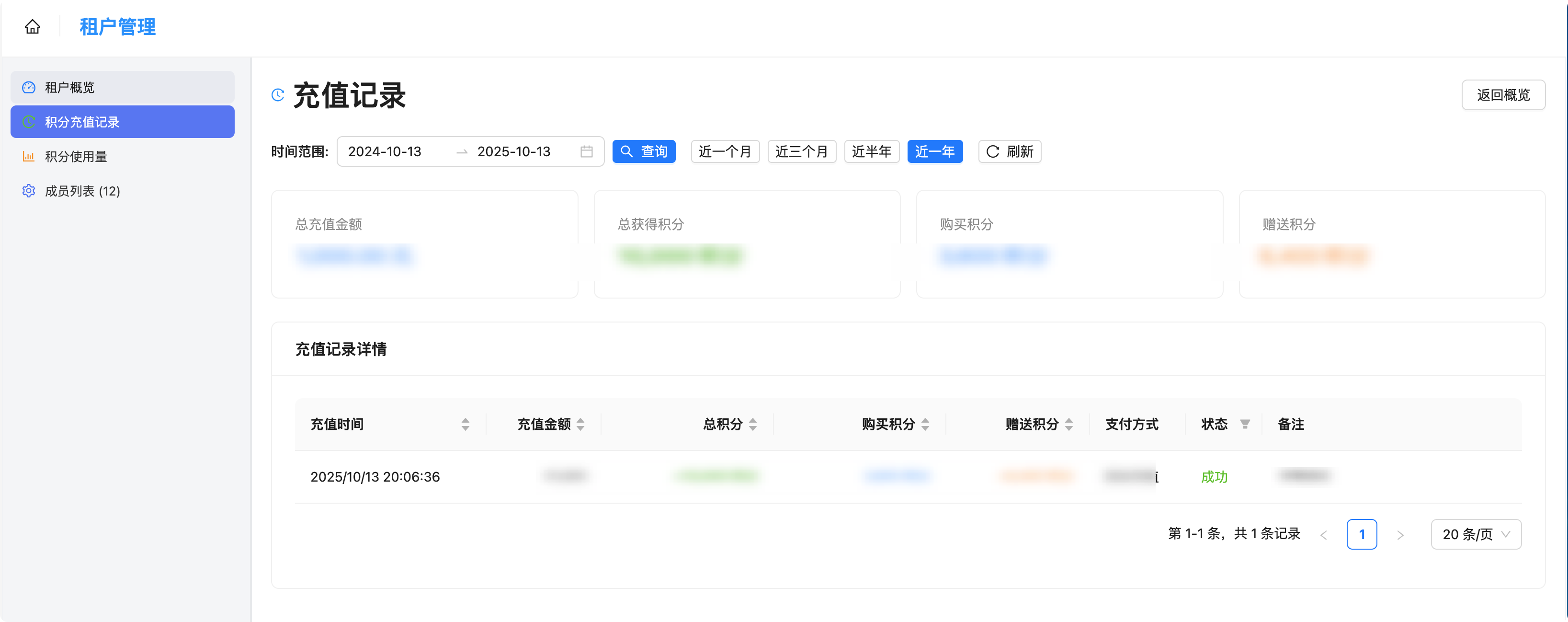
Credit usage tracking is live
INFO
During the beta period, only standard billing applies; actual deductions follow your commercial contract.
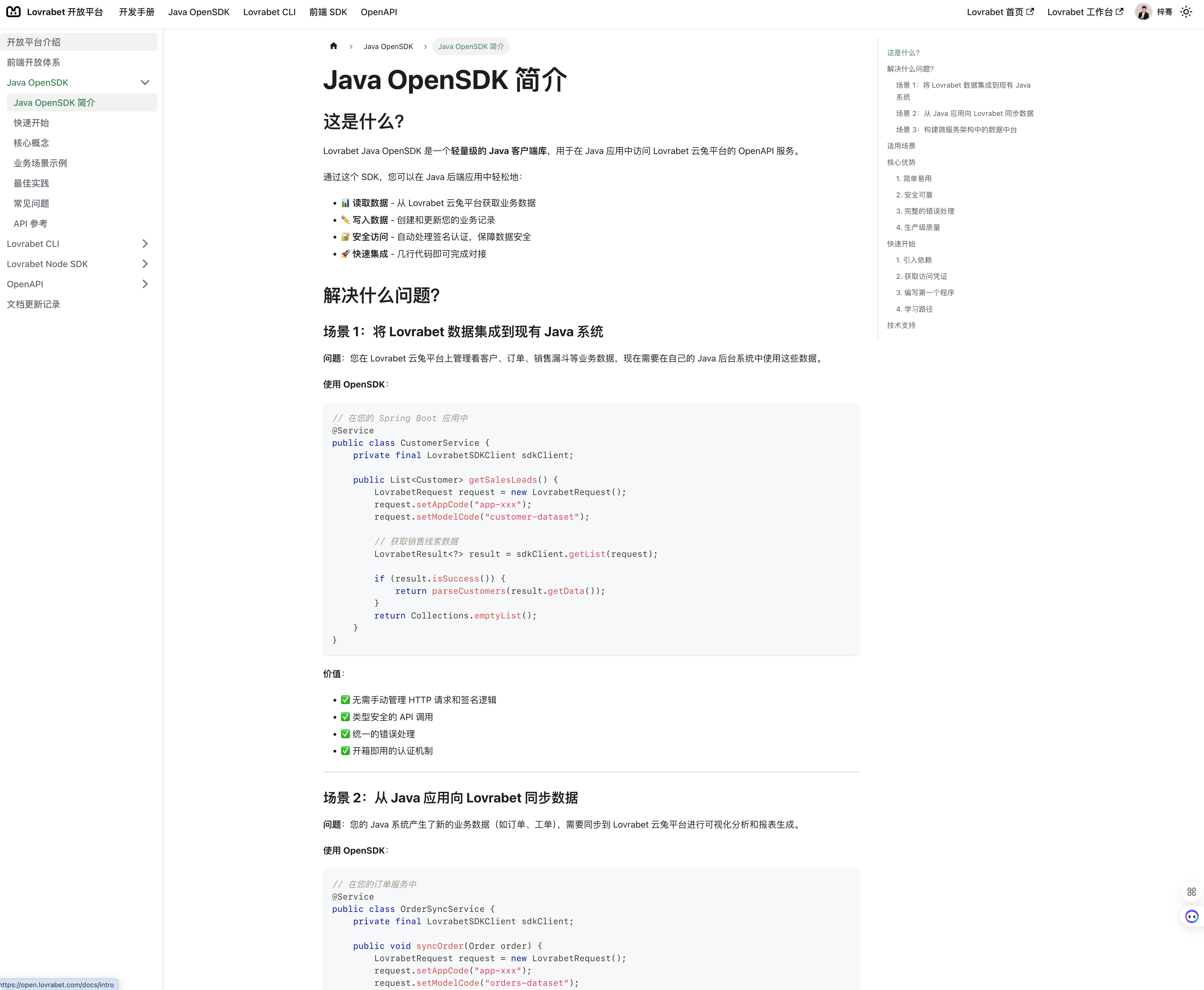
Java OpenSDK released
We released the Java OpenSDK together with its developer manual at https://open.lovrabet.com/docs/java-opensdk/ (login required).
With this release, Lovrabet offers complete extension paths across frontend, Java, and Node. Enterprises can keep expanding business features on the generated systems and APIs using whichever development stack they prefer.
Dataset management: quick access to SDK call examples
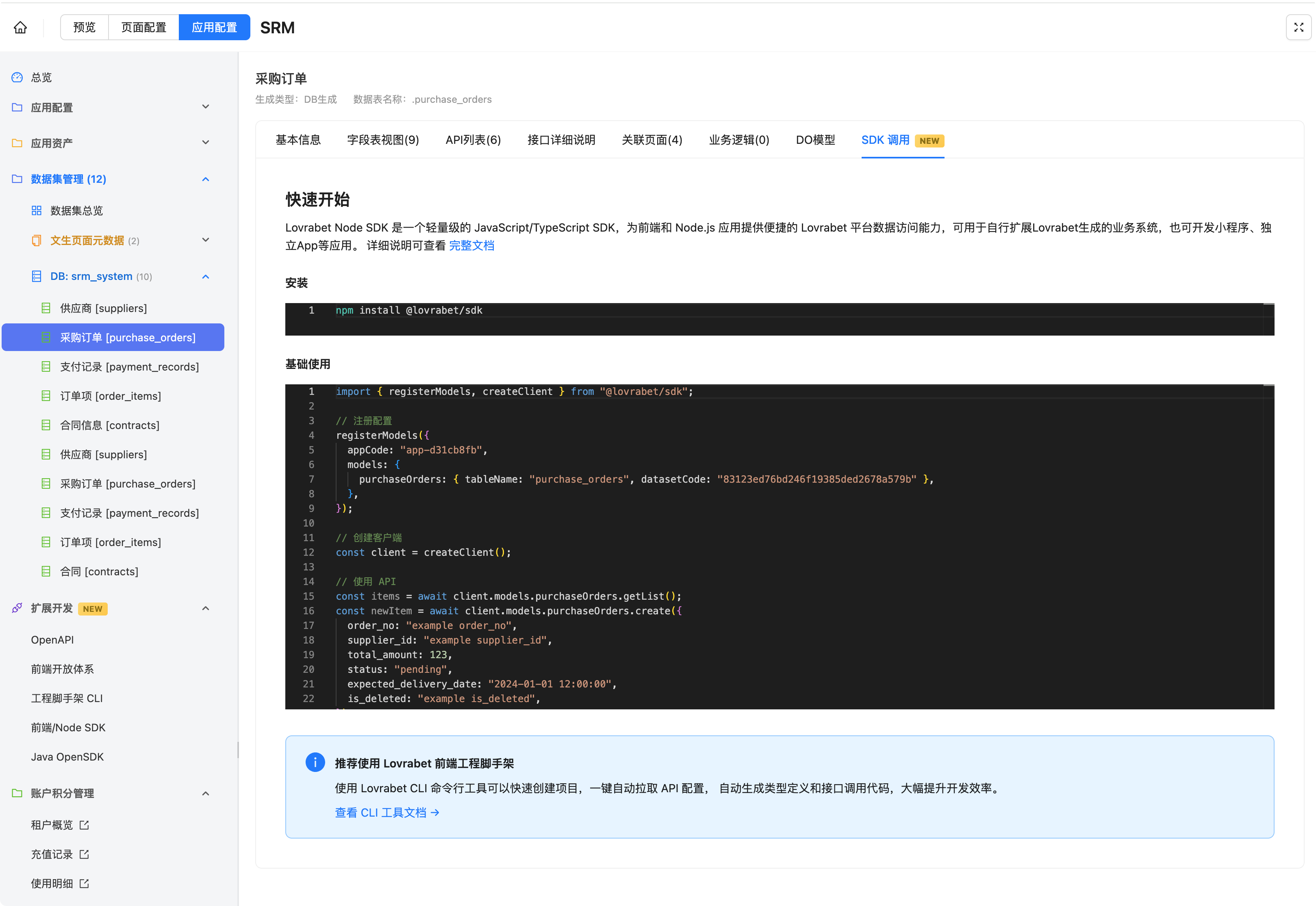
Lovrabet provides a complete set of business APIs that you can call quickly through the Lovrabet SDK. SDK call examples are available right on the dataset management page.
Path: App configuration → Dataset management → SDK usage
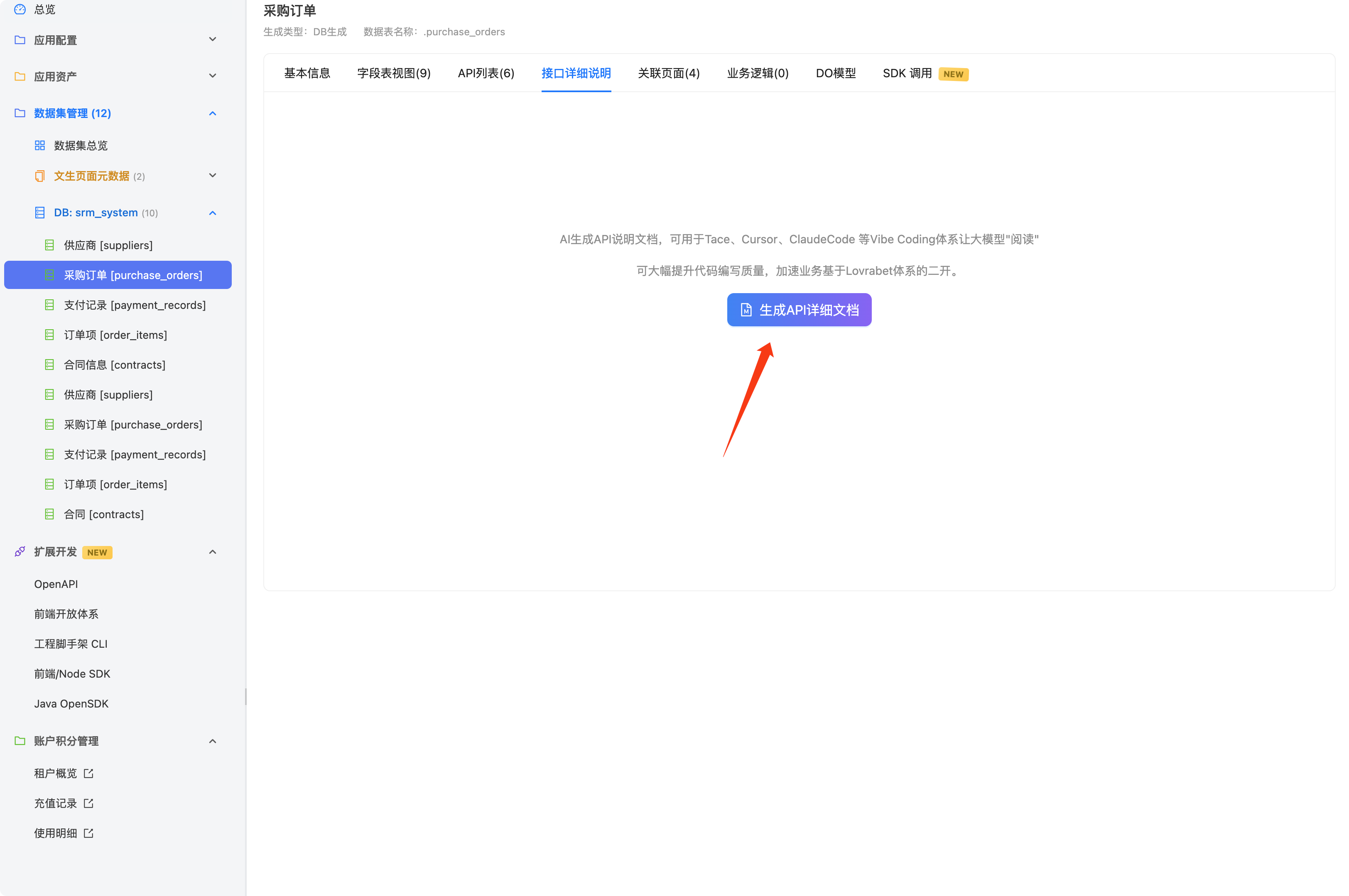
AI-generated API documentation for accurate Vibe Coding
To make custom development on Lovrabet easier, the dataset management console can now generate API documentation on the fly. Download it and feed it to your Vibe Coding tools as context — it greatly improves code accuracy and speeds up development.
Batch documentation generation is in development...
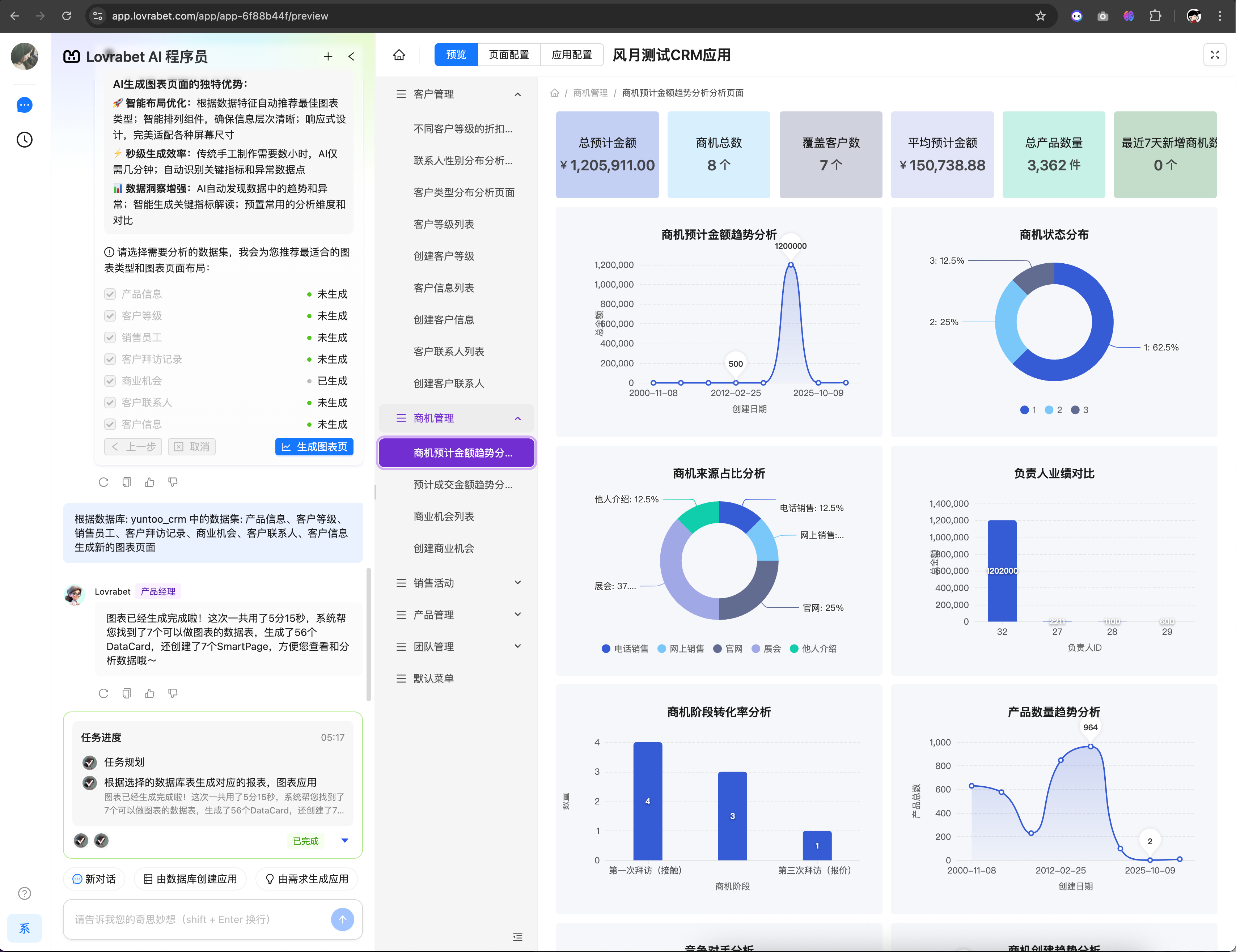
Select multiple tables at once to generate multiple chart pages
CLI & Node SDK
Lovrabet SDK
- New
lovrabet initcommand — quickly bootstrap Lovrabet custom-development config in an existing project
Multi-field list sorting (v1.1.15) - Debugging improvements (v1.1.14): print full HTTP request details by enabling
options.debug: true— handy for troubleshooting.
- New
CLI
- Dataset management improvements (v1.1.11): smart deduplication, a better SDK data-fetching page template, and stronger table data handling and performance.
- Auto-generated API documentation: produce interface docs with sample code straight from datasets.
- UX polish: a smoother API configuration flow, better prompts, and faster command response.
🚀 [09.30] Core upgrades
OpenAPI (Beta) is live — query data in real time through APIs
The first OpenAPI beta has launched. You can now build standalone apps such as mini-programs and mobile apps on top of the APIs of your Lovrabet-generated business systems.
Currently supported:
- List all dataset codes under an app by appCode
- Page through all data by appCode and dataset code
- Fetch a record's details by appCode, dataset code, and row ID
How do I get and use OpenAPI?
- Step 1: Contact the project team to enable OpenAPI. The beta is still in trial and can't be self-enabled yet.
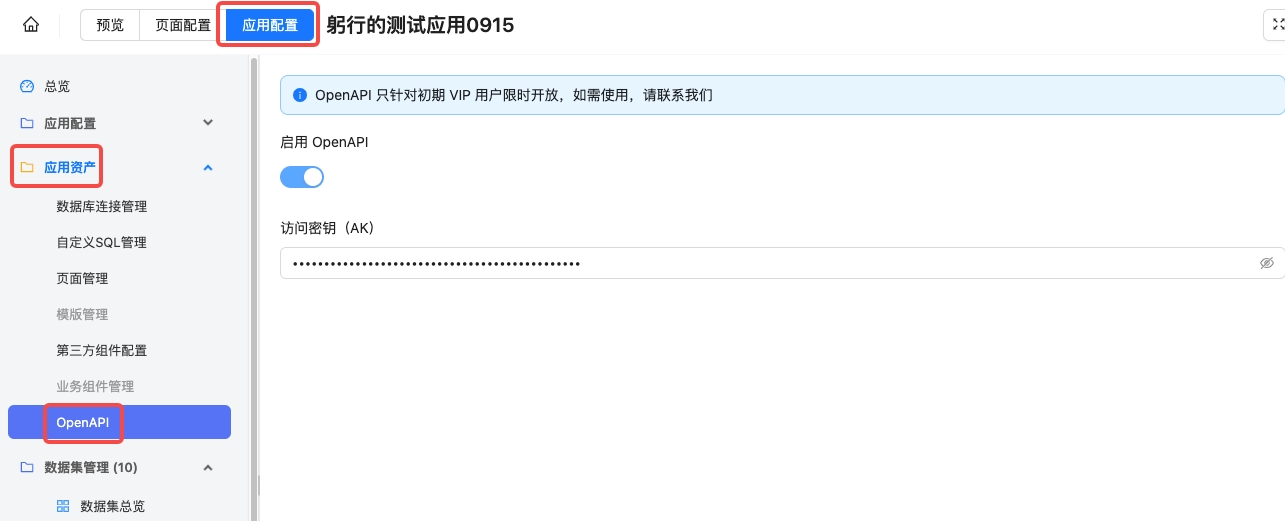
- Step 2: Sign in to the app console to view your AK (Access Key)
Path: App configuration - App assets - OpenAPI, as shown below:
- Step 3: Call OpenAPI through the official SDK. Contact the project team for the SDK and usage examples.
INFO
For an OpenAPI demo project, visit https://github.com/lovrabet-ai/openapi-nextjs-demo
Lovrabet frontend CLI and SDK released
Lovrabet doesn't just generate business systems fast — it also opens up its business APIs and OpenAPI so developers can extend the generated output flexibly, for example to build mini-programs, mobile apps, and other third-party applications.
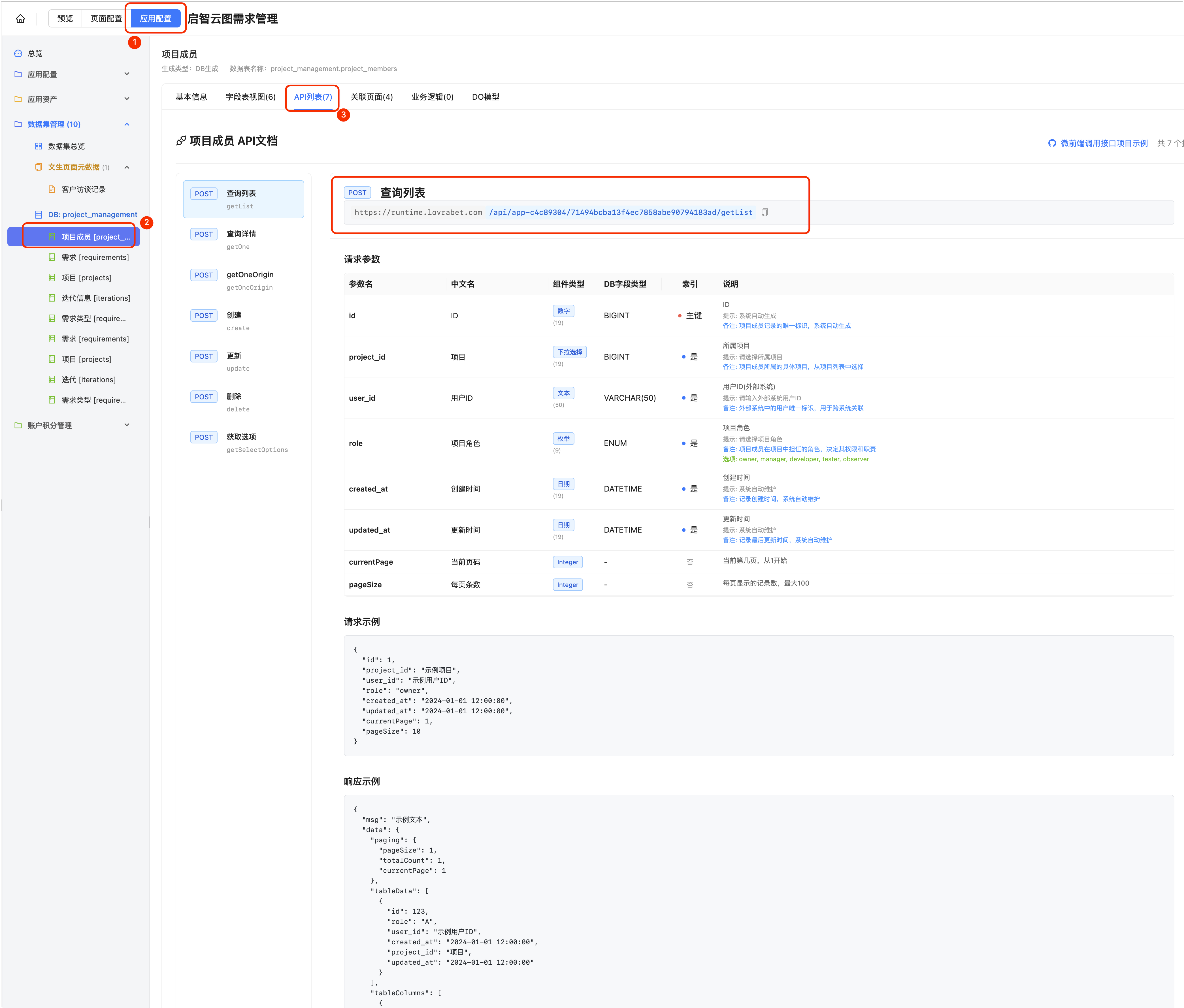
To make working with the APIs easier, we now provide a frontend CLI scaffold and a frontend SDK. A few commands create a complete frontend project with SDK configuration done automatically — then a single line of code reads data through a business API.
<readonly-block href="https://player.bilibili.com/player.html?bvid=1rBn2zvE8W&vd_source=c511e5a1bab6549f6a04bbbd6567b787" type="iframe"></readonly-block>
CLI: https://www.npmjs.com/package/@lovrabet/cli
SDK: https://www.npmjs.com/package/@lovrabet/sdk
The corresponding guides are published on the Lovrabet open platform
Lovrabet open platform launched, with complete developer guides
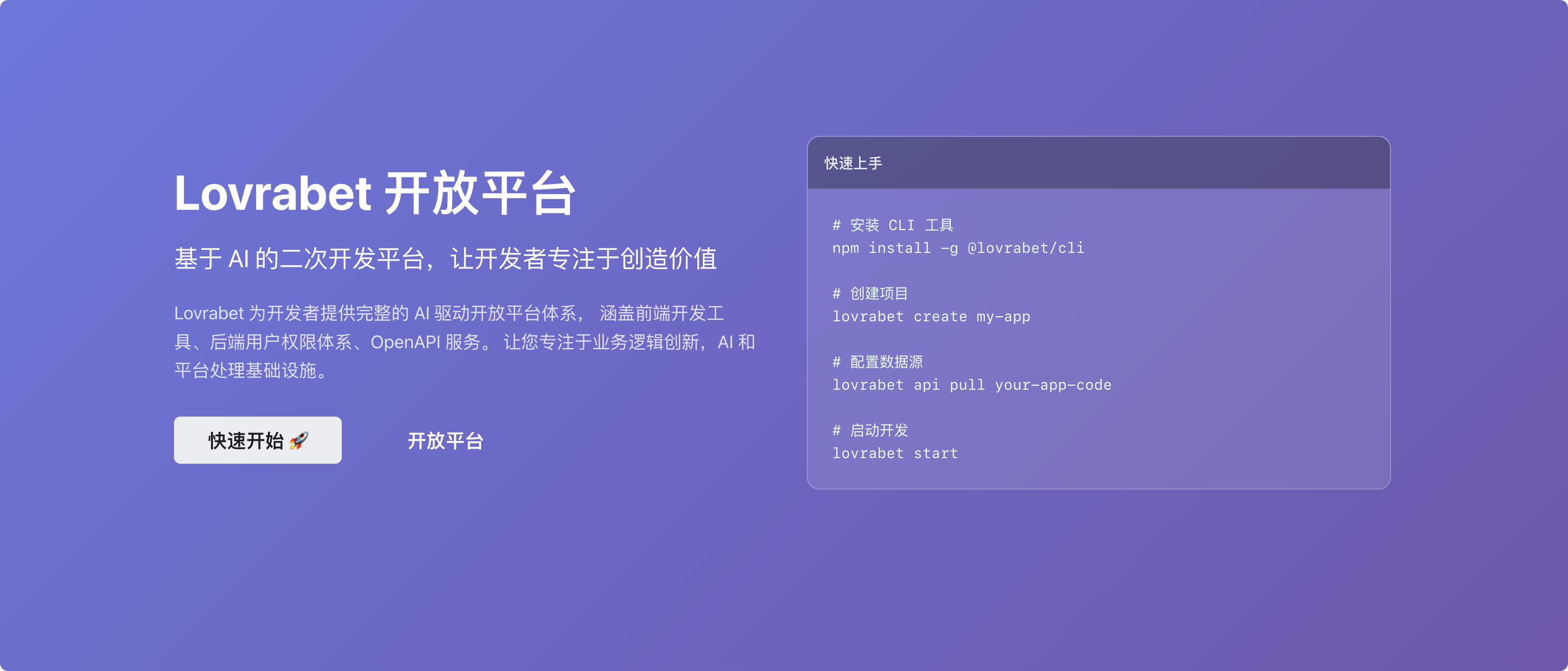
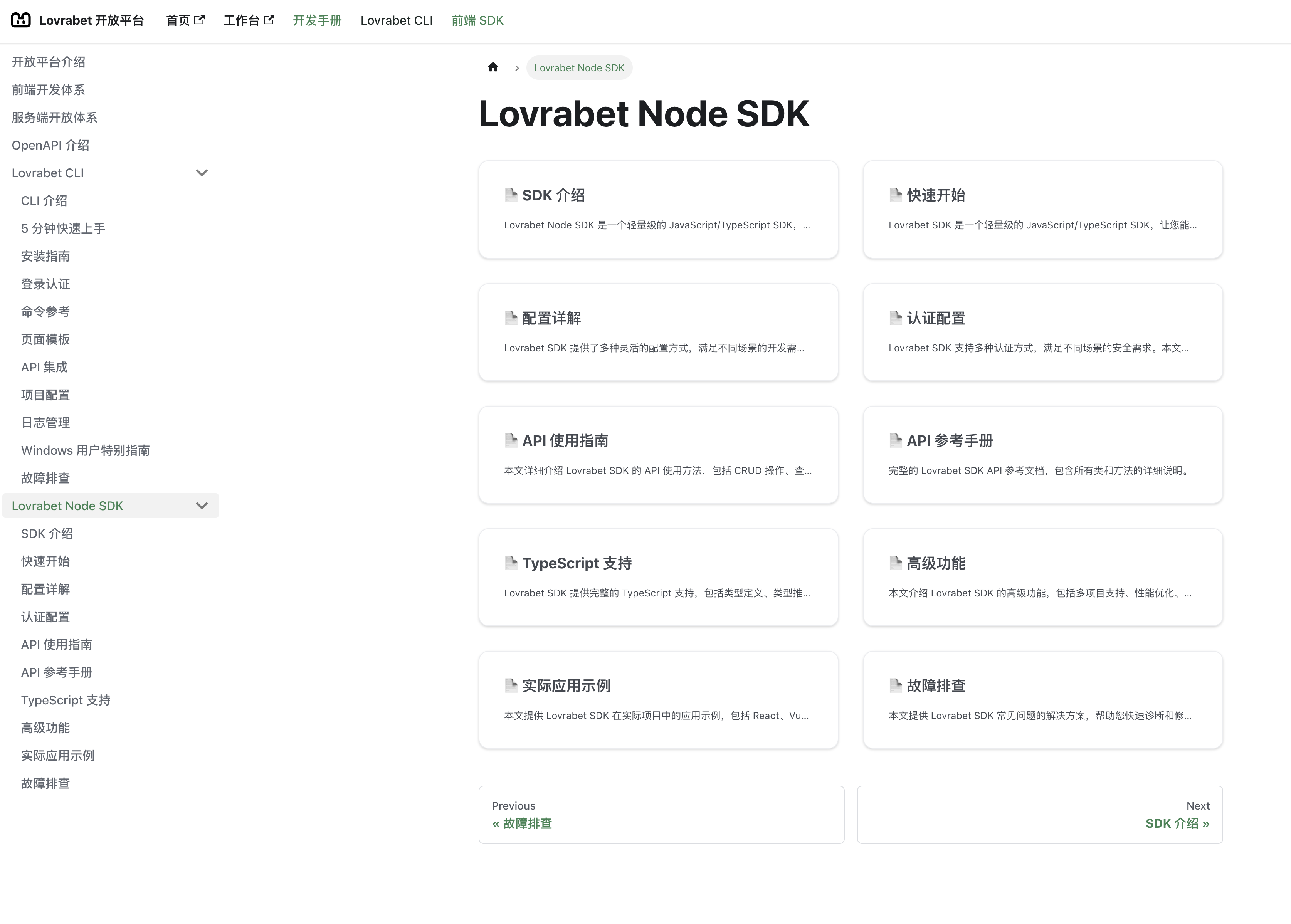
The open platform hosts the guides for extending Lovrabet, including detailed documentation for the Lovrabet CLI and Lovrabet SDK mentioned above.
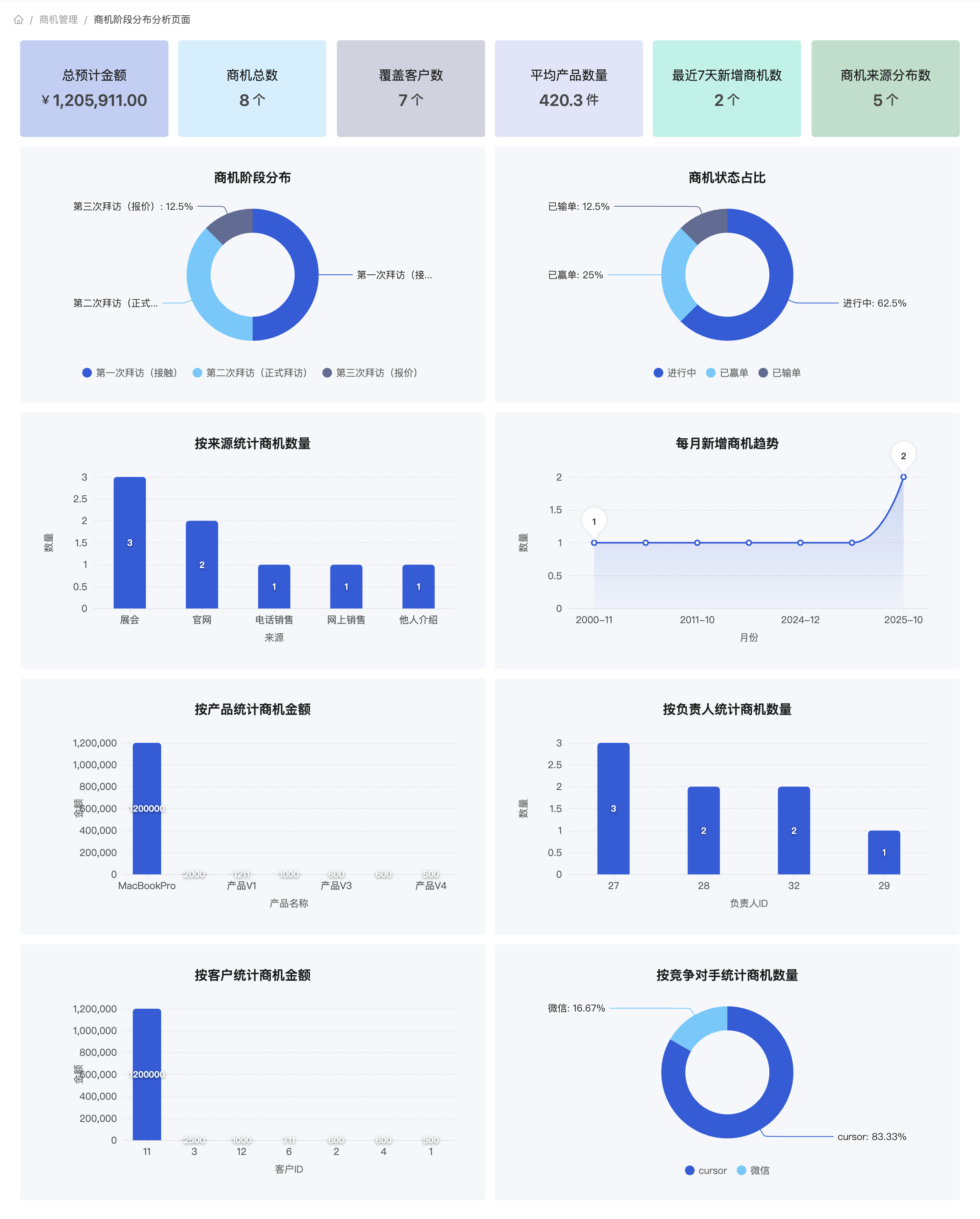
Smarter report generation
Select database tables and let Lovrabet generate analytical reports from them.
Custom SQL support
Path: open an app and go to App configuration - App assets - Custom SQL management, as shown below:
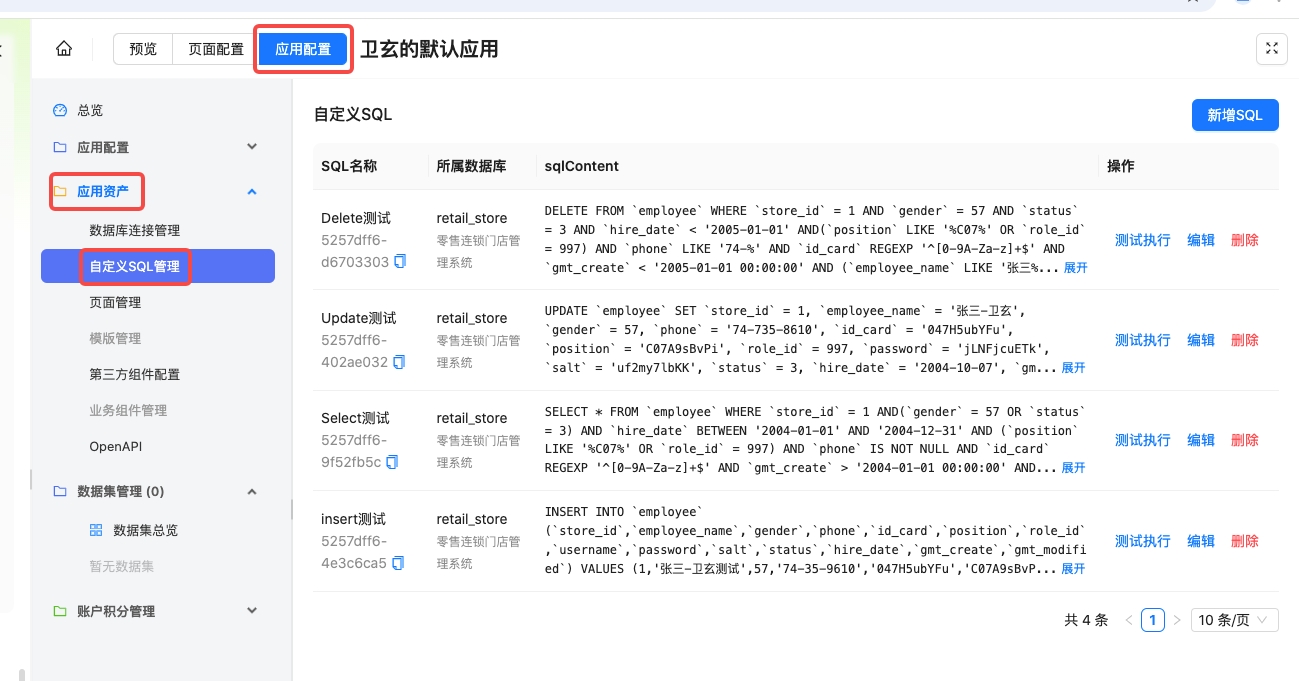
Supported capabilities:
- Create SQL: choose the target database and write the SQL statement
- Edit SQL: modify existing statements
- Test-run SQL: execute a statement while debugging and inspect the result
- Delete SQL: remove statements you no longer need. Caution: always confirm the SQL isn't referenced anywhere before deleting it.
🚀 [09.11] Core upgrades
🏡 Enterprise tenants launched — collaborative development for the whole team 💼
- Cross-department collaboration: departments can develop their own apps in parallel, with data fully isolated;
- Flexible member management: admins can add team members themselves;
- Custom domains: apps can be accessed from your company's own domain;
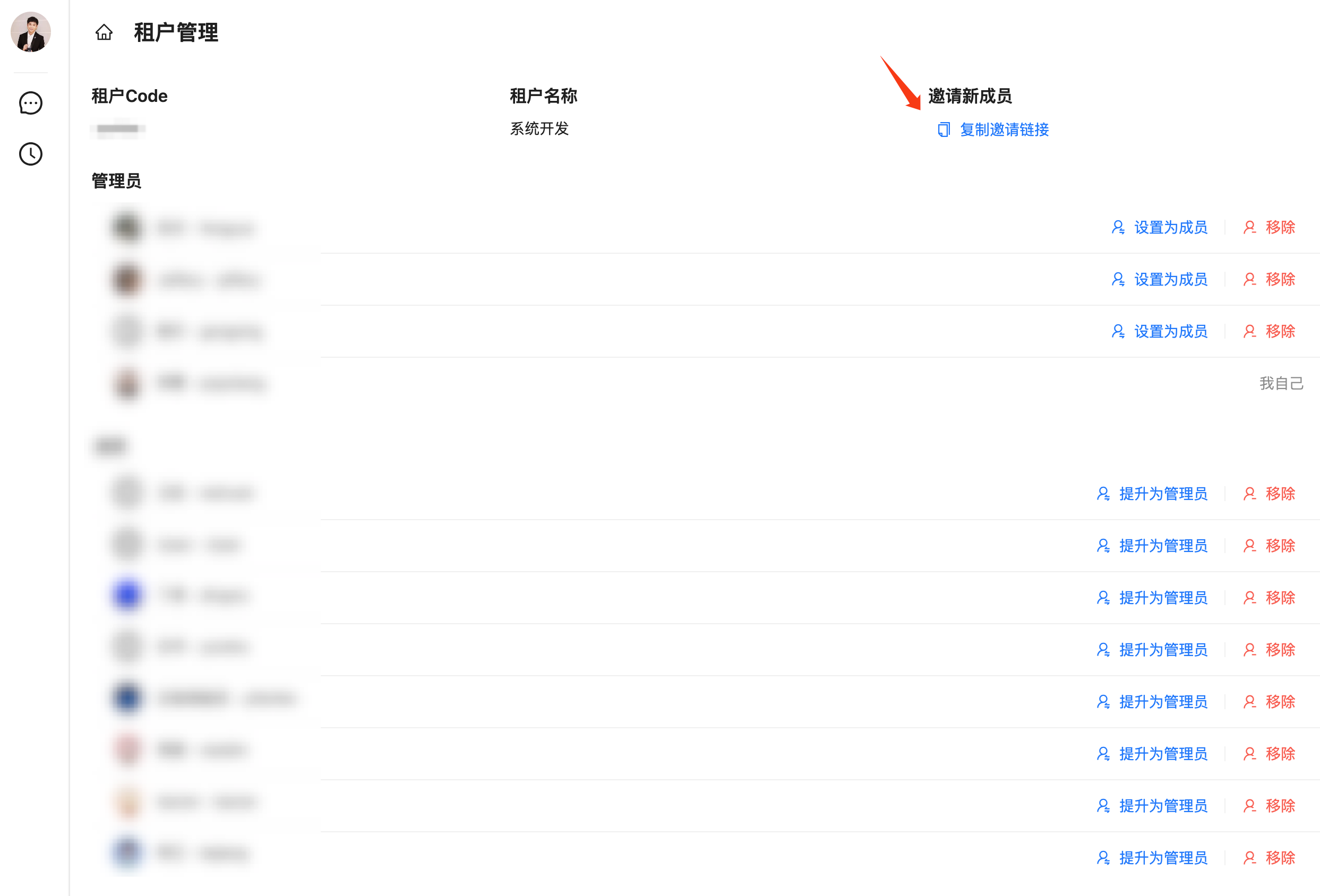
Comprehensive AI upgrades, including multi-turn conversations
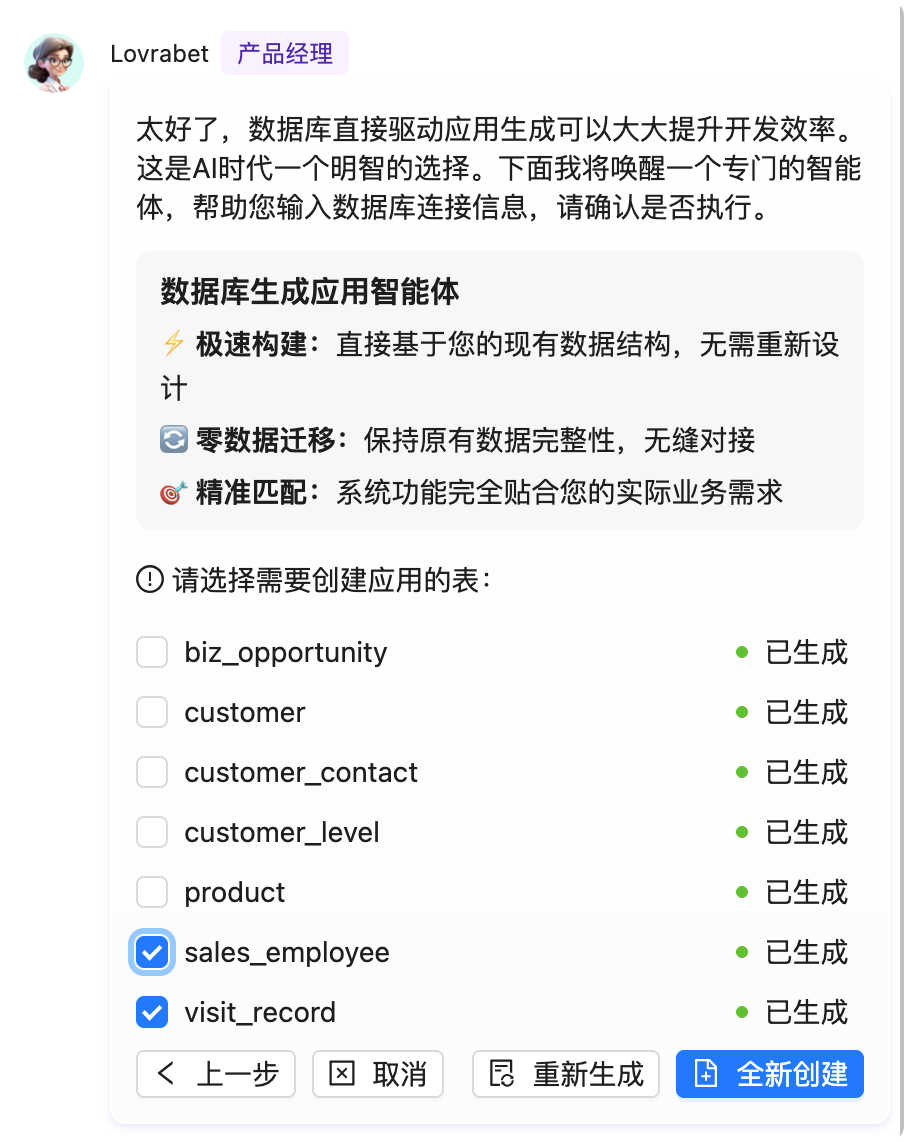
- New multi-turn conversations and context memory, plus user intent recognition for a more natural interaction;
- AI-generated business logic: a higher degree of automation and less manual configuration
- Text-to-page generation now produces page groups: with much stronger requirement understanding and reasoning, Lovrabet can generate several related pages in one pass;
Major database-to-app upgrades, with incremental updates
- Better database connections: MySQL connection string generation and parsing are fully optimized, with much greater stability
- Incremental generation: database-driven page generation can now run incrementally — no full reruns every time, saving time and effort
- Smart relationship detection: physical and logical foreign keys are recognized automatically, so data modeling understands how your orders, customers, and products tables relate
- Multi-dataset relationships: a big step up in data processing and analysis
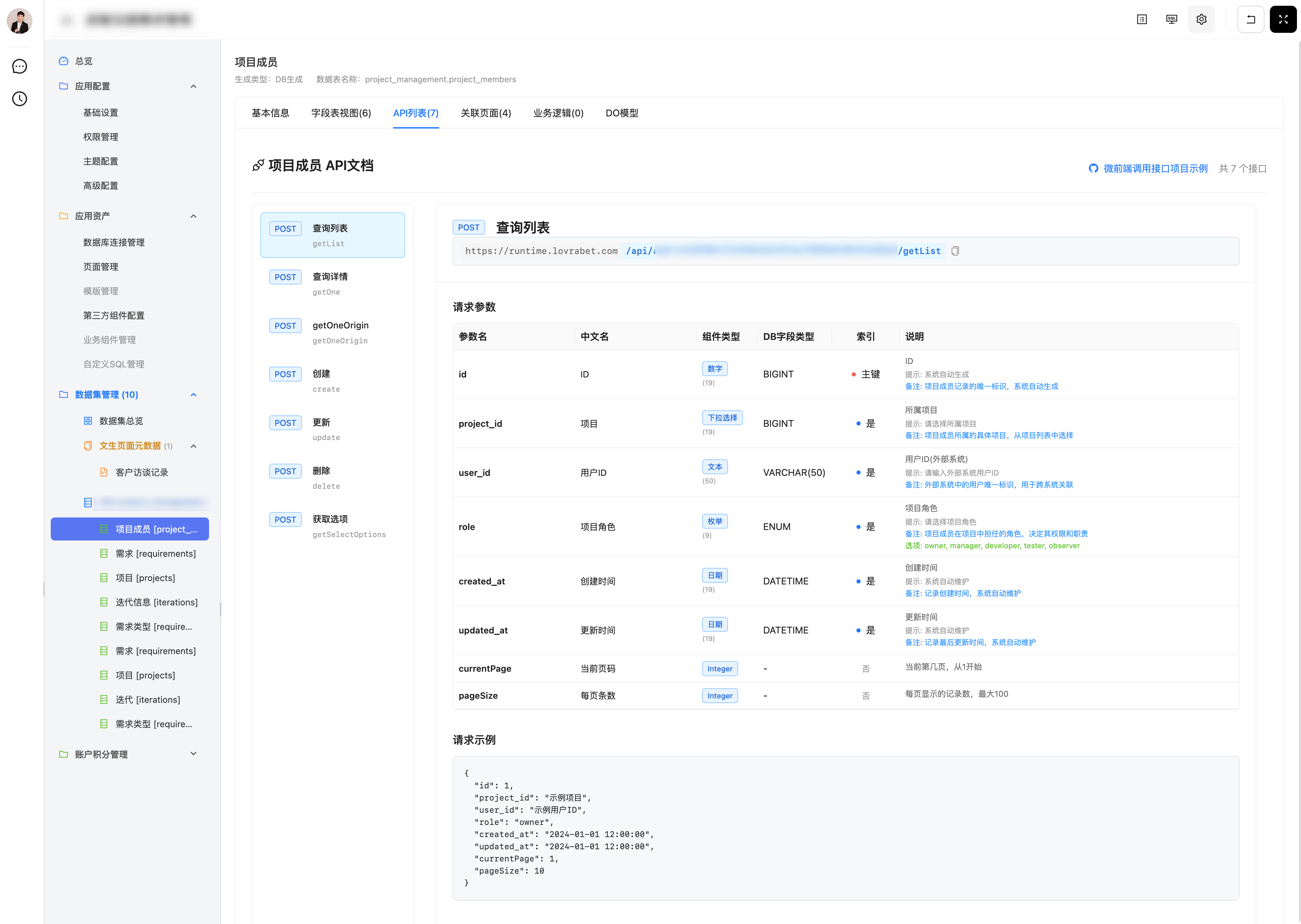
🔥 New developer console
- One-stop app configuration, permissions, themes, and app asset management
- Browse every AI-generated data API with request and response examples, ready for developers to call
Data handling and API improvements
- Standardized APIs: based on early customer feedback, API paths are simpler, with several confusing path variables removed — cleaner calls, easier integration
- UX fixes: 30+ experience details polished
New API domain and simplified URL rules
For the full details, see: <cite doc-id="FGZgwzfPIijyWJky2S4cwbUwnMf" file-type="wiki" title="Lovrabet API地址规则变更介绍" type="doc"></cite>
For API usage examples, see the official demo at https://github.com/lovrabet-ai/sub-app-react-demo
If you run into any problems or have suggestions while using Lovrabet, feel free to contact our technical support team.
Thank you for your trust and support!
The Lovrabet Team
September 11, 2025