Sending notifications with Backend Function
This guide walks you through creating an ENDPOINT BFF: the caller submits order data, the Runtime injects the current app and current user automatically, and the BFF sends the final message through an app-level channel configuration to specific users, roles, or group bots.
1. What you need
Gather the following:
| Item | Example |
|---|---|
| App code | <app-code> |
| BFF name | sendOrderNotification |
| App-level channel configuration name | Order approval email |
| App-level channel code | <config-code> |
| Recipients | User ID, username, email address, or role code |
Also confirm:
- The target Runtime supports app-level
notification.send. rabetbaseis installed and logged in locally.- For daily-environment verification,
lovrabetis installed and logged in. - The current account has BFF and channel-configuration permissions on the target app.
- A usable notification channel configuration already exists in the app, or you can create one.
This scenario needs no dataset-level notification channel and no datasetCode, sceneCode, or triggerType=MANUAL configuration.
2. Create a channel and get the configCode
2.1 What the configCode is
configCode is the stable code of an app-level channel configuration, in the form:
ncc_7b5f6c2a4d8e4f1a9b0c123456789abcIt identifies only "which channel to send through".
- Webhook URLs, SMTP addresses, accounts, and secrets live in the channel configuration.
- The BFF stores only the
configCode, never channel secrets. configCodeis isolated per app. The Runtime looks up the configuration using the trustedappCodeof the running BFF.- You may pin the
configCodein the BFF, but it must not be passed in arbitrarily by the endpoint caller.
2.2 Create a channel configuration in the console
Open the app's notification management page and create an app-level channel configuration.
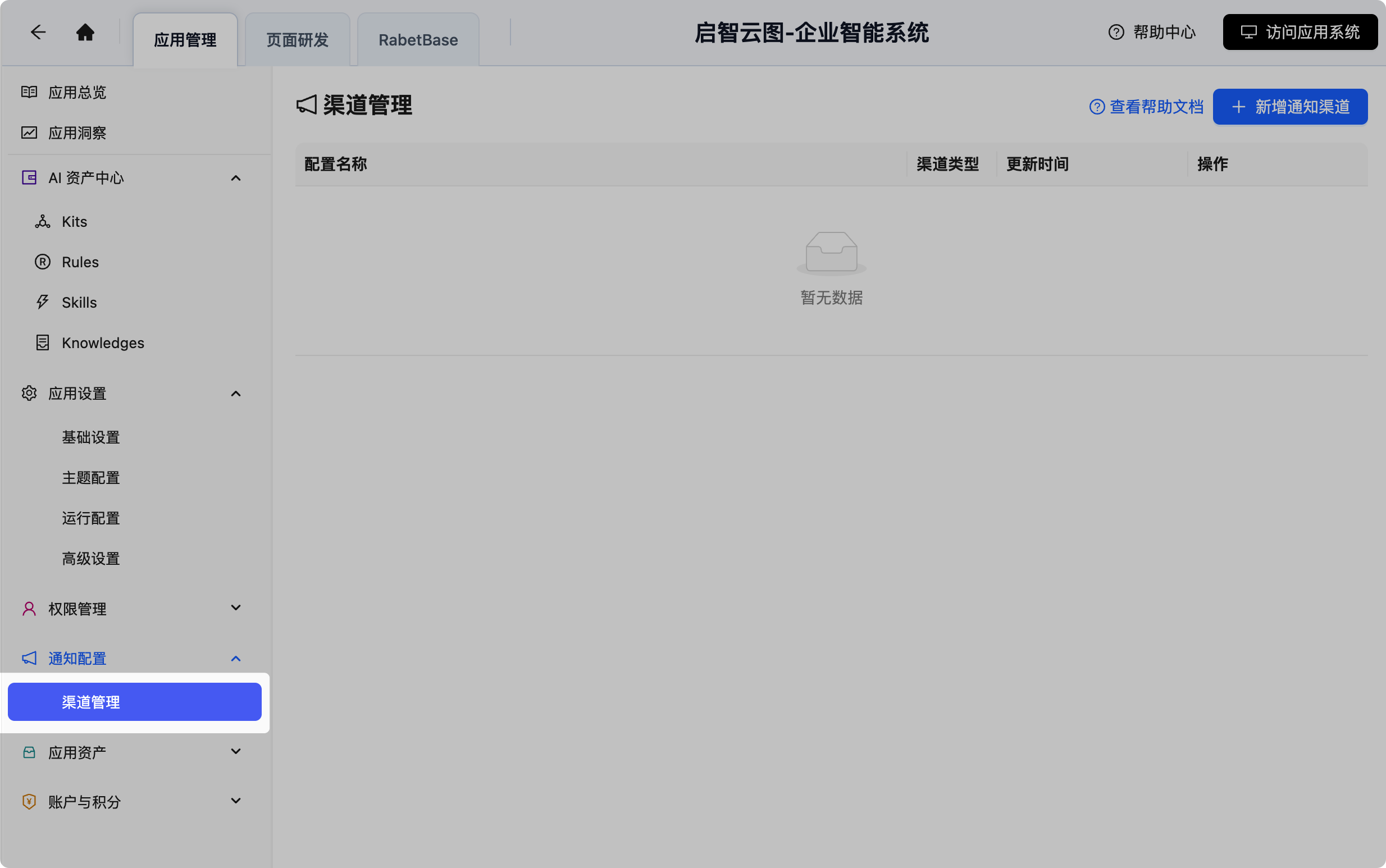
Options include:
- A Feishu, DingTalk, or WeCom group-bot Webhook.
- A Feishu app bot.
- An EMAIL (SMTP) channel.
- A generic Webhook.
For the EMAIL channel, confirm:
channelTypeisEMAIL.- The SMTP endpoint uses
smtp://orsmtps://. - The sender address is configured.
- If SMTP authentication is on, both username and password are configured.
- SSL or STARTTLS matches your email provider's requirements.
If the environment already has an official email account, you can pick the official EMAIL configuration. The console never hands the SMTP password to the BFF.
2.3 Query the configCode via API
If the page shows only the configuration name, query by app and channel type:
GET <编辑态服务地址>/notification/channel-config/list
    ?appCode=<app-code>
    &channelType=EMAIL
Each record in the response contains:
{
  "id": 88,
  "appCode": "<app-code>",
  "configName": "订单审批邮件",
  "configCode": "ncc_7b5f6c2a4d8e4f1a9b0c123456789abc",
  "channelType": "EMAIL",
  "connectTimeout": 5000,
  "readTimeout": 10000
}
When picking a configuration, cross-check configName, channelType, and appCode — don't just take the first row in the list.
The create API returns only the record ID:
POST <编辑态服务地址>/notification/channel-config
Content-Type: application/json{
"appCode": "<app-code>",
"configName": "订单审批邮件",
"channelType": "EMAIL",
"endpointUrl": "",
"channelConfig": "{\"useOfficialConfig\":true}",
"description": "订单审批结果通知",
"connectTimeout": 5000,
"readTimeout": 10000
}After creating successfully:
- Take the configuration ID from the response
data. - Call the list API, or call
GET /notification/channel-config/{id}?appCode=<app-code>. - Get the server-generated
configCodefrom the detail result. - Check that the EMAIL configuration saved a fully masked SMTP snapshot.
Never write login cookies, AccessKeys, SMTP passwords, or the full channelConfig into documents, BFFs, or Git.
3. Create the BFF
For a first run in the current directory:
rabetbase auth login
rabetbase init --appcode <app-code>
First check for an existing script with the same name:
rabetbase bff list \
  --appcode <app-code> \
  --format json
Create the ENDPOINT script:
rabetbase bff create \
  --appcode <app-code> \
  --type ENDPOINT \
  --name sendOrderNotification \
  --description "发送订单审批通知" \
  --format json
Script location:
.rabetbase/bff/<appCode>/ENDPOINT/sendOrderNotification.js4. Understand params and context
Every BFF uses this fixed function signature:
export default async function sendOrderNotification(params, context) {
  // 业务逻辑
}
4.1 Where params comes from
params is the business JSON submitted by the caller.
| How it's called | Where params comes from |
|---|---|
| HTTP Endpoint | The JSON object in the HTTP request body |
lovrabet bff exec | The JSON after --params |
| Frontend SDK | The params inside client.bff.execute({ scriptName, params }) |
For example, the request body:
{
  "orderNo": "SO-001",
  "receiver": "zhangsan",
  "siteUrl": "https://<当前站点域名>"
}
Read it directly in the script:
params.orderNo
params.receiver
params.siteUrl
Do not wrap the body in a params envelope, and do not pass context:
{
  "params": {
    "orderNo": "SO-001"
  },
  "context": {}
}
With the wrong structure above, the script can only read the value via params.params.orderNo. A context in the request also never replaces the trusted context injected by the Runtime.
4.2 Where context comes from
The Runtime builds context automatically before executing the BFF; the caller never passes it.
| Field | Source and purpose |
|---|---|
context.appCode | Taken from the app that owns the target endpoint; identifies the current app |
context.userInfo | Taken from the authenticated calling user |
context.appRoles | Roles the current user has enabled in the current app |
context.tenantCode | Current tenant code; may be empty when no tenant applies |
context.appConfig | Access to the app's runtime configuration |
context.client | Entry point for data, SQL, transactions, extensions, and common BFF calls |
This scenario only needs:
context.client.extension.execute(...)The notification extension reads the current appCode and current user from the trusted context. Do not pass appCode, currentUser, operator, or fabricated user objects to notification.send.
Never log or return the full context or context.userInfo — they may contain session-related fields.
5. Write the notification script
5.1 Recipient supplied by the caller
Replace CONFIG_CODE with the actual configCode from step 2:
const CONFIG_CODE = "<config-code>";

export default async function sendOrderNotification(params, context) {
  const orderNo = String(params?.orderNo || "").trim();
  const receiver = String(params?.receiver || "").trim();
  const siteUrl = String(params?.siteUrl || "").replace(/\/+$/, "");

  if (!orderNo) {
    throw new Error("orderNo 不能为空");
  }
  if (!receiver) {
    throw new Error("receiver 不能为空");
  }
  if (!siteUrl) {
    throw new Error("siteUrl 不能为空");
  }

  return await context.client.extension.execute(
    "notification",
    "send",
    {
      configCode: CONFIG_CODE,
      audiences: [
        {
          type: "USER",
          ids: [receiver]
        }
      ],
      message: {
        title: "订单审批通过",
        summary: `订单 ${orderNo} 已完成审批`,
        theme: "blue",
        detailMarkdown: "请及时处理后续业务。",
        facts: [
          { label: "订单号", value: orderNo },
          { label: "审批状态", value: "已通过" }
        ],
        actions: [
          {
            text: "查看详情",
            url: `${siteUrl}/orders/${encodeURIComponent(orderNo)}`
          }
        ]
      }
    }
  );
}
5.2 EMAIL pinned to a fixed user
When the business requires notifying a fixed user, pin the user identifier inside the BFF so the endpoint caller cannot change the recipient:
const CONFIG_CODE = "<email-config-code>";
const TARGET_USER = "<user-name>";

export default async function sendEmailNotification(params, context) {
  const testNo = String(params?.testNo || "").trim();
  if (!testNo) {
    throw new Error("testNo 不能为空");
  }

  return await context.client.extension.execute(
    "notification",
    "send",
    {
      configCode: CONFIG_CODE,
      audiences: [
        {
          type: "USER",
          ids: [TARGET_USER]
        }
      ],
      message: {
        title: "BFF 邮件通知测试",
        summary: `测试任务 ${testNo} 已完成`,
        theme: "blue",
        detailMarkdown: "该邮件由 BFF 通过应用级 EMAIL 渠道发送。",
        facts: [
          { label: "测试编号", value: testNo },
          { label: "发送环境", value: "daily" }
        ]
      }
    }
  );
}
EMAIL USER.ids accepts:
- Numeric user IDs, for example
"1001". - Usernames or nicknames, for example
"zhangsan". - Full email addresses, for example
"user@example.com".
Prefer stable internal user IDs or usernames. If you use an email address directly, it becomes part of the BFF source or business parameters and must be handled per your organization's data-security requirements.
5.3 Parameter boundaries
At the top level, notification.send accepts only:
configCodeaudiencesmessage
Do not pass:
datasetCodesceneCodecreatedIdrecord- top-level
titleorsummary appCodecurrentUser,operator, or any other user objectcc,bcc,replyTo, oremailOptions
The third argument is the notification extension's send parameter — it is not the same as the params the endpoint function receives:
context.client.extension.execute(
  "notification", // 组件
  "send",         // 动作
  { /* 通知发送参数 */ }
);
6. Choose recipients
6.1 Send to users
audiences: [
  {
    type: "USER",
    ids: ["1001", "user@example.com"]
  }
]
6.2 Send to roles
audiences: [
  {
    type: "ROLE",
    codes: ["ADMIN"]
  }
]
Common role codes include ADMIN, DEV, and USER. Roles resolve only within the current app.
The first release supports USER and ROLE only, not DEPT.
EMAIL and Feishu app bots must resolve at least one recipient. Webhook group bots already have a fixed group target, so audiences can be omitted:
return await context.client.extension.execute(
  "notification",
  "send",
  {
    configCode: CONFIG_CODE,
    message: {
      title: "订单审批通过",
      summary: `订单 ${params.orderNo} 已完成审批`
    }
  }
);
7. Push the BFF
Check the JavaScript syntax:
node --check .rabetbase/bff/<appCode>/ENDPOINT/sendOrderNotification.jsCheck the local state:
rabetbase bff status --format jsonA new script should appear under added; a modified existing script should appear under modified.
Preview the push:
rabetbase bff push \
  --appcode <app-code> \
  --type ENDPOINT \
  --name sendOrderNotification \
  --dry-run \
  --format json
Once mode, lockKey, the app, and the script name all look right, push for real:
rabetbase bff push \
  --yes \
  --appcode <app-code> \
  --type ENDPOINT \
  --name sendOrderNotification \
  --format json
After a successful push, confirm:
- The target script is in
uploaded. failedis empty.- The Runtime script cache has been cleared.
- Running
rabetbase bff statusagain shows the script asunchanged.
8. Call the ENDPOINT BFF
8.1 With the lovrabet CLI
lovrabet bff exec \
  --env daily \
  --appcode <app-code> \
  --name sendOrderNotification \
  --params '{
    "orderNo": "SO-EXAMPLE-001",
    "receiver": "zhangsan",
    "siteUrl": "https://<当前站点域名>"
  }' \
  --format json
The JSON after --params becomes the function's params directly.
8.2 Over HTTP
Full request structure:
POST <运行态服务地址>/api/endpoint/<app-code>/sendOrderNotification HTTP/1.1
Content-Type: application/json
<平台支持的认证信息>

{
  "orderNo": "SO-EXAMPLE-001",
  "receiver": "zhangsan",
  "siteUrl": "https://<当前站点域名>"
}
The URL names the target BFF being called, not the calling BFF. The caller's identity comes from the authentication credentials, never from the request body.
Same-site browser call example:
const response = await fetch(
  "/api/endpoint/<app-code>/sendOrderNotification",
  {
    method: "POST",
    credentials: "include",
    headers: {
      "Content-Type": "application/json"
    },
    body: JSON.stringify({
      orderNo: "SO-EXAMPLE-001",
      receiver: "zhangsan",
      siteUrl: window.location.origin
    })
  }
);

const result = await response.json();
if (!response.ok || result.success === false) {
  throw new Error(result.errorMsg || "通知发送失败");
}

const notificationResult = result.data;
HTTP endpoints are protected by app permissions and login state. Never hard-code cookies or AccessKeys in page source or BFFs.
8.3 With the frontend SDK
const result = await client.bff.execute({
  scriptName: "sendOrderNotification",
  params: {
    orderNo: "SO-EXAMPLE-001",
    receiver: "zhangsan",
    siteUrl: window.location.origin
  }
});
The frontend SDK returns the BFF's business result directly; you don't read the HTTP data envelope.
8.4 Do not call an ENDPOINT with context.client.bff.execute
Inside a BFF, context.client.bff.execute is for calling COMMON common functions — not for calling another ENDPOINT BFF.
When several BFFs need to reuse notification logic:
- Create the shared assembly or send logic as a
COMMONBFF. - ENDPOINT BFFs and other BFFs call that COMMON function via
context.client.bff.execute. - External systems, pages, and CLIs still call the ENDPOINT BFF.
9. Check the send result
9.1 CLI or SDK response
{
  "sent": true,
  "configCode": "<config-code>",
  "channelType": "EMAIL",
  "message": "通知发送成功"
}
9.2 Raw HTTP response
The controller adds the standard response envelope:
{
  "success": true,
  "msg": "",
  "errorMsg": "",
  "errorCode": "0000",
  "data": {
    "sent": true,
    "configCode": "<config-code>",
    "channelType": "EMAIL",
    "message": "通知发送成功"
  }
}
The CLI or SDK may unwrap the envelope automatically and show only data.
9.3 Confirm the notification was sent
- HTTP status is 200, or the CLI exits normally.
- The response contains
sent=true. - The returned
configCodematches the BFF's pinned value. - The returned
channelTypematches the channel configuration. - The target recipient actually receives the message.
- For EMAIL tests, check both the inbox and the spam folder.
- The
channelCodein the send log equals theconfigCode. - The
triggerTypein the send log isBFF. - The
triggerSourcein the send log isBACKEND_FUNCTION. - The
datasetCodein the send log is empty. - The send log contains no
endpointUrl,channelConfig, passwords, or channel secrets.
sent=true means the Runtime completed the send and, for EMAIL, the SMTP service accepted the request; whether it lands in the inbox ultimately depends on the recipient's mailbox.
10. Troubleshooting
10.1 The current environment provides no implementation for this extension point: notification
The target Runtime hasn't deployed a version that supports app-level direct sending. Deploy the Runtime first, then run the BFF again.
10.2 Don't know where the configCode comes from
Query the app-level channel configuration list by appCode + channelType. For a new configuration, take the ID returned by the create API, then query the detail or list to get the server-generated configCode.
Never substitute a dataset-level channelCode for the app-level configCode.
10.3 The app-level notification channel configuration is missing or unusable
Check:
- Is the
configCodein the BFF complete? - Does the configuration belong to the BFF's current app?
- Has the configuration been soft-deleted?
- Has the target Runtime loaded the latest channel configurations?
10.4 No valid email or Feishu recipient resolved
Check:
- Is
audiencesa non-empty array? - Are the user IDs, usernames, nicknames, or emails in
USER.idsvalid? - Does the user have a valid email address configured?
- Are the
ROLE.codessupported? - Does the role contain any enabled users?
EMAIL and Feishu app bots cannot send to an empty recipient set.
10.5 notification.send doesn't support a parameter
Only configCode, audiences, and message are kept at the top level.
Remove datasetCode, sceneCode, createdId, record, top-level title/summary, appCode, and user objects.
10.6 message doesn't support template expressions
Messages must be final text. Never hand ${event.xxx} or ${record.xxx} to the notification extension.
Compute the text in the BFF with a JavaScript template literal first:
const summary = `订单 ${params.orderNo} 已完成审批`;The expression evaluates inside the BFF, so by the time it reaches notification.send it's already a final string.
10.7 params is undefined in the HTTP request
Confirm:
- The method is
POST. Content-Typeisapplication/json.- The body is a plain JSON object with no
paramsenvelope. - The path is
/api/endpoint/<app-code>/<script-name>.
10.8 The HTTP response has data, the CLI response doesn't
This is a caller-level difference. Raw HTTP uses the standard response envelope with the BFF result inside data; the CLI and SDK usually unwrap it already.
10.9 EMAIL reports success but no email arrives
Check in order:
- The inbox and the spam folder.
- Whether
USER.idsresolved to the expected user. - Whether the email in the user profile is correct.
- Whether the email provider delayed, bounced, or blocked the message.
- The SMTP sending domain, SPF, DKIM, and anti-spam policies.
11. How message attributes render across the three notification forms
The message of notification.send uses one unified input structure, but Feishu, DingTalk, and EMAIL each render it according to their own message protocol. Only six attributes are supported today — title, summary, theme, detailMarkdown, facts, and actions; anything outside this list is rejected.
11.1 The unified input structure
message: {
  title: "订单审批通过",
  summary: `订单 ${orderNo} 已完成审批`,
  theme: "blue",
  detailMarkdown: "请及时处理后续业务。",
  facts: [
    { label: "订单号", value: orderNo },
    { label: "审批状态", value: "已通过" }
  ],
  actions: [
    {
      text: "查看详情",
      url: `${siteUrl}/orders/${encodeURIComponent(orderNo)}`
    }
  ]
}
title and summary are required; theme, detailMarkdown, facts, and actions are optional. Compute dynamic values in the BFF first, then pass the final strings to the notification extension.
11.2 Field support and rendering results
| Attribute | Input constraints | Feishu | DingTalk | |
|---|---|---|---|---|
title | Required, non-empty string | Card header title | markdown.title, also shown as a level-3 heading in the body | Email subject, also shown as the body heading |
summary | Required, non-empty string | First Markdown content block on the card | Summary in the Markdown body | Summary paragraph in the HTML body, also included in the plain-text body |
theme | Optional; only blue, green, orange, red, grey | Sets the card header theme color | Currently ignored; no effect on message style | Currently ignored; no effect on email style |
detailMarkdown | Optional, string | Merged with facts into a Markdown content block | Appended to the Markdown body | HTML-escaped into a preformatted text block, not rendered as rich Markdown; the plain-text body keeps the original content |
facts | Optional, up to 8 items; each must be exactly { label, value }, both non-empty strings | Rendered line by line as "bold label: value" | Rendered line by line as Markdown bullets | Shown as a label-value table in HTML; as "label: value" lines in plain text |
actions | Optional, up to 2 items; each must be exactly { text, url }, both non-empty strings | Rendered as card buttons | Rendered as a Markdown link list | Rendered as hyperlinks in HTML; as "button text: URL" in plain text |
11.3 How Feishu consumes the fields
Feishu group bots and Feishu app bots consume the six fields identically: title goes into the card header, theme controls the header theme color, summary is the first content block, facts and detailMarkdown form the rest of the Markdown content, and actions become buttons. Feishu is the only one of the three channels that actually consumes theme.
11.4 How DingTalk consumes the fields
DingTalk always sends a msgtype=markdown message. title serves as both markdown.title and the body heading, while summary, facts, detailMarkdown, and actions are concatenated in order into the Markdown body. actions render as a link list rather than separate buttons. The current implementation ignores theme.
11.5 How EMAIL consumes the fields
EMAIL generates both an HTML body and a plain-text body. title is the email subject and the body heading, summary is the summary paragraph, facts render as a table in HTML, and actions render as hyperlinks. detailMarkdown is HTML-escaped into a preformatted text block, so Markdown headings, tables, and similar syntax inside it are not converted into the corresponding HTML styles. The current implementation ignores theme.
cc, ccList, bcc, replyTo, and attachments are not message attributes. Today's BFF notification.send exposes no dynamic CC parameters either; don't put these fields into message or the top level of the send parameters.
11.6 Tips for writing cross-channel messages
- When one message serves multiple channels, put the complete information in
titleandsummary; don't rely onthemeto convey business state. - In
detailMarkdown, stick to plain text, line breaks, and simple emphasis; don't rely on complex Markdown tables, images, or channel-specific syntax. - Put structured business data in
factsand links inactions, respecting the limits of 8 and 2 items respectively. actions.urlshould be a validated, trusted HTTPS address — never let callers pass in arbitrary redirect URLs.- The same
messagelooks different on each channel; when checking, inspect the Feishu card, the DingTalk Markdown message, and the actual email separately.