SPA child app routing best practices
TIP
We recommend react-router for managing frontend routes in a source-code child app. Only Browser mode is supported; ⛔ Hash mode is not supported.
Basic concepts
SPA vs. MPA?
- SPA (single-page application): the browser loads the HTML, CSS, and JavaScript once. From then on, page switches are handled entirely by JavaScript, which wipes and redraws the current page's content — no new HTML files are requested.
- MPA (multi-page application): every link click or navigation makes the browser request a new HTML file from the server. The server returns a complete page, and the entire window refreshes and re-renders.
An MPA has no frontend routing — each page is bundled into separate assets. In the menu configuration, simply point each menu at its own assets.
Browser mode vs. Hash mode?
- Browser (History) mode: a normal URL, e.g.
https://example.com/home(no#— looks like an ordinary website) - Hash mode: URL like
https://example.com/#/home(note the#in the middle)
Lovrabet uses a micro-frontend architecture in which the parent app controls Browser mode, so Hash mode is not supported inside child apps.
react-router development guide
See the official documentation: https://reactrouter.com/start/framework/routing
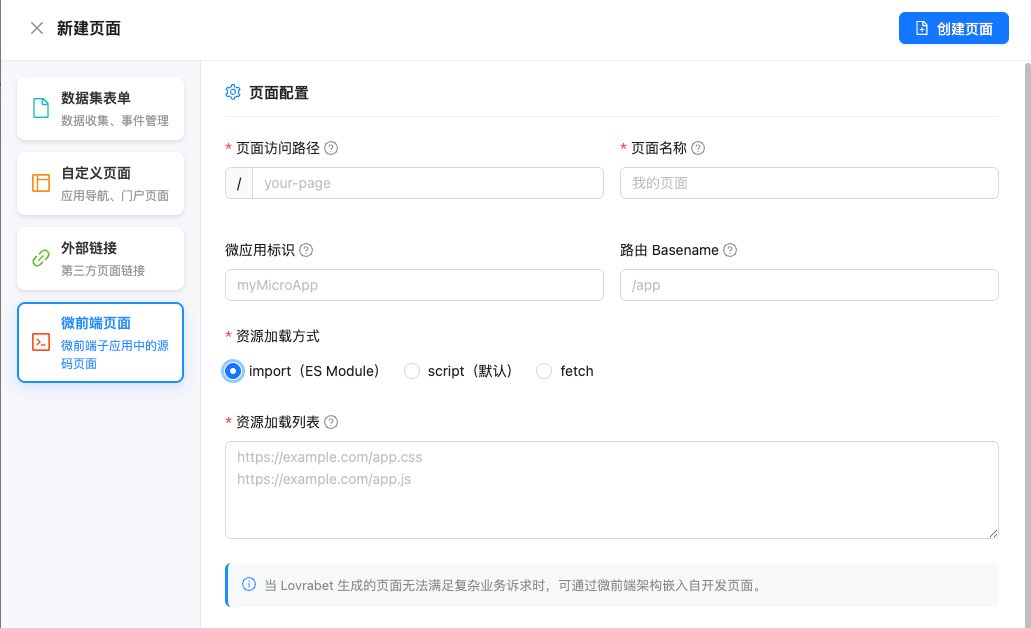
Lovrabet menu configuration
Reference: <cite doc-id="Td9swbvM1ie3pIkHlNUcjuehnuh" file-type="wiki" title="Lovrabet 主子应用开发指引" type="doc"></cite>
FAQ
How do I configure dynamic routes in Lovrabet?
When a page URL needs to carry parameters, there are two ways to do it:
- Query parameter mode:
/order?id=orderId - react-router dynamic route mode:
/order/:orderId
Query parameter mode
In the menu's "page path" setting, configure just the path portion: /order.
Parameters are appended dynamically at navigation time, e.g. /order?id=${orderId}.
react-router dynamic route mode
Suppose the child app has a router config like this:
{
  path: "/order/:orderId",
  element: <OrderDetail />,
}
Configure the full dynamic route in the menu's "page path" setting, i.e. /order/:orderId.
When navigating, assemble the complete path according to the dynamic route pattern, e.g. navigate(`/order/${orderId}`).
Hiding the menu page (optional)
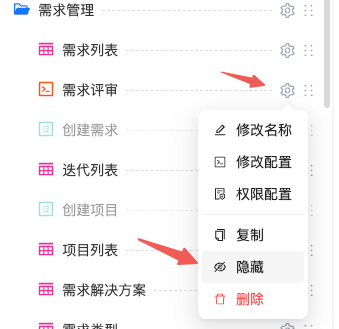
Pages that take parameters are usually detail pages navigated to from another page (such as a list). You can hide such a page from the menu as needed — see the screenshot below.