
Once Lovrabet is connected, paste in a question and watch it analyze customer and sales data and suggest next steps.
TIP
Your first run uses the official sample CRM demo When you first use Lovrabet, you usually don't have your own apps and data yet. To make the experience easy, we provide an official sample CRM demo. A CRM is a customer management system — think of it as a system for managing customers, sales opportunities, and sales follow-up progress. Everything in it is sample data and touches no real business data. Enable Lovrabet in WorkBuddy, copy a question below, and use this dataset to try out the analysis capabilities.
Before you start
You need a WorkBuddy account, with Lovrabet CLI already connected in the connector marketplace. The quick tour uses official sample data — no spreadsheets or databases of your own required.
Connect Lovrabet
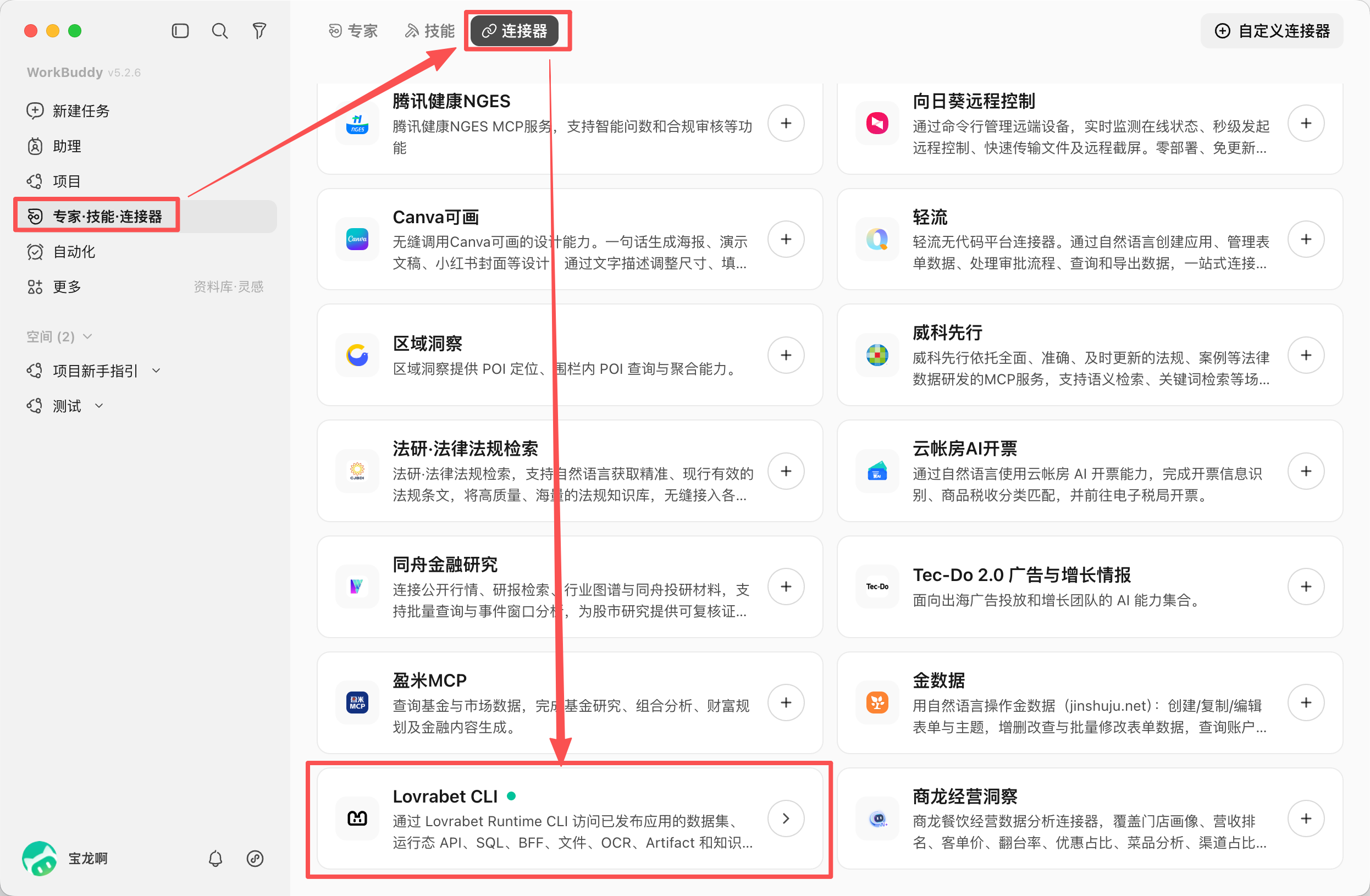
- In WorkBuddy, open "Experts · Skills · Connectors" from the left sidebar.
- Select the "Connectors" tab at the top, find Lovrabet CLI in the list, and click Add to authorize the connection.
Where to connect: Find Lovrabet CLI under "Experts · Skills · Connectors" and complete the connection.
Create a task and select Lovrabet
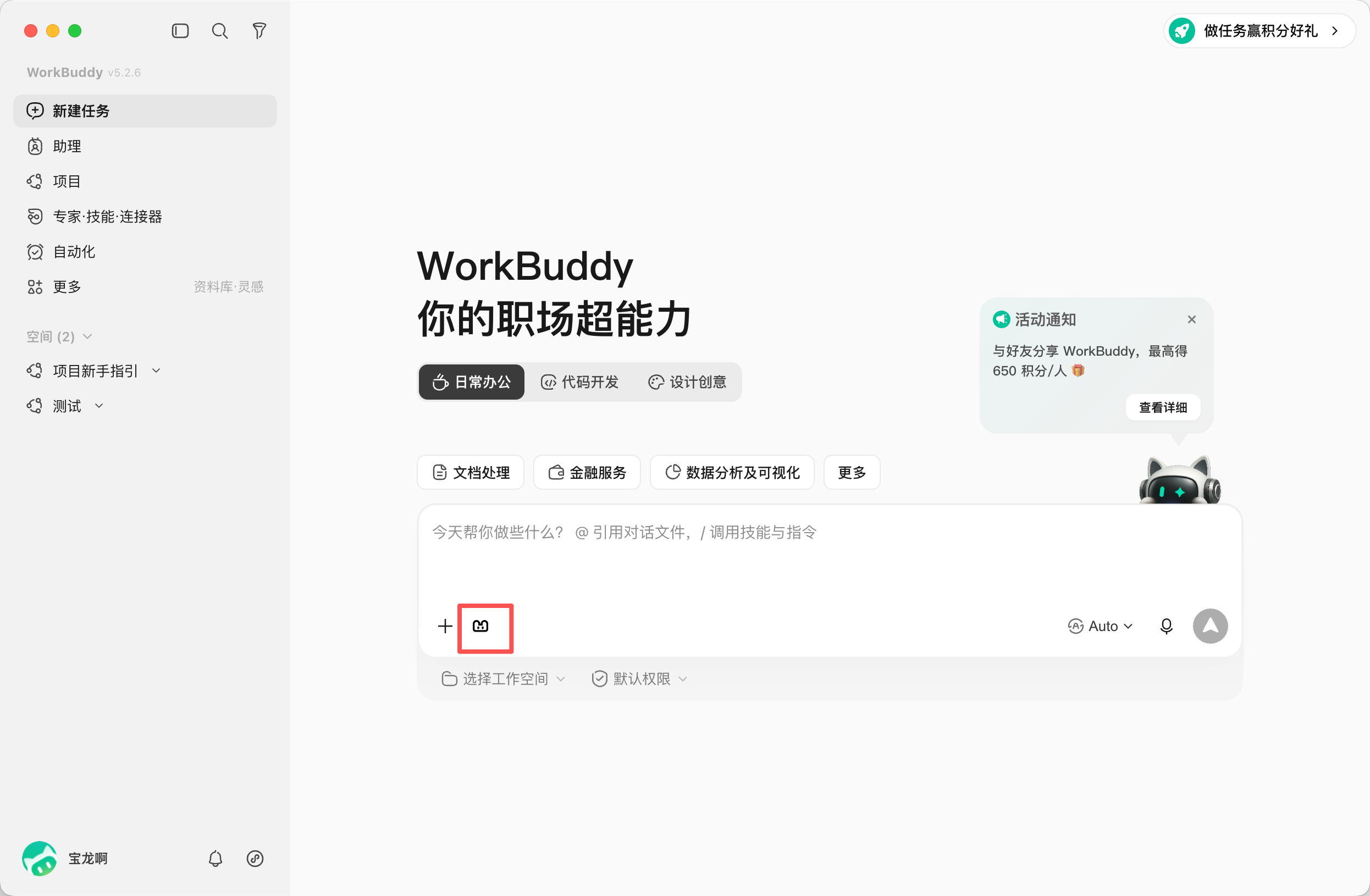
- In the WorkBuddy left sidebar, click "New Task".
- In the input box, toggle on Lovrabet CLI among the connectors next to the "+". When the Lovrabet icon appears in the dialog, the task will use Lovrabet CLI.
Where to use it: Select the Lovrabet icon in the new-task input box, then paste a sample question.
Copy a question and send it
For your first run, start with the first question. No prompt-writing skills needed — just copy and paste.
Find the customers most worth following up with
请使用 Lovrabet 官方示例CRM Demo中的客户与销售数据,找出目前最值得优先跟进的 5 位客户。请说明原因,并给出下一步跟进建议。Compare sales performance
请使用 Lovrabet 官方示例CRM Demo中的数据,比较各销售人员的成交和转化表现,指出当前最需要关注的 3 个问题。请用简短表格展示,并给出管理者可以立刻采取的行动。Get a business summary
请使用 Lovrabet 官方示例CRM Demo中的数据,总结当前销售进展、主要风险和下一步重点。请按「进展、风险、建议」三个部分输出,每部分不超过 3 条。What this first experience shows you
- The answer states clear business conclusions rather than just reciting the data.
- You see specific customers, sales performance, or risk points.
- The answer includes suggestions you can act on.
Keep reading
If you are a business user, go deeper with:
<bookmark name="Hands-on tour: sample customer and sales data" href="/en/cli/lovrabet/workbuddy/sample-data"></bookmark>
To manage your own data the same way:
<bookmark name="From a one-off analysis to ongoing management" href="/en/cli/lovrabet/workbuddy/daily-management"></bookmark>
If you are a technical user with your own database, here's how to get started:
<bookmark name="First database connection and full analysis" href="/en/guide/database/connect/first-analysis"></bookmark>