Rabetbase CLI — Vibe Coding Dev Toolkit
In one sentence
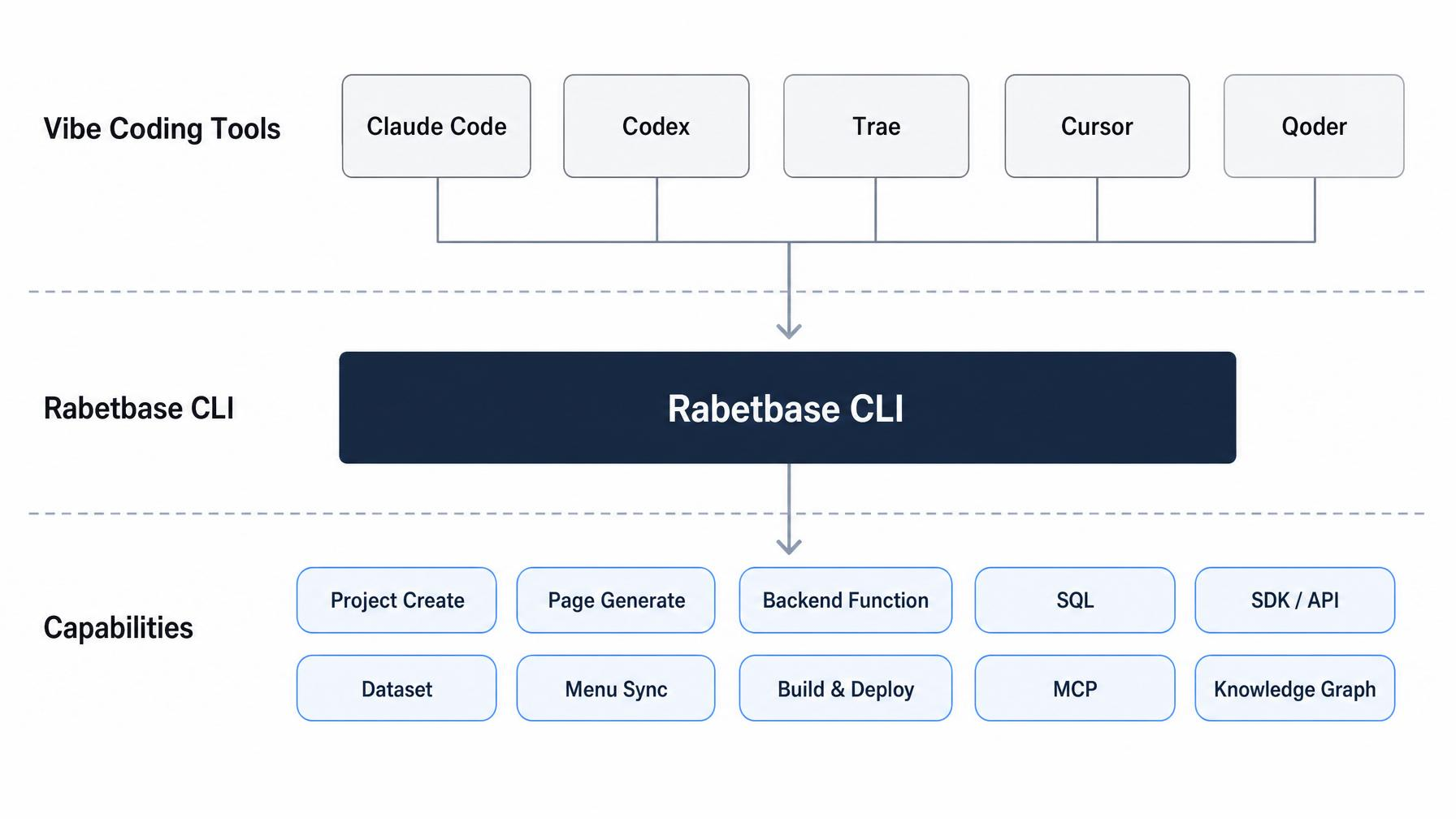
Rabetbase CLI is the Lovrabet platform development toolkit. Instead of clicking through the Lovrabet workbench, developers complete 95% of the work by natural language right inside the CLI/IDE they already use — Codex, Cursor, Claude Code, Trae, and more. This includes fetching dataset details, developing functions, writing SQL, building pages, incremental DB analysis, generating/modifying standard pages, and more.
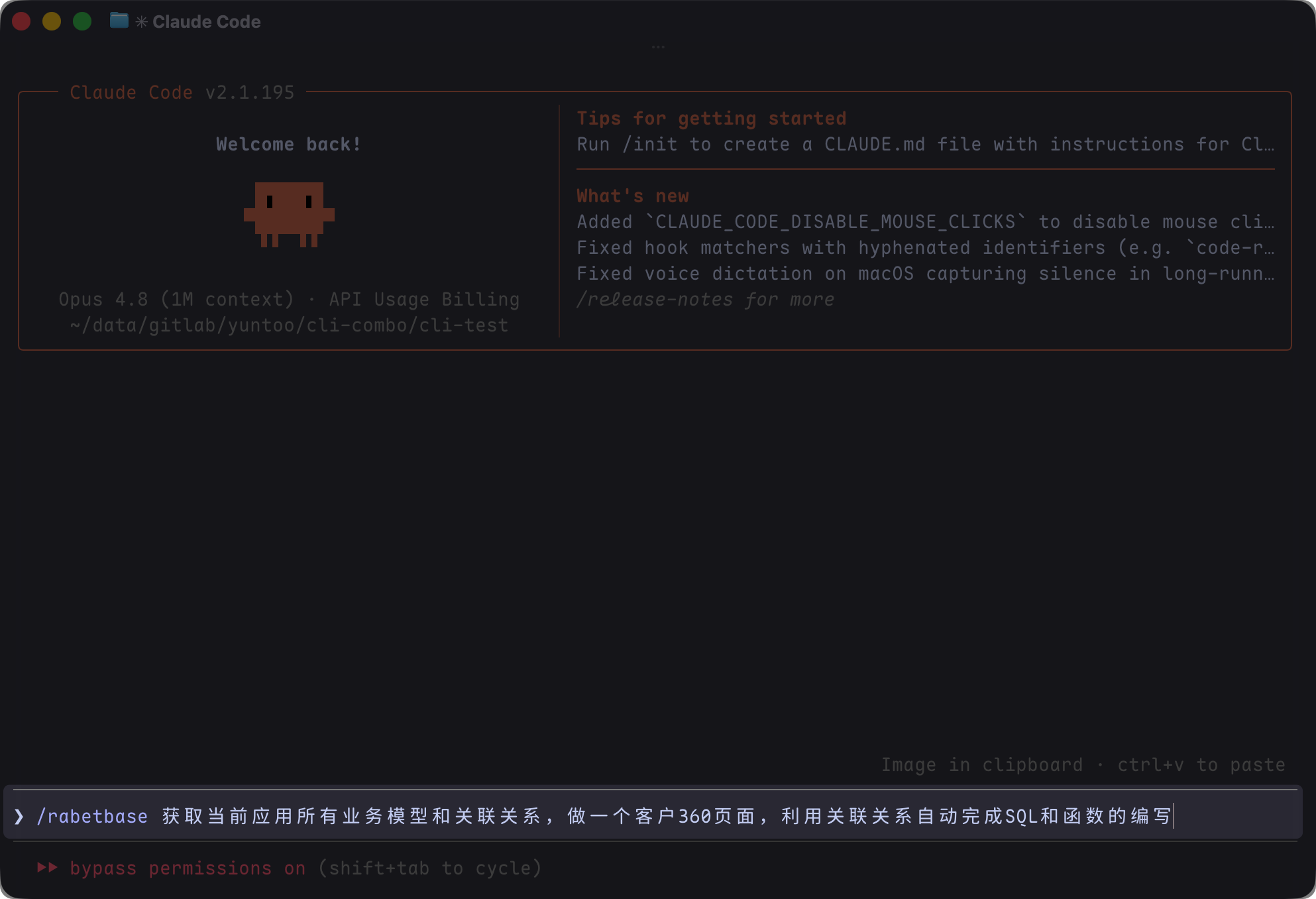
How to get the AI started
| Goal | Prompt |
|---|---|
| Query a dataset | "I'm taking over an order management page. Map out the order-related data structures, fields, and relations first, then tell me how to integrate the frontend." |
| Create a SQL query | "I need a monthly order-amount report. Check whether an existing capability can be reused first; if not, design the SQL and validate the fields and risks." |
| Push BFF scripts | "Check whether local and remote BFF scripts in this project are in sync. I want to add a customer-dashboard endpoint — give me a plan and an impact preview first, and push only after I confirm." |
| Troubleshoot the environment | "Check whether this project is bound to a Lovrabet app and environment and whether authentication is still valid. If anything is wrong, list fixes ordered by impact." |
| Sync menus | "Sync this page's menu to the platform. Preview which menus, resources, and live entry points will change first, and execute only after I confirm." |
Recent entry-point reminders
- To find a platform app, just ask the AI to list available apps and tell you which one the current project is bound to.
- To switch the app the current project is bound to, have the AI confirm the project config, target app, and impact scope before rebinding.
- If older material mentions an app entry point that has been retired, let the AI pick the new entry point based on the current Skill and project config — don't copy old commands.
What the AI does when it calls Rabetbase CLI
When you state a need in natural language, the AI breaks it down into verifiable development actions.
- Understand the goal: identify whether you're doing page integration, data queries, SQL, BFF, menus, troubleshooting, or deployment.
- Read the real context: use the CLI to fetch the current project, app, environment, dataset, API, SQL, or BFF state — no guessing.
- Pick the implementation path: prefer the standard SDK and existing platform capabilities; fall back to custom SQL or BFF only when those are genuinely not enough.
- Preview the risk: read-only actions run immediately; write, push, and delete actions show you the impact scope and dry-run results first.
- Execute and verify: after you confirm, the AI runs the write and reports the result, failure reasons, and suggested next steps.
What capabilities it provides
The value of Rabetbase isn't "one more CLI" — it lets the AI reliably plug into the real context of the Lovrabet platform, turning development work from console clicking and copy-paste into a trackable, verifiable, automatable workflow.
| Dimension | Without the Rabetbase system | With Rabetbase + AI |
|---|---|---|
| Data and API alignment | You hunt for datasets, fields, and API contracts by hand; schema changes are easy to miss. | The AI reads the platform's real structure, confirms fields, relations, and available operations, then proposes an integration plan. |
| Toolchain and context | You bounce between IDE, console, SQL tools, and API testers, carrying context by copy-paste. | The AI pulls context, analyzes the problem, generates a plan, and verifies results — all within one task. |
| Custom SQL | Fields are guessed, SQL is scattered across environments, and issues surface at integration or after release. | The AI first checks for reusable SQL, then designs the query against real fields, validating and flagging risks before execution. |
| BFF and local debugging | Scripts only get verified after being pushed, so feedback loops are long. | The AI checks local vs. remote state first, shows the diff, impact scope, and preview, then waits for your confirmation. |
| Safety and confirmation | You must remember which actions are dangerous; accidental deletes, pushes, or environment changes happen. | The AI reads the CLI's risk levels: read-only actions complete automatically; high-risk writes always explain their impact and wait for confirmation. |
Prompts you can copy as-is
These aren't commands — they're requirement descriptions you can send directly to the AI. The AI decides which CLI capabilities to invoke.
| Scenario | Example prompt |
|---|---|
| Taking over a new page | "I'm building an order management page. Map out the order-related datasets, fields, relations, and available operations first, then advise on frontend integration. Don't guess fields — read the real structure." |
| Writing an aggregate query | "I need monthly order totals. Check whether a standard filter or existing SQL can do it; if not, design a custom SQL and run field validation and risk checks before pushing." |
| Developing BFF | "I'm adding a customer-dashboard endpoint. Check existing BFF scripts for something similar to avoid duplicate work, then give me an implementation plan, local file changes, and a push preview." |
| Debugging an issue | "The data on this page looks wrong. Trace it layer by layer — app config, dataset fields, API definitions, SQL/BFF state — and list the evidence at each step." |
| Pre-release check | "I'm about to release these changes. Verify local and platform state are consistent, list every API, SQL, BFF, or menu affected, and show me the dry-run results first." |
| Team asset inventory | "Inventory the datasets, SQL, and BFF assets in this app. Flag duplicated capabilities, inconsistent naming, long-unmaintained items, and reusable parts." |
Documentation map
This knowledge base is organized into 5 sections. The root page explains the mental model; the hands-on track for project development, page building, configuration, Backend Functions, SQL, and troubleshooting lives in the sub-pages.
| Section | Read it when |
|---|---|
| Getting started | You want to continue with project structure, data models, page development, local debugging, build and packaging, or platform integration from a new project. |
| Core development capabilities | You're working with APIs, datasets, BFF, custom SQL, code generation, or menu sync. |
| Maintenance, security, and reference | You need troubleshooting, config references, risk levels, safety confirmations, or command details. |
| Migration, mapping, and resources | You're migrating from an older CLI, mapping console capabilities, or looking for FAQ, changelog, or screencast material. |
| Topic Q&A | You're handling customer questions and specific scenarios, such as dataset relations or page buttons calling external APIs. |
What to say on your first run
If your environment isn't set up yet, just send this to the AI:
"Check whether this project has a working Rabetbase development environment. If not, install the CLI, log in, initialize the project, and bind the app and environment. If anything involves authorization or high-risk writes, explain why first and wait for my confirmation."