Connect SQL, BFF, and Backend Functions to Skills
This page wires stable queries, API orchestration, and write-back logic into Skills. The Skill owns the workflow; SQL, BFF, and Backend Functions guarantee stable execution.
Who this is for
Technical leads and implementation engineers.
SQL: pin down the calculation rules
- Open App Management.
- Click Custom SQL Management in the left sidebar.
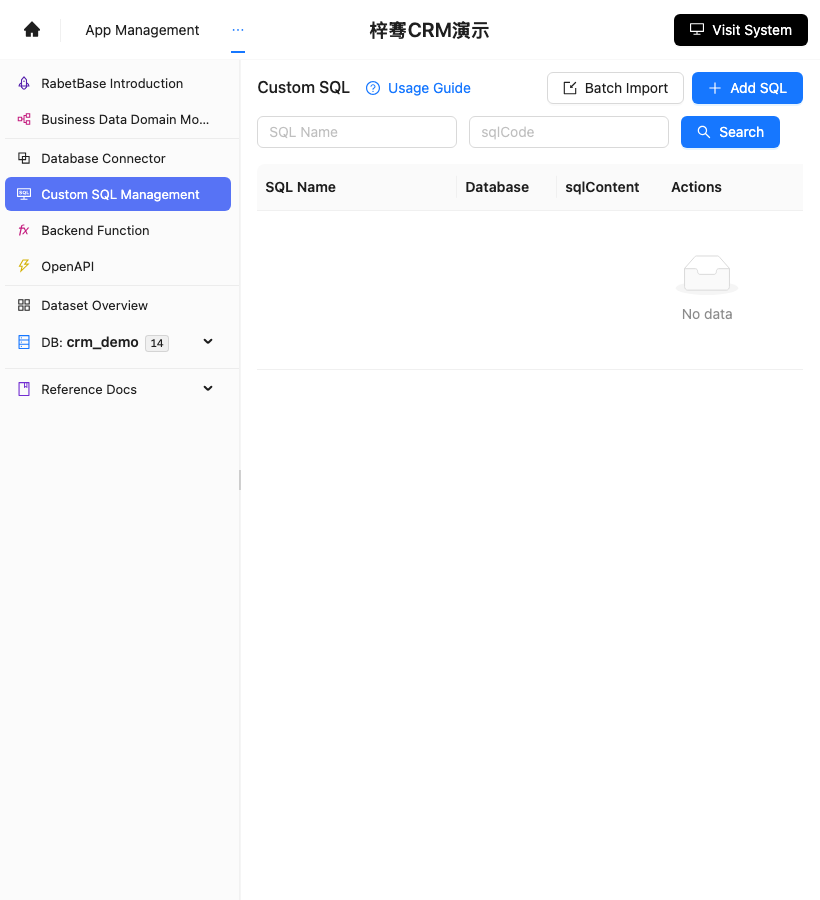
- Compare with the screenshot below to confirm you're on the Custom SQL Management page.
- Click Add SQL.
- Name the SQL, for example
weekly_crm_followup_summary. - Select the database
crm_demo. - Write the statistics SQL.
- Save.
- Verify with the runtime CLI:
Screenshot reference: the SQL assets entry is shown below. Reporting SQL is created and maintained here.
lovrabet sql exec --code weekly_crm_followup_summary --params '{"range":"this_week"}'BFF: pin down multi-step queries
A good fit for merging "query customers, query opportunities, assemble recommendations" into a single entry point.
- Create the BFF in development mode.
- Fix the input parameters to time range, team, and stage.
- Fix the output fields to customer, owner, opportunity stage, amount, and suggested action.
- After publishing, verify with the runtime CLI:
lovrabet bff exec --name prepare_high_risk_opportunity_review --params '{"stage":"proposal"}'Backend Function: pin down write-back actions
Open App Management.
Click Backend Function in the left sidebar.
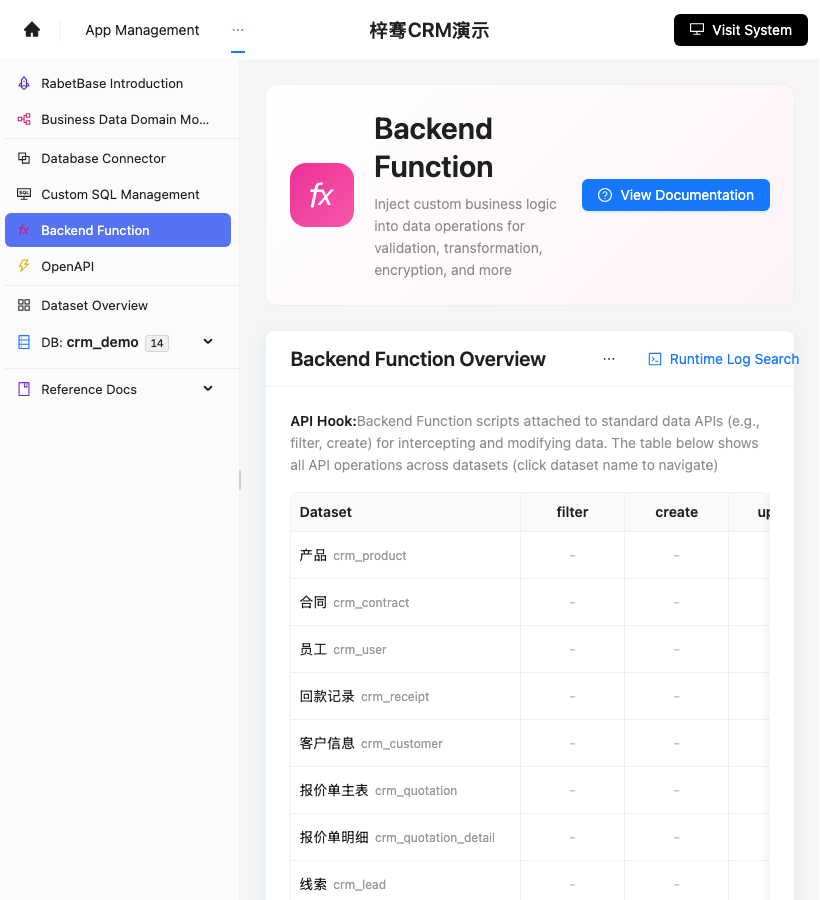
Compare with the screenshot below to confirm you're on the Backend Function page.
Find the record type to hook into, such as opportunities or follow-up records.
Add a Function for the write-back action.
In the Function, handle:
- Parameter validation
- Permission checks
- Write-back
- Notifications
- Audit logs
Save, then go back to the runtime and test it once.
Screenshot reference: the Backend Function entry is shown below. Write-back, notification, approval, and audit logic are configured here.
Write it into the Skill
Spell out the call order in the Skill:
1. 调用 SQL weekly_crm_followup_summary 生成本周统计。
2. 调用 BFF prepare_high_risk_opportunity_review 生成候选商机。
3. 展示候选清单和依据。
4. 用户确认后调用 Backend Function 标记高风险。
How you know it's done
- The SQL returns stable statistics.
- The BFF returns a fixed structure.
- The Backend Function handles write-back and audit.
- The Skill names the exact capabilities and the call order.
If execution fails
| Symptom | Check |
|---|---|
| SQL returns no results | Check the time range and the table fields |
| BFF parameter error | Check the parameter names and format |
| Write-back fails | Check the Backend Function logs |
| Skill can't find a capability | Check whether the capability is published |
Claude Code prompt
请使用 rabetbase 为目标应用检查 SQL、BFF、Backend Function 接入状态。
执行 rabetbase sql list --appcode <你的应用 appCode> --format compress。
执行 rabetbase bff list --appcode <你的应用 appCode> --format compress。
如果需要新增 SQL,先输出 sql create / sql pull / sql validate / sql push --dry-run 的命令,不直接 push。
如果需要新增 BFF,先输出 bff create / bff status / bff push --dry-run 的命令,不直接 push。
输出可以写进 Skill 的能力名称、入参和返回字段。
Next steps
Continue to "8. Standardize multi-table metric definitions".