Advanced: integrate legacy pages, APIs, and code logic
This page applies after the CRM database is connected and the runtime is up and running.
When to move to advanced integration
| Signal | Approach |
|---|---|
| Legacy pages are still in use | Integrate the legacy pages or use micro-frontends |
| The legacy system has stable APIs | Integrate the legacy APIs |
| Complex business rules live in the legacy code | Wrap them as Backend Functions or BFF |
| The legacy process relies on manual work | Use RPA |
| An external SaaS offers standard capabilities | Use MCP or SaaS Connectors |
Integrate legacy pages
- Confirm the legacy page URLs.
- Confirm how users sign in.
- Confirm which parameters each page accepts, such as customer ID or opportunity ID.
- Add entries on the CRM detail pages.
- Click a legacy page entry from a customer detail page.
- Check that the correct customer or opportunity opens.
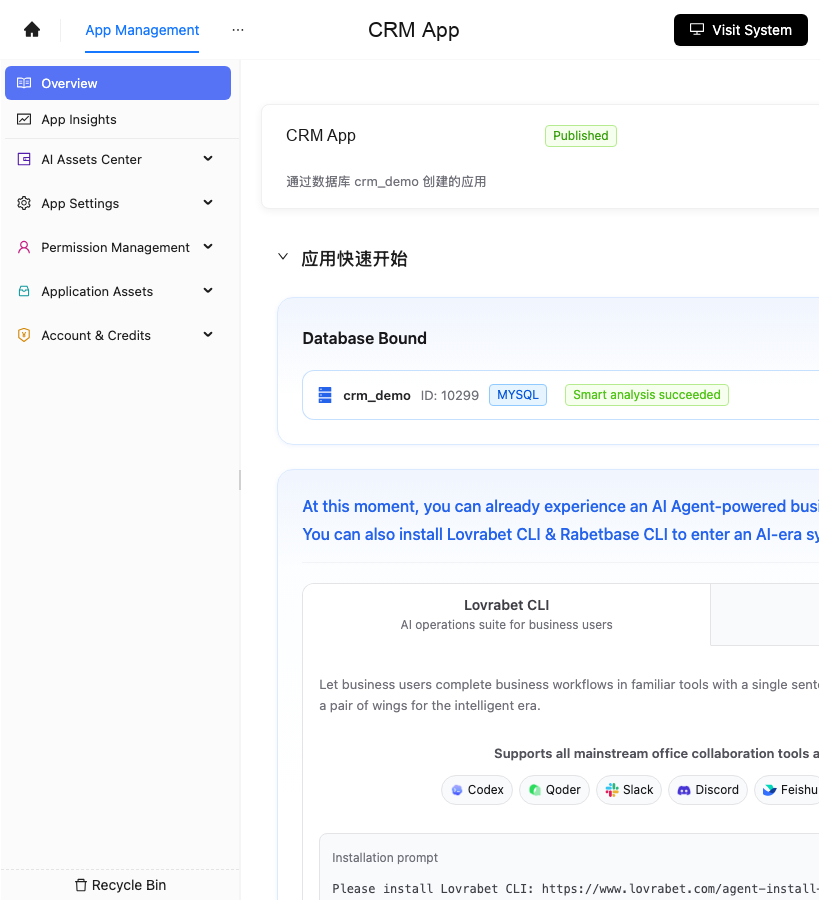
Screenshot reference: the App Management entry is shown below. After integrating legacy pages, legacy APIs, and code logic, come back here to verify the app.
Integrate legacy APIs
- List the legacy APIs.
- Record each API's inputs, outputs, and permissions.
- Start with a low-risk API, such as querying customer contracts.
- Wrap it as a BFF or Backend Function.
- Reference it by name in the Skill.
- Verify with the runtime CLI.
bash
lovrabet bff exec --name legacy_contract_lookup --params '{"customerId":"demo"}'Integrate legacy code logic
Find the rules in the legacy code that actually drive business results.
Write each rule as input, processing, output.
Decide where each one goes:
- Queries and aggregation go to SQL.
- Multi-step orchestration goes to BFF.
- Write-back, approvals, and status transitions go to Backend Functions.
Publish, then add it to a Skill.
Verify the result with a sample CRM record.
Integrate RPA, MCP, and external SaaS
- Record the external system name.
- Record the authentication method.
- Record the available actions.
- Record the inputs and outputs.
- Add them as fixed steps in the Skill.
- Add preview and confirmation whenever write-back is involved.
Completion checklist
- Legacy pages can be opened from CRM contexts.
- Legacy APIs return a fixed structure.
- Legacy code rules are wrapped as stable capabilities.
- The call order is visible in the Skill.
- Write-back actions have permissions, preview, and logs.
Claude Code prompt
text
请使用 rabetbase 为目标应用做旧系统接入盘点。
先执行:
1. rabetbase dataset list --appcode <你的应用 appCode> --format compress
2. rabetbase dataset links --appcode <你的应用 appCode> --format compress
3. rabetbase sql list --appcode <你的应用 appCode> --format compress
4. rabetbase bff list --appcode <你的应用 appCode> --format compress
输出旧页面、旧 API、旧 SQL、旧代码规则分别适合落到页面入口、SQL、BFF、Backend Function 还是 Skill。
涉及写回或状态流转的能力,列为 Backend Function。
本轮只读,只输出接入清单。