Reference: Claude Code, CLIs, Skills, and permissions
This page is a pure operations reference.
CLI division of labor
| Command | Used for |
|---|---|
lovrabet | Runtime verification: run published SQL and BFF, read business data |
rabetbase | Development-mode configuration: manage datasets, SQL, BFF, pages, and release governance |
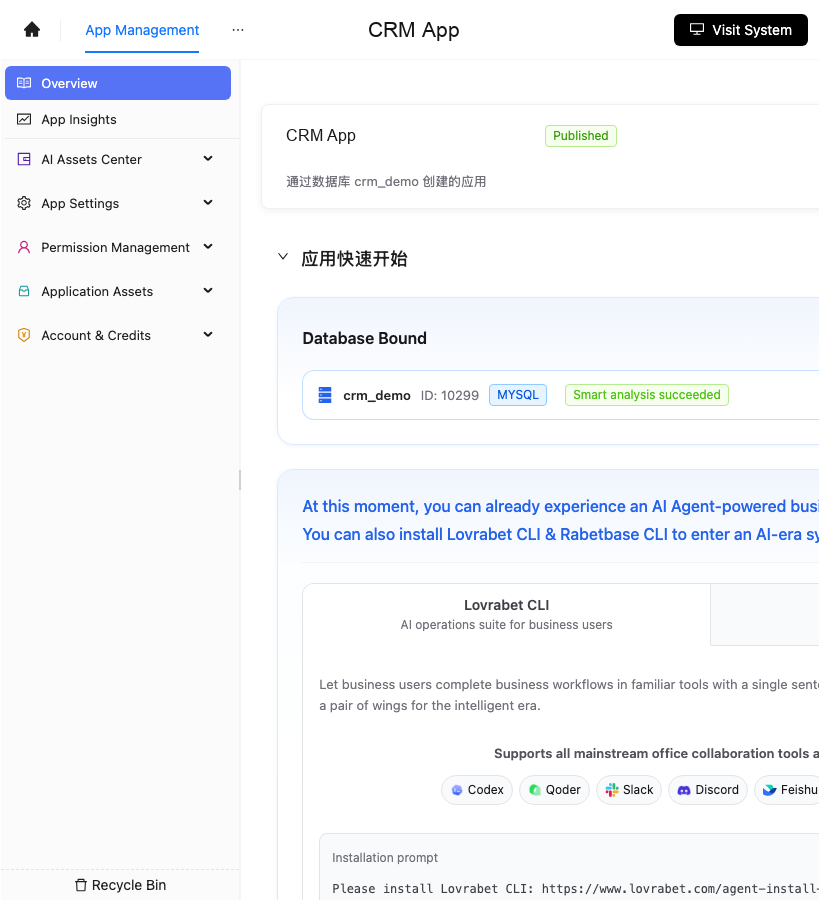
Screenshot reference: the App Management entry is shown below. Any dataset, SQL, BFF, or page results the CLIs report should be verified back at this entry.
Command style
Documents and scripts always use the full command:
bash
lovrabet sql exec --code weekly_crm_followup_summary --params '{"range":"this_week"}'
rabetbase dataset list --appcode <你的应用 appCode>
rb and lrb may exist as aliases on a personal machine, but they are never used in these documents.
Common runtime commands
bash
lovrabet data filter --dataset crm_customer --where '{"owner":"me"}'
lovrabet sql exec --code weekly_crm_followup_summary --params '{"range":"this_week"}'
lovrabet bff exec --name prepare_high_risk_opportunity_review --params '{"stage":"proposal"}'
Common development-mode commands
bash
rabetbase dataset list --appcode <你的应用 appCode>
rabetbase sql list --appcode <你的应用 appCode>
rabetbase bff list --appcode <你的应用 appCode>
Claude Code prompt: check the database and datasets
text
请在 Claude Code 里使用 rabetbase 检查目标应用。
先执行 rabetbase schema --format compress。
再执行:
- rabetbase db list --appcode <你的应用 appCode> --format compress
- rabetbase dataset list --appcode <你的应用 appCode> --format compress
- rabetbase dataset links --appcode <你的应用 appCode> --format compress
输出数据库状态、数据集清单、客户/跟进记录/销售机会的关联关系。
本轮只读。
Claude Code prompt: prepare the system data query entry
text
请使用 rabetbase 为目标应用检查系统数据查询入口准备情况。
如果以 CRM 为示例,先找到客户信息、跟进记录、销售机会数据集。
打开 dataset detail 和 dataset links。
输出列表字段、筛选条件、排序条件、缺失字段。
如果需要生成智能列表页,只输出 page generate-start 和 generate-status 命令,不执行写入。
Claude Code prompt: prepare SQL
text
请使用 rabetbase 为目标应用准备销售主管周报 SQL。
先执行 sql list,确认是否已有 weekly_crm_followup_summary。
再检查客户信息、线索、销售机会、跟进记录的数据集详情。
输出 SQL 入参、输出字段、数据来源和创建命令。
如需创建,先给出 sql create、sql validate、sql push --dry-run 命令。
Claude Code prompt: prepare a BFF or Backend Function
text
请使用 rabetbase 检查目标应用是否需要 BFF 或 Backend Function。
先执行 bff list、sql list、dataset operations。
把需求按三类输出:标准数据操作、SQL、BFF/Backend Function。
涉及写回、通知、审批、状态流转的动作列为 Backend Function。
只输出执行计划和 dry-run 命令。
Skill checklist
| Check | What good looks like |
|---|---|
| Name | Understandable to business users |
| Inputs | Time range, owner, team, and other parameters are explicit |
| Steps | The order of SQL/BFF/Backend Function calls is explicit |
| Output | Fields are fixed |
| Write-back | Has preview and confirmation |
Permission checks
| Scenario | Check |
|---|---|
| Can't see customers | Customer data permissions |
| Can't add follow-ups | Follow-up record write permissions |
| Can't flag high risk | Opportunity update permissions |
| Dashboard numbers differ | Team and owner filters |
| CLI execution fails | Current account authentication and app permissions |