Hands-on guide to building an enterprise system
This tutorial uses a sample CRM app as the teaching case, showing how an enterprise system grows from a database through data recognition, business queries, write-back validation, Skills, SQL, Backend Functions, and operations dashboards.
Before you start
| Item | How to check |
|---|---|
| Lovrabet account | You can open the Lovrabet workspace |
| App permissions | You can create apps, or you have admin access to a target app |
| Admin permissions | You can open App Management |
| Runtime permissions | You can click Visit System to enter the business system |
| CLI environment | When command verification is needed, lovrabet --help runs on your machine |
Order of work
| Step | Document | What you do |
|---|---|---|
| 0 | Preparation: create the CRM sample app | Create the app and locate the admin and runtime entries |
| 1 | Connect your CRM starting from the database | Confirm the database and datasets are recognized |
| 2 | Query system data | Query data in the business system from the runtime |
| 3 | Capture after execution | Review records and save stable workflows as Skills |
| 4 | View related business data | Link up customers, opportunities, contracts, and orders |
| 5 | Check before executing | Confirm permissions, targets, and impact scope |
| 6 | Write back reliably | Wrap business actions in controlled write services |
| 7 | Add SQL, BFF, and Backend Functions | Turn stable logic into callable capabilities |
| 8 | Standardize metric definitions | Calibrate multi-table relations and calculation rules |
| 9 | Configure the operations dashboard | Give managers a fixed view |
Fixed entry points in this tutorial
| Entry point | Used for |
|---|---|
| Visit System | Where business users work in the CRM |
| Create App | Create the CRM sample app |
| App Management | Where implementation engineers configure the app |
| Database Connector | View database connections |
| Dataset Overview | View CRM datasets |
| Custom SQL Management | Manage stable SQL |
| Backend Function | Manage backend logic such as write-back, validation, and notifications |
| Skills | View and run captured business workflows |
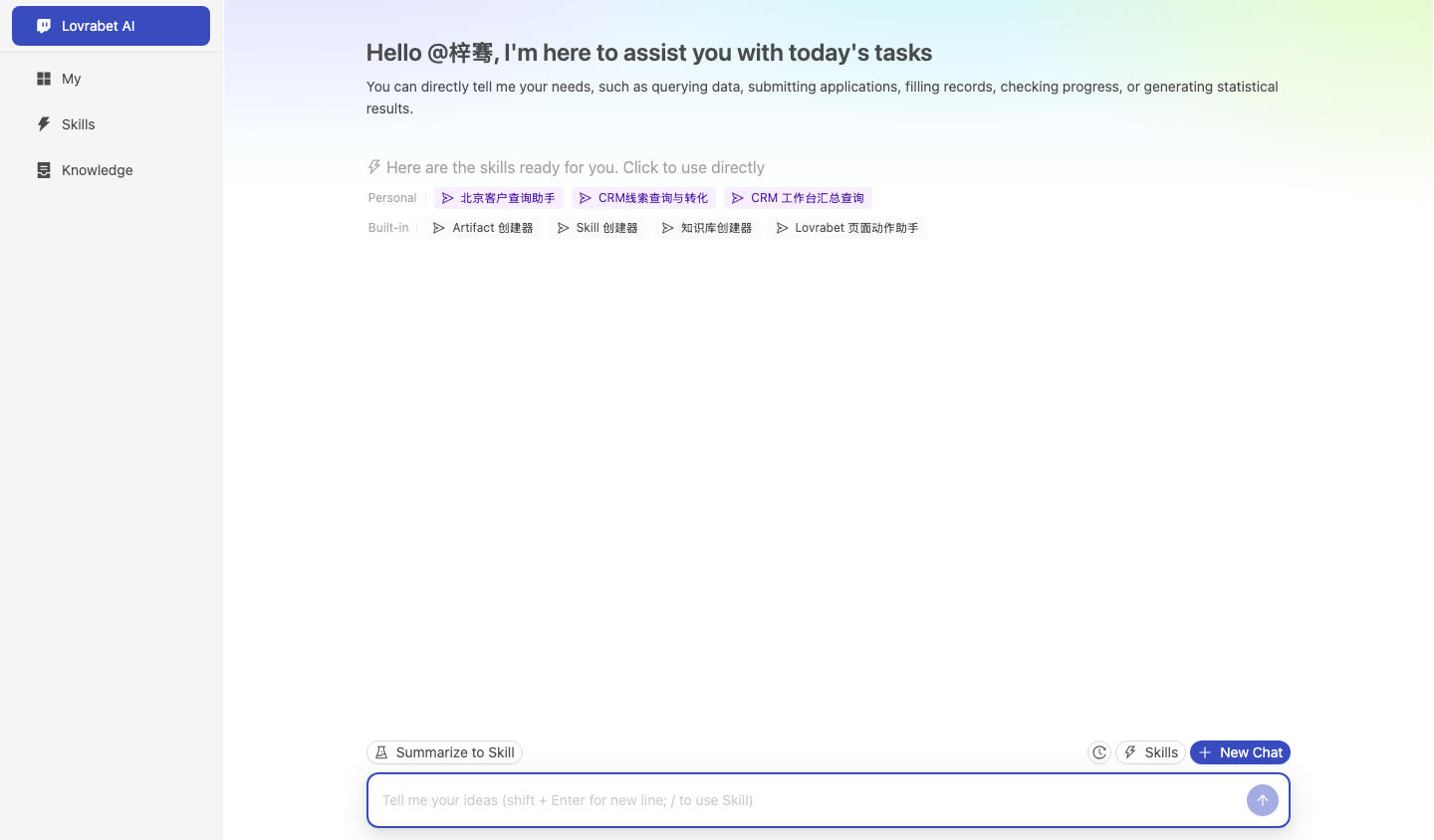
Screenshot reference: the CRM runtime entry is shown below. Confirm you can see Lovrabet AI, My, Skills, and Knowledge on the left, and the input box at the bottom.
Claude Code prompt
text
请在当前项目里使用 rabetbase 检查目标 CRM 应用的研发态状态。
先执行 rabetbase schema --format compress,确认本机命令契约。
再执行 rabetbase app list --format compress 和 rabetbase doctor --format compress。
如果用户还没有创建应用,提示先完成第 0 步创建 CRM 案例应用。
如果用户已经创建应用但本地还没有登记,再执行 rabetbase app remote --format compress 查询当前账号可访问的应用。
只输出当前项目是否已配置目标应用、认证状态、默认应用和下一步可执行命令。
本轮只读,不修改任何配置。
Completion checklist
- You can open the CRM runtime.
- You can see the
crm_demodatabase. - You can see datasets such as customer information, leads, opportunities, and follow-up records.
- You can find customers that need follow-up via a Skill or a chat.
- You can add a follow-up record, or see a confirmation before write-back.
- You can verify stable capabilities through SQL, BFF, or a Backend Function.