Business apps and the cloud Agent
Once your system is set up, you can use Agent chats to query data and handle tasks, use business pages for day-to-day operations, or call the same capabilities through the CLI from external Agents / scripts.
| Entry point | What it solves | Typical results |
|---|---|---|
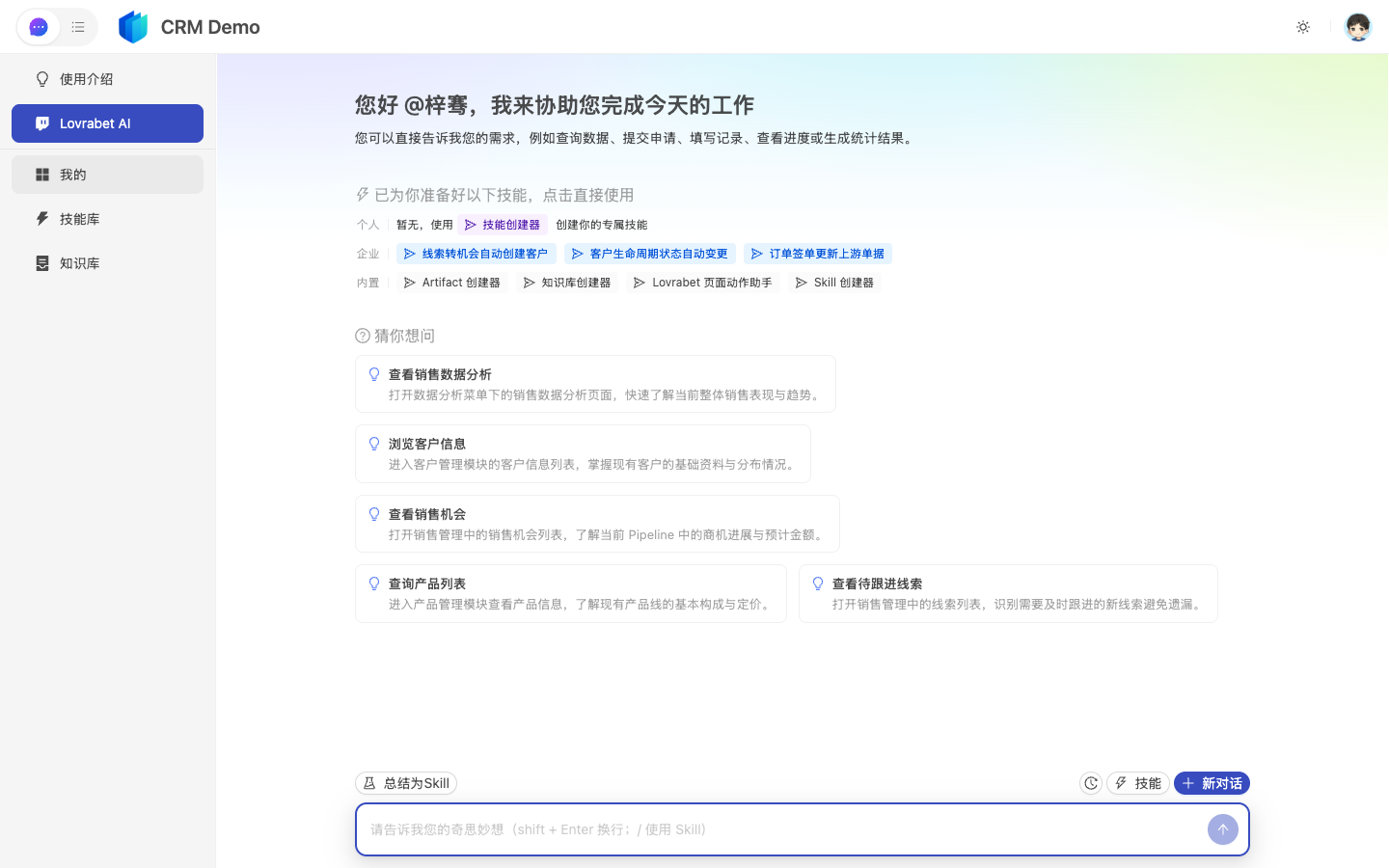
| Agent | Ask data questions, analyze, and handle tasks in natural language | Tabular conclusions, impact scope, recommended actions |
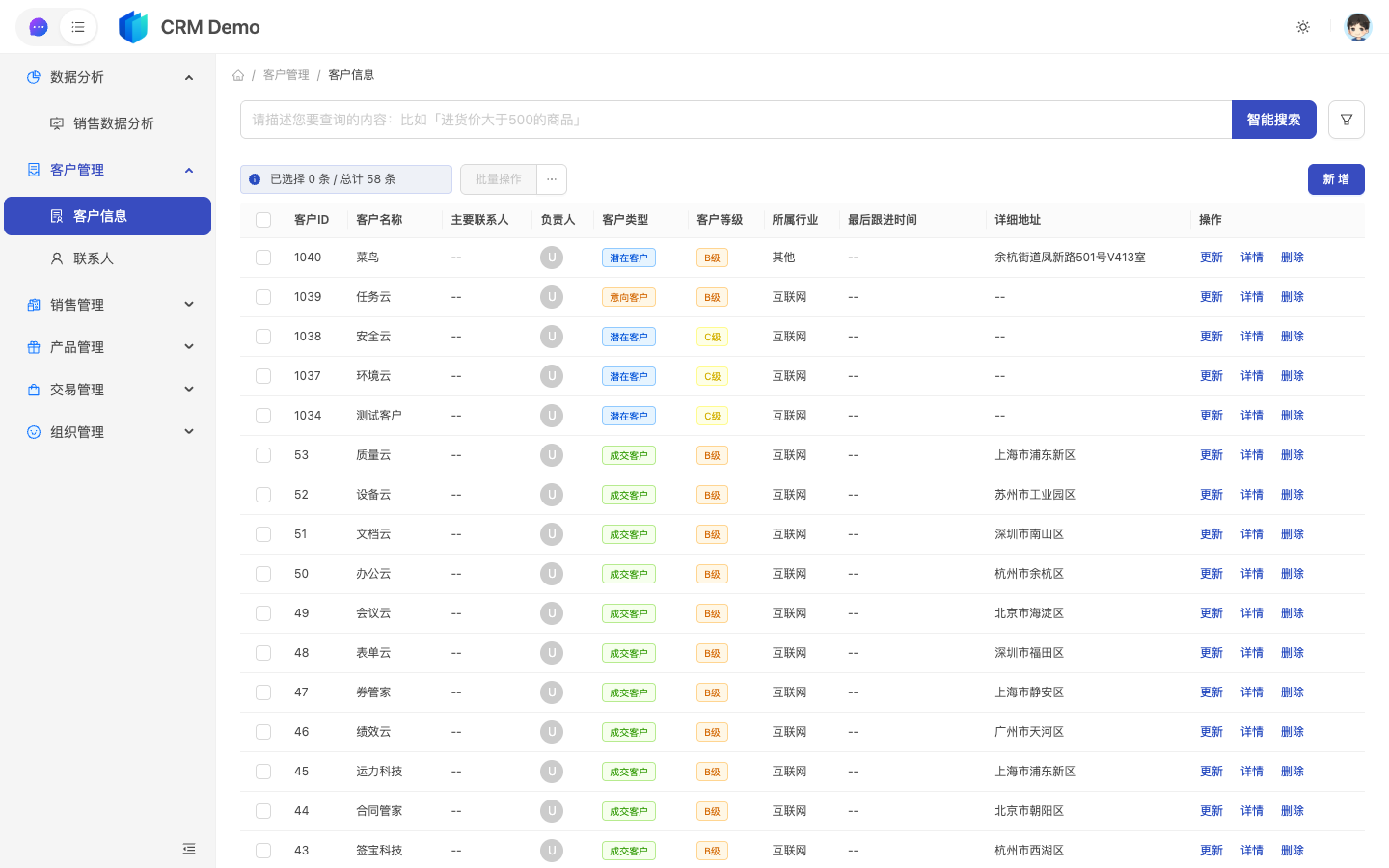
| Pages | Lists, forms, reports, and workflows you revisit often | Filtering, data entry, approvals, exports |
| CLI | Call the runtime from external Agents or automation | Data queries, SQL/BFF execution, collaboration platform integration |
Runtime example (CRM Demo)
The screenshots below are from the demo app CRM Demo: the Agent chat on the left, a standard list page on the right.
Pick an entry point by goal
| What you want to do… | Recommended entry | Read next |
|---|---|---|
| Query real business data in natural language for the first time | Agent | Working with the Agent → Runtime quick start: your first data question |
| Run statistics, find anomalies, analyze root causes | Agent | Data Q&A and analysis with the Agent |
| Have AI summarize, notify, and write status back | Agent + human confirmation | Execute business tasks with the Agent |
| Open business menus to query, enter, approve, export | Pages | Pages: carrying business results → View and use pages |
| Turn a one-off analysis into a long-lived page | Pages | Pages: carrying business results |
| Generate a custom page from a one-line requirement | Pages | Generate pages from natural language (text-to-page generation) |
| Quickly get a standard list page (the most common page type in B2B systems) | Pages / dev mode | Standard pages: create / edit |
| Query or execute from external Agents like Cursor, Claude Code, or Feishu Aily | CLI | Lovrabet CLI 2.0, Integrate and deploy the collaboration platform CLI client |
| Fixed steps the team runs again and again | Agent | Using Skills in the Agent |
FAQ
Why doesn't this guide start with pages?
Much work starts with a chat or a single query. Only when something needs repeated access or team sharing does it become a page.
Can business users generate pages themselves?
Yes. Describe the page in natural language, or save an Agent analysis result as a page. Standard list pages are usually published by admins or developers.
Why the emphasis on standard list pages?
Lists, details, filters, exports, and edits make up a large share of any B2B system. Standard list pages cover these high-frequency pages quickly.