Invite users to an app: approve access to a published app
When to use this
This guide shows you how to give an invited user access to a published app. The user does not need to join your enterprise tenant first — once approved, they use the app as a regular user and do not become an app developer.
This guide covers granting access to published business apps, i.e. apps whose URL looks like https://app-xxx.app.lovrabet.com/.
If you want a colleague to join the Lovrabet development platform to build, configure, or manage apps, see Add developers: invite colleagues to your enterprise tenant.
Before you start
- Your current account is an app admin. You can confirm this under
App Management->Permission Management->Member Management.
Share the published app link
Send the app URL (e.g. https://app-xxx.app.lovrabet.com/) to the invited user via chat.
The invited user requests access
Once you've sent the link, wait for the invited user to submit an access request on the app page.
- The invited user must sign in to Lovrabet first; if they don't have an account, they can register as prompted on the page.
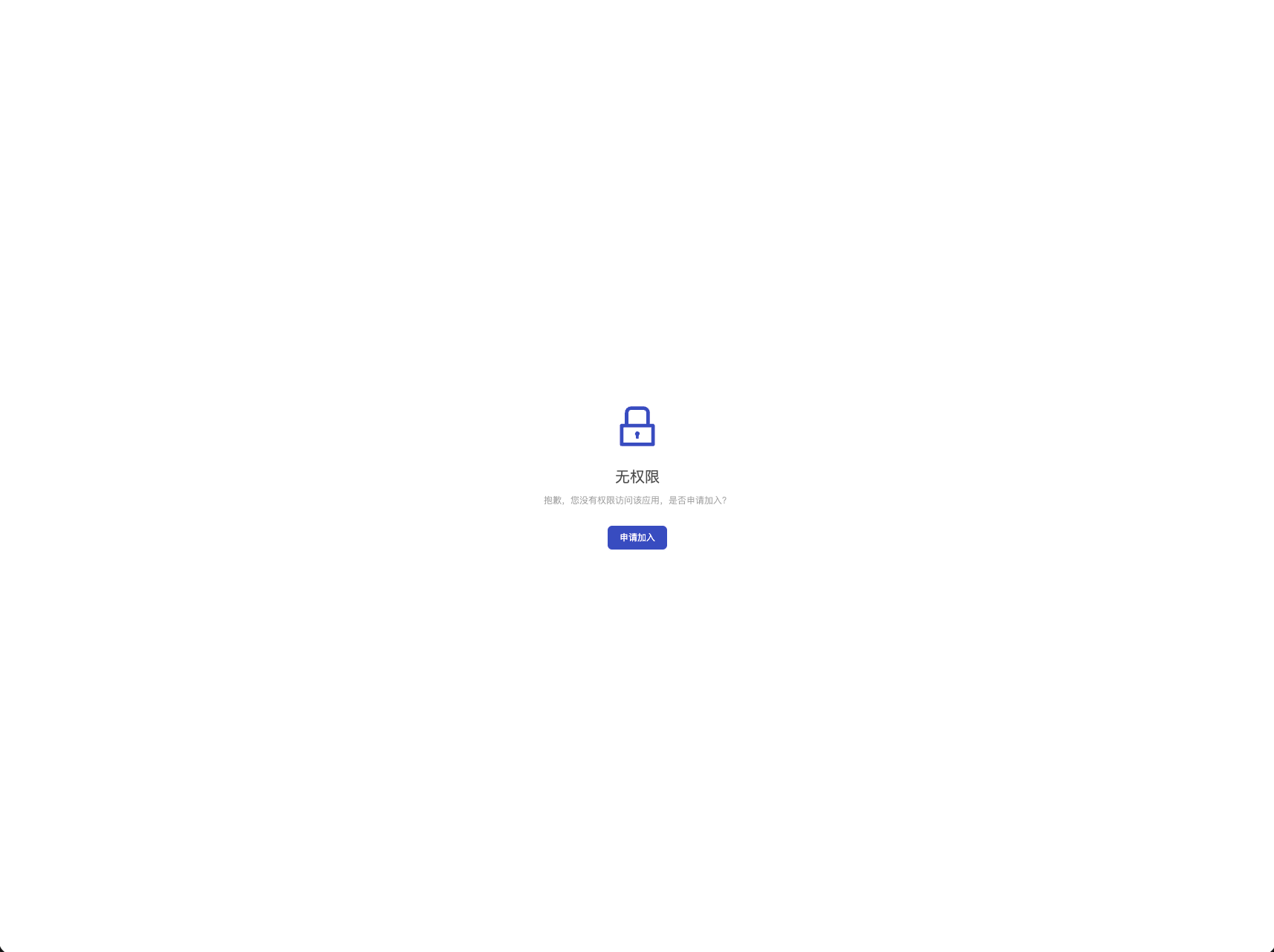
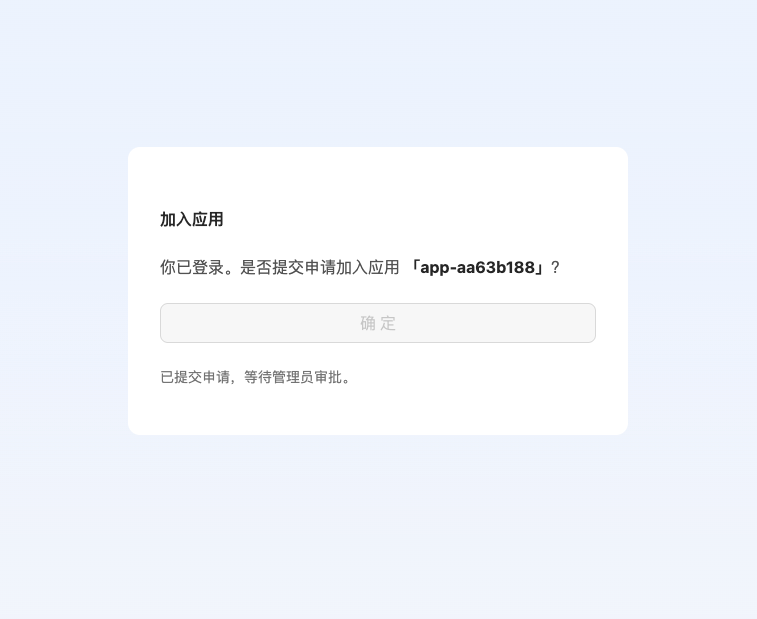
- After signing in, they can request access to the app. Here is what they see:
<grid> <column width-ratio="0.311381">  </column> <column width-ratio="0.257725">
  </column> <column width-ratio="0.430894">
  </column> </grid>
The app admin approves the request
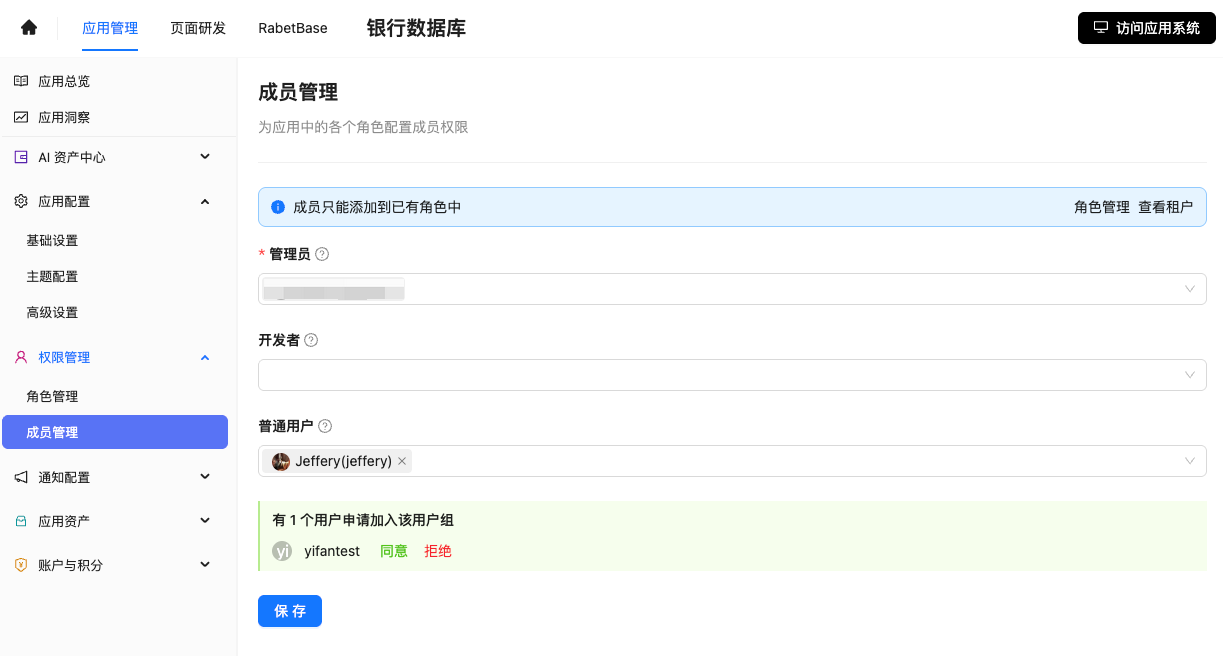
Open App Management -> Permission Management -> Member Management to see pending access requests. This member management page is for app permissions, not the enterprise tenant member list.
- Click Approve to grant access. The invited user joins the app's "Regular User" role and can start using the app. To block certain regular users later, remove them from the "Regular User" list.
End-to-end flow
<whiteboard token="JBqDwBMBohQT7Nb1NLzcrSOwnbb"></whiteboard>