Sign in again after opening a new tenant
Background
A tenant is the key identifier of a company and a hard system constraint in Lovrabet. That's why a newly opened tenant only takes effect after you sign in again. Here's how.
Steps
Sign out
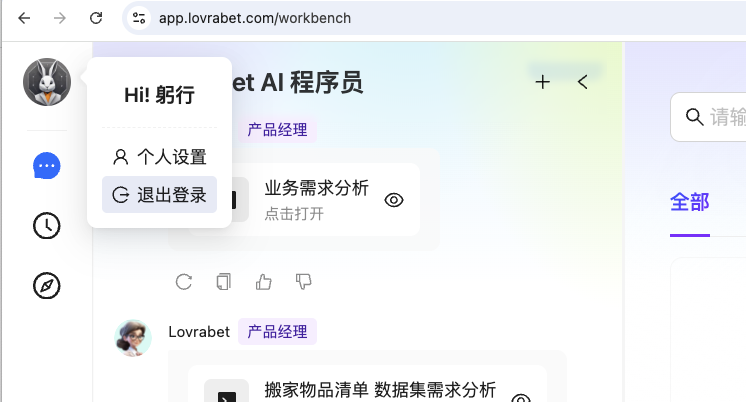
Click your avatar in the upper-left corner of the Lovrabet workspace, then click "Sign out".
Sign in again
After signing out, click "Sign in again" — the Lovrabet workspace opens by default.
After signing back in, you're routed to the tenant you used last time, so you still need to switch to the new tenant.
Switch to your dedicated tenant
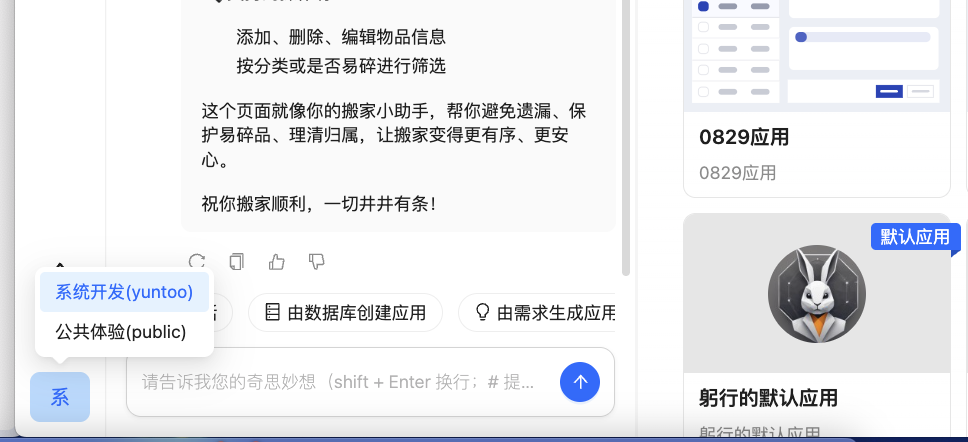
Click "Tenant switch" in the lower-left corner of the Lovrabet workspace and select the tenant you just created. The switch is now complete.
Next steps
- <cite doc-id="JdHdwK0aLimdFfkzgXvc83xWnMd" file-type="wiki" title="如何邀请企业内其他人加入租户" type="doc"></cite>