Turn your experience into a Skill
Once a type of task is proven to work and your team will run it repeatedly, capture the steps as a Skill instead of re-describing them in every chat.
Option 1: Do it manually in the Lovrabet workspace
Step1. Create a Skill
Runtime: Go to Chat → Skill Library → + New Skill, fill in the name and skillCode, and write the Markdown steps.
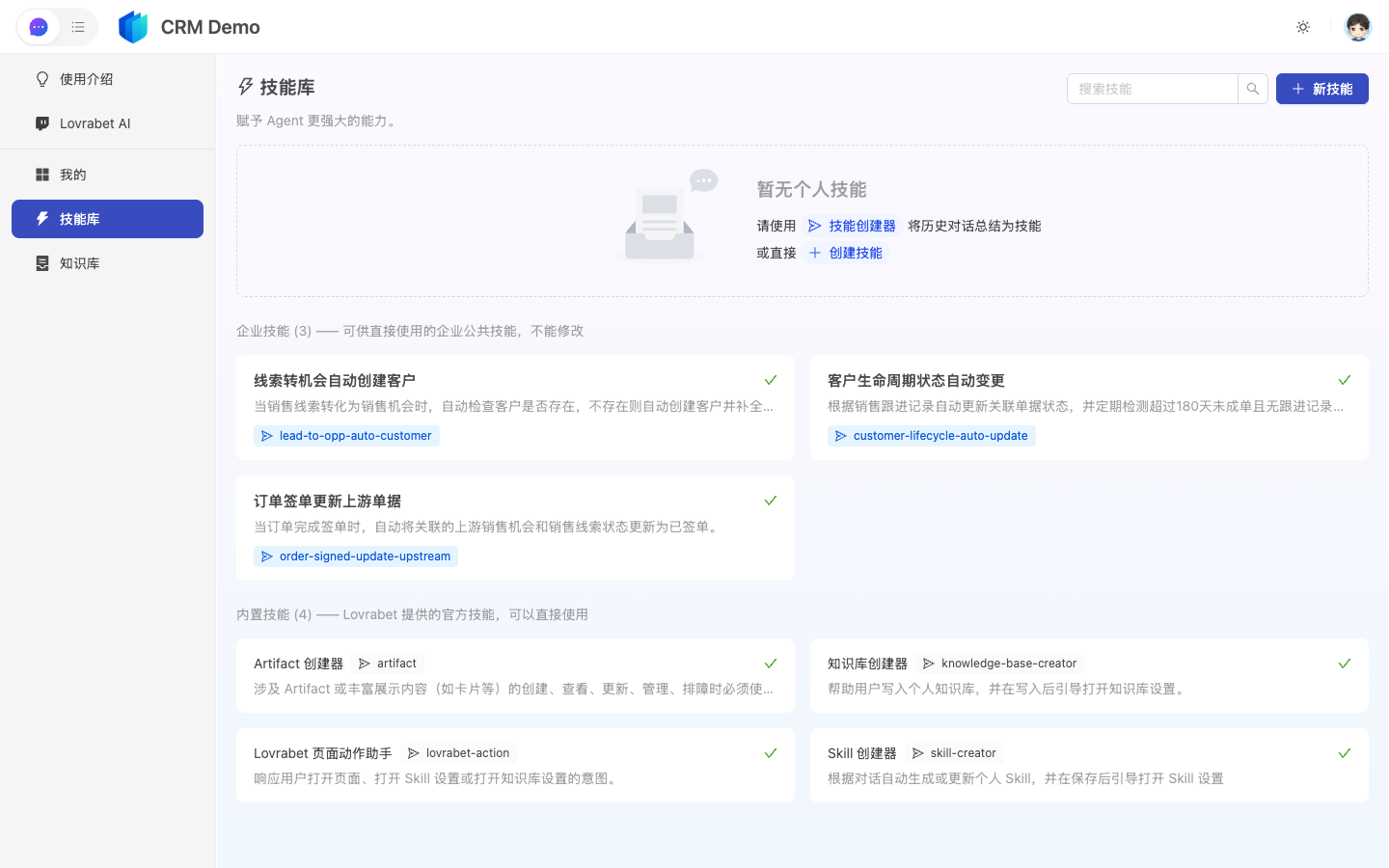
Workspace: Go to App Management → AI Asset Center → Skills → New Skill, fill in the skillCode (English snake_case recommended) and the body, then save.
Step2. Capture from a successful session (optional)
- Complete a multi-step flow you're happy with in a chat.
- If the Save as Skill prompt appears → confirm.
- Go back to the Skills list to flesh out and revise the Markdown (system-generated drafts usually need a human to refine the metric definitions and prohibitions).
Step3. Roll it out to the team
- Add the skillCode to the related Knowledges entries or internal how-to docs;
- In chats, reference it uniformly as
use skillCode=xxxso everyone's wording stays consistent.
Option 2: Have an Agent verify via the Rabetbase CLI (for developers, optional)
When developers maintain the dataset fields a Skill depends on, they can hand verification to an external Agent. This is not the everyday path for business users.
| Action | CLI the Agent can call |
|---|---|
| Inspect dataset structure | dataset detail |
| Trial-run a data query | data filter |
Example prompt
请用 rabetbase skill 检查 skillCode=weekly_report 依赖的数据集 order 字段是否齐全,并给出 Skill 正文修改建议。FAQ
Should write operations go into a Skill?
Yes — and they must explicitly require a confirmation card or human sign-off, so the Agent never writes back to production data on its own.
Any naming advice for skillCodes?
Keep them globally unique and self-explanatory. Bump a version on breaking changes (e.g., _v2), and keep the old Skill read-only for a while.