Creating and extending data list pages | AI Coding
In AI coding tools such as Codex, Claude Code, Trae, and Cursor, you can use the rabetbase Skill to generate data list pages, then pull the standard code project to your machine and keep developing. SmartList is the technical name for this capability; in business communication it is consistently referred to as the "data list page".
Prerequisites
Before you start, make sure the following are ready (for first-time use, just tell rabetbase "set this up for me" — it handles installation and login):
- The target app is selected
- The target dataset has been created on the platform
If you're not sure whether the dataset is ready, just ask rabetbase:
找一下叫 <名称> 的数据集,给我它的 codeGenerate a data list page in one sentence (recommended)
There's no need to understand the page project first. State the target dataset and the business purpose, and the Skill handles the structure analysis, plan preview, generation, and result delivery.
1. Open your project and invoke the rabetbase Skill
Open the project directory in your AI coding tool. With the Skill installed, simply ask to "generate a data list page" or describe a specific business page need in the conversation to trigger the workflow.
2. State the requirement
生成「客户公司」对应的数据列表页3. Follow the Skill through the generation
The Skill runs the steps in order; you just confirm each result:
- Inspect the dataset fields and relations
- Preview the generation plan first (nothing is written at this step)
- Submit the generation task once confirmed
- Poll the task status until it completes
- Return the data list page URL, along with the matching create, edit, and detail forms
4. Open the page and verify
The result includes the page URL — open it and you have a working data list page.
Keep extending: add metric cards above the list
The generated data list page is a maintainable, standard code project. When you need to add metric cards, adjust field display, or build in more business interactions, just describe the outcome you want; the rabetbase Skill pulls the project, makes the changes, and pushes it back to the platform.
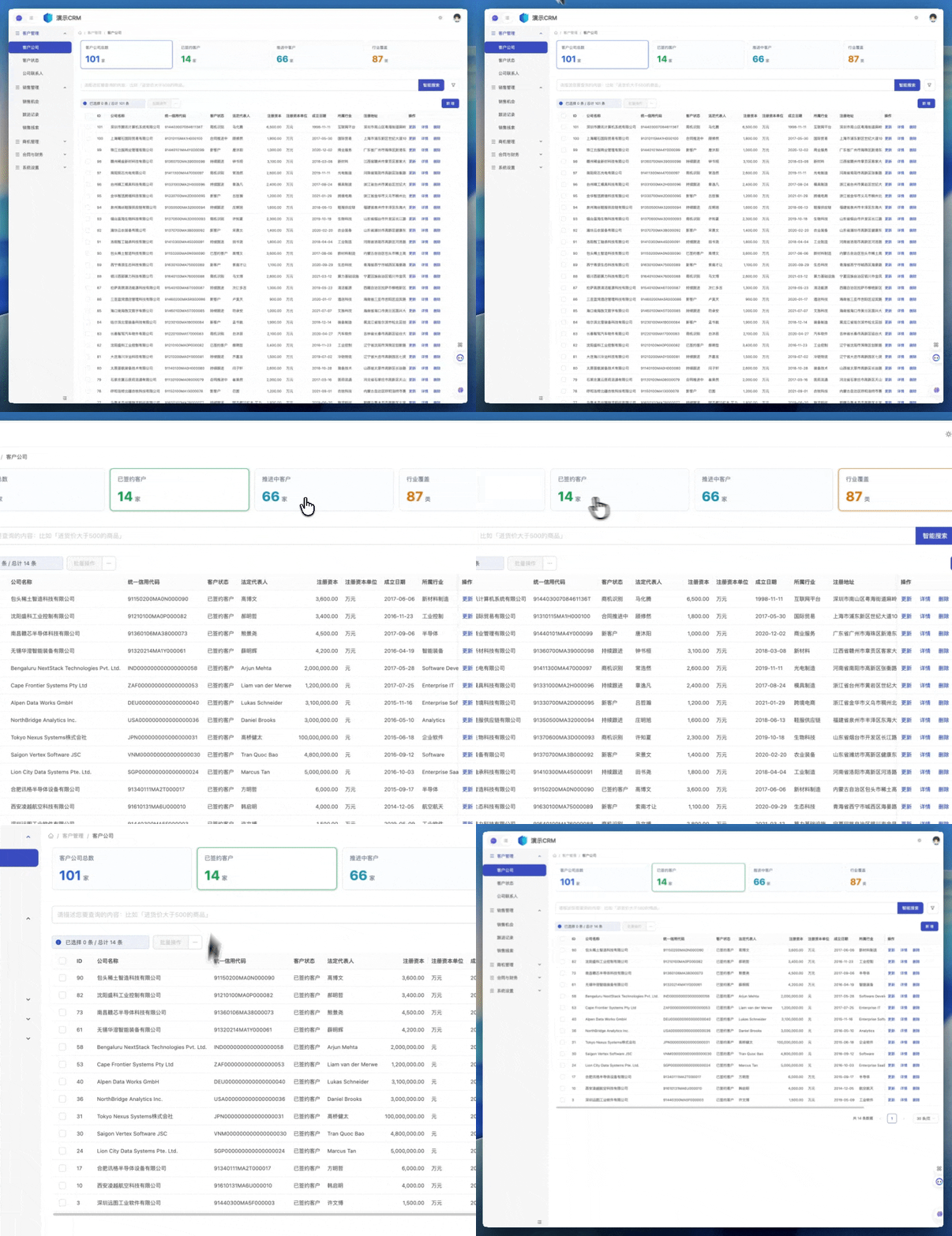
Example prompt:
CRM 客户公司数据列表页的表格上放4个card,展示汇总数据,card可以点击,点击之后下面table内容跟card数据指标口径保持一致More prompt examples:
把 <数据集名> 数据列表页的「创建时间」列固定在最左,隐藏「备注」列
给 <数据集名> 数据列表页加一个按状态汇总的统计卡片
列表筛选条件加上「仅看本周」
……
FAQ
- Prompted that you're not logged in / no app selected: tell rabetbase "log me in and set up the app".
- Generation never finishes: ask rabetbase to "check the generation status and errors for the <dataset name> data list page". It's usually incomplete dataset fields or relations.
- Related data doesn't come through: ask rabetbase to "check whether the relations and page bindings for <dataset name> are consistent".
- Fields changed but the page didn't update: for an existing page, ask rabetbase to "sync the <dataset name> data list page to the latest fields" — don't regenerate it.