What is a Skill
A Skill is a Markdown playbook your team captures: when to use it, what input it needs, which steps to run, and what format to output. Business users invoke it by skillCode in a chat.
Option 1: Do it manually in the Lovrabet workspace
Step1. View the Skill list and skillCodes
Business users (runtime): On the left, go to Chat → Skill Library to browse company, built-in, and personal Skills, and note the skillCode.
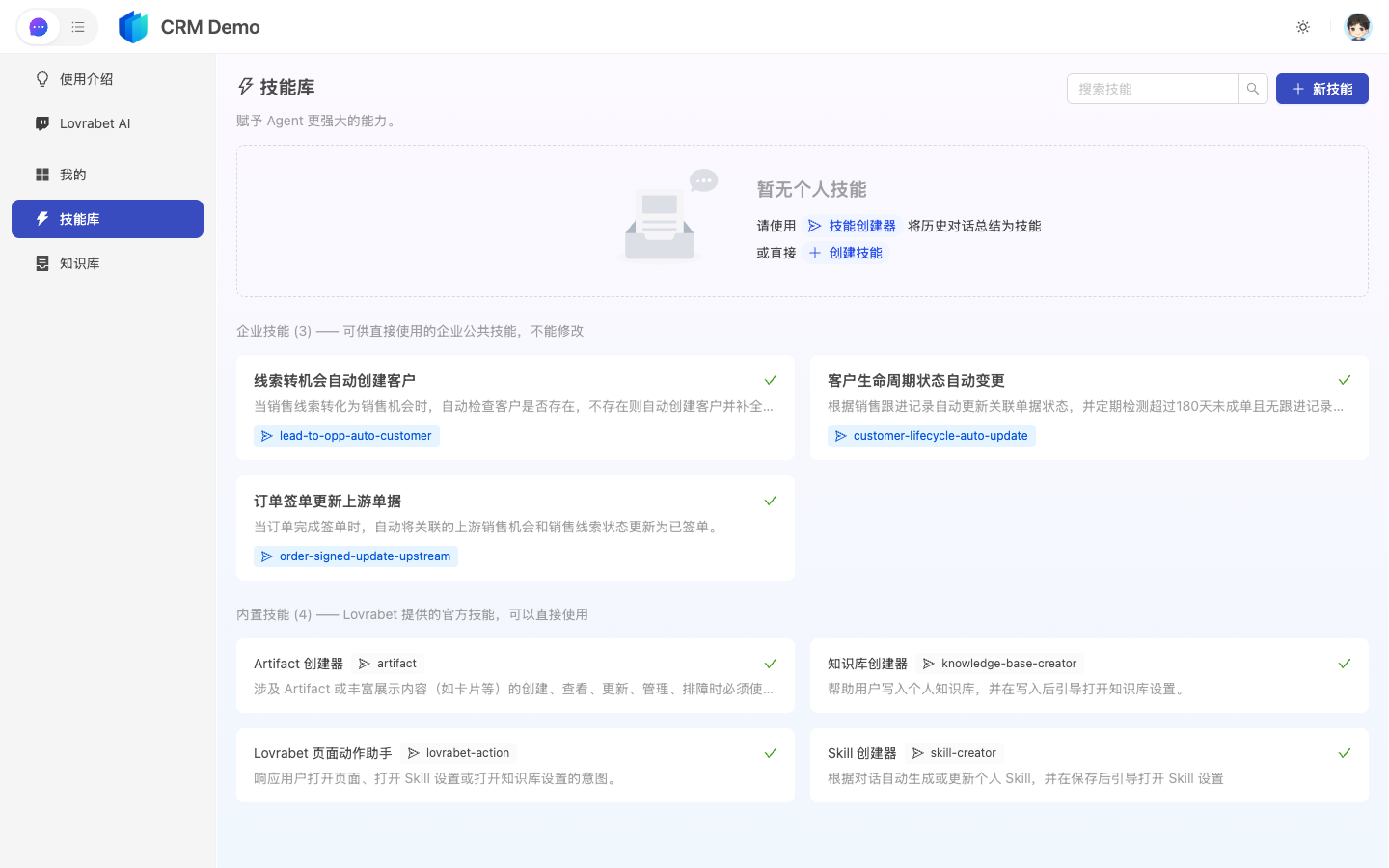
Admins/developers (workspace): After opening the app, go to App Management → AI Asset Center → Skills to maintain Skill bodies and codes.
Step2. Open the body to understand the steps
Click a Skill and read it in the Markdown editor on the right: When to use, Input requirements, Steps, Output format, and Prohibitions (for write operations, check especially whether human confirmation is required).
Step3. Tell Skills and Knowledge apart
| Skill | Knowledge | |
|---|---|---|
| What it stores | How to do things | Terms, rules, metric definitions |
| Menu | Skills | Knowledges |
| In a chat | use skillCode=xxx … | The Agent retrieves background automatically |
FAQ
Who can create a Skill?
Usually admins or developers maintain them. How business users invoke them in a chat → Use Skills for common tasks.
Is the runtime "Skill Library" the same as the admin-side Skills?
Yes, it's the same set of Skill assets: the admin side maintains the bodies and skillCodes, while the runtime's Chat → Skill Library makes browsing and selection easy for business users.